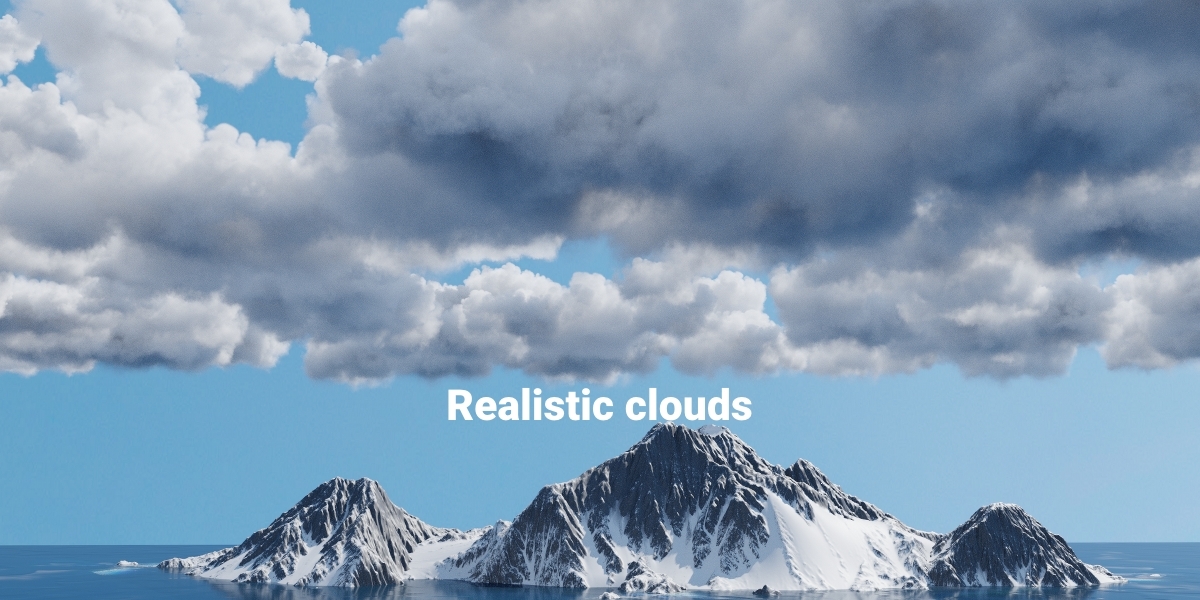
VDB Animator is a Blender add-on for building and animating VDB scenes procedurally. It shows updated results in the viewport as you work, so you can inspect animation changes without baking again just to see them.
Build changing volume formations
Generators duplicate and transform a VDB to create formations, including clouds made from a single starting VDB. The product listing describes 188 different VDBs and 188 turbulence options for each VDB. Turbulence changes a volume’s shape over time, with examples including clouds, timelapses, smoke, fire, and explosions.
Multiple VDB Labs can link and control different formations together. The listing also describes using separate controls for dark smoke and explosion flames, and controlling up to thousands of VDBs.
Use geometry to shape a scene
Cutting functions use geometry to determine where VDBs sit on other geometry. The Mountains function can create mountains and move VDBs along their shapes. For nebula scenes, a star generator makes star formations that match the clouds. Color Mix creates gradients, and controls for polar-light waves are also included.
Effects you can create
The product listing names clouds, storms, fog, smoke paths, tornadoes, volcanoes, explosions, fire, polar lights, nebulas, galaxies, waterfalls, rivers, and VDB titles among its scene types. The procedural tools are suited to Blender artists who want to assemble and animate these effects from VDB volumes, with geometry and turbulence controls for varying their formations.
Compatibility and learning resources
Superhive lists Blender 4.2–5.2, Blender Extension compatibility, and Cycles and Eevee as render engines. Its documentation page says a documentation file is included with the product files. Tutorials are available on 4DView’s YouTube channel. Check the current product listing for compatibility with your Blender release and the latest product details.