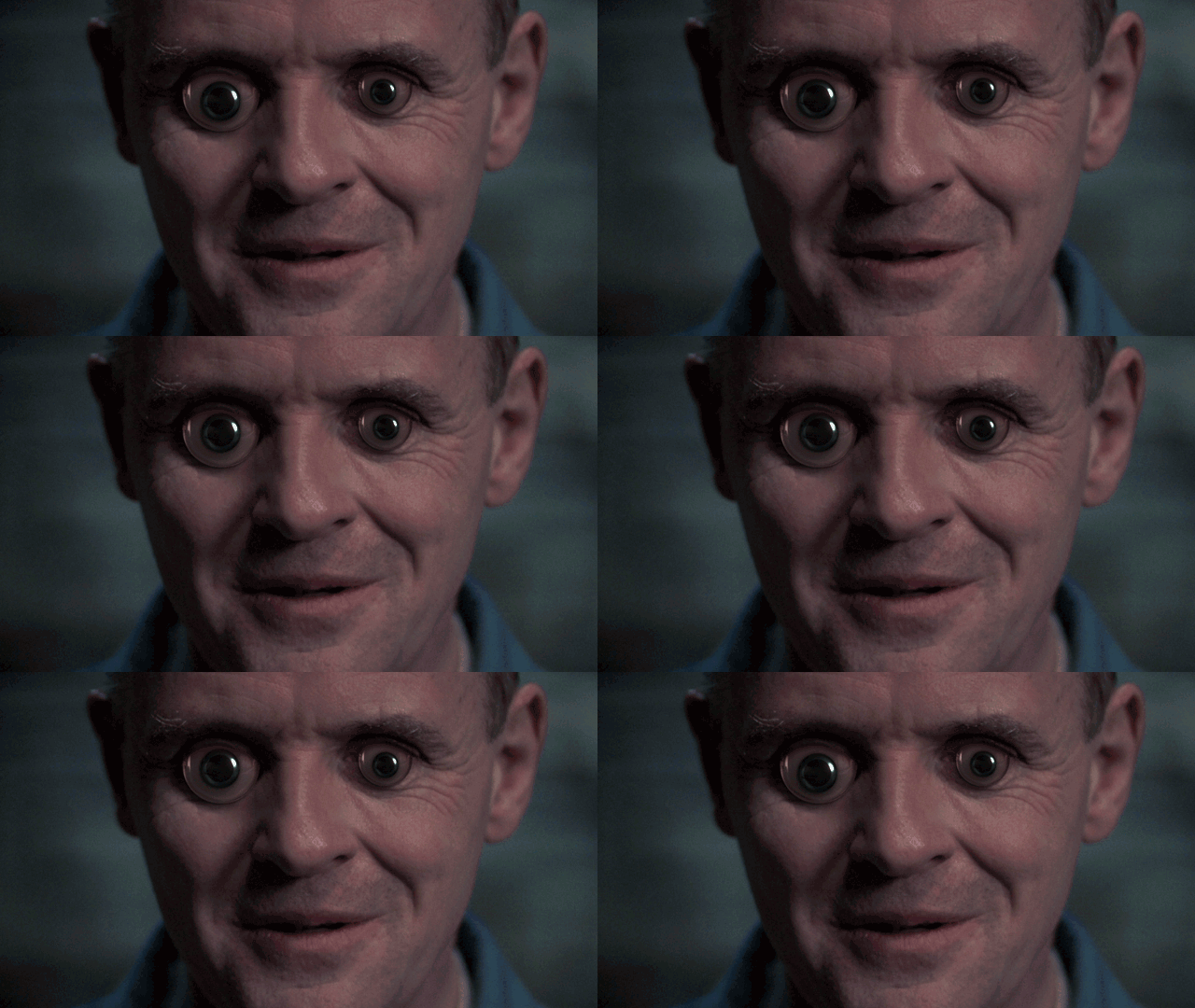
Video Copilot Glass Eyes (Free) is an After Effects plug-in for adding glassy, googly eyes to footage. Its focused effect suits a tracked shot that needs an uncanny, comic or more expressive look. The developer’s original announcement calls it a real plug-in despite its April Fools-themed title and includes Windows and Apple download links.
The documented workflow suits shots where the eye position is visible enough to track.
Eye controls
The controls cover pupil design and the look of the moving eye effect:
- Custom pupils let you choose a pupil design.
- Pupil size control adjusts the pupil’s size.
- Pupil color changes its color.
- Googly speed and amount adjust the movement.
- Highlight rotation changes the highlight’s angle.
Basic workflow
- Apply the plug-in to a blank solid in After Effects.
- Motion-track the eye position so the effect follows the subject.
- Add an inner shadow layer style to give the eyes depth.
- Adjust the pupil and googly controls to shape the result.
Who it suits
Glass Eyes is for motion designers and compositors who want a stylized eye treatment in an After Effects shot. Video Copilot’s examples include making creepy videos, fixing wedding footage, changing the look of favorite movie scenes and adding personality. The listed controls suit playful or deliberately strange edits where pupil design, movement and highlight angle are part of the effect.
Compatibility and availability
The compatibility information lists Adobe After Effects and Video Copilot Element 3D. The original announcement identifies Glass Eyes as an After Effects plug-in but does not give supported version numbers or say whether Element 3D is required. Check the current installer notes before adding it to a production setup.
Glass Eyes is listed as free. The official announcement dates to April 2016, so check its download page for current availability and usage terms before relying on it for a new project.