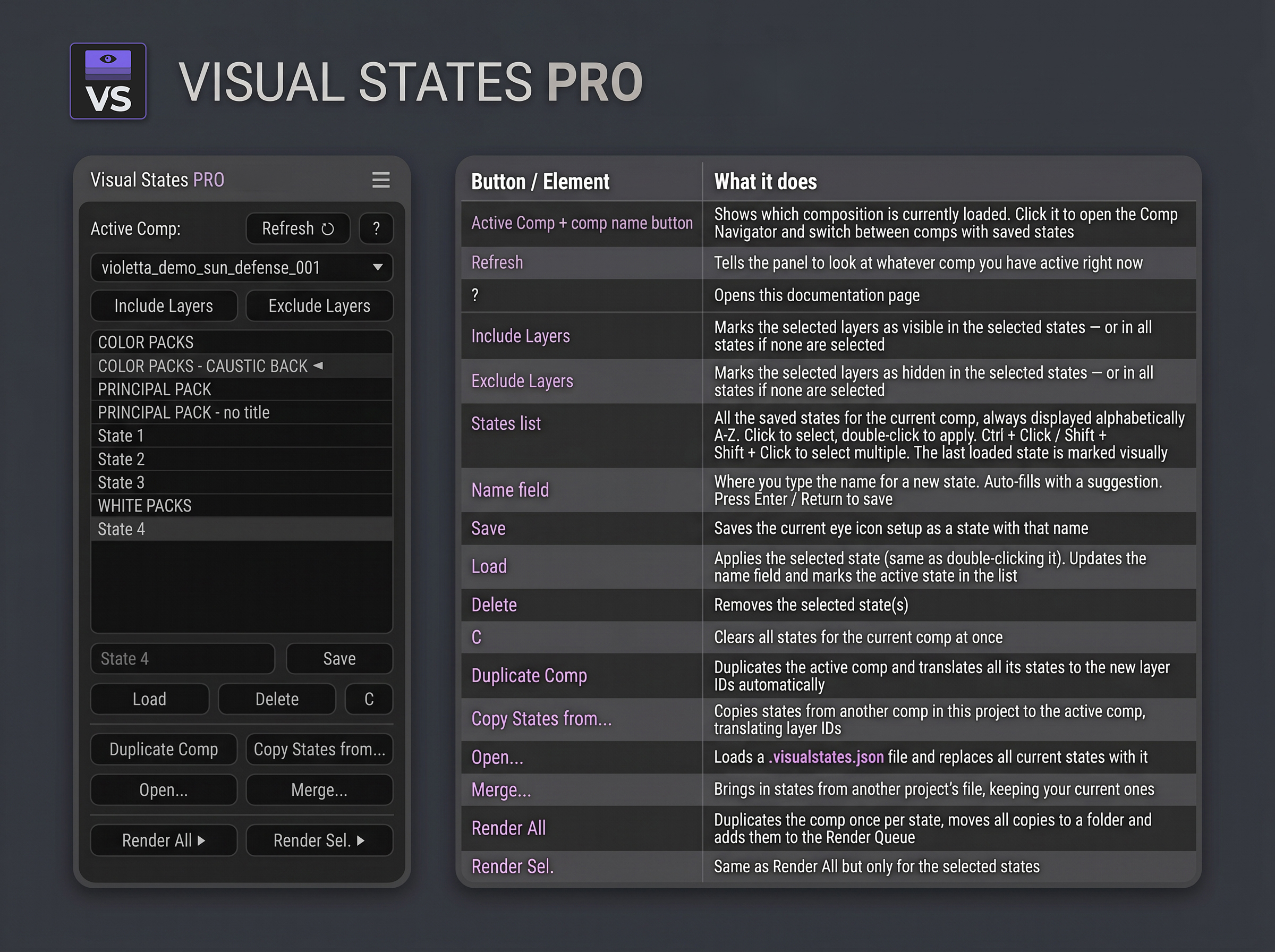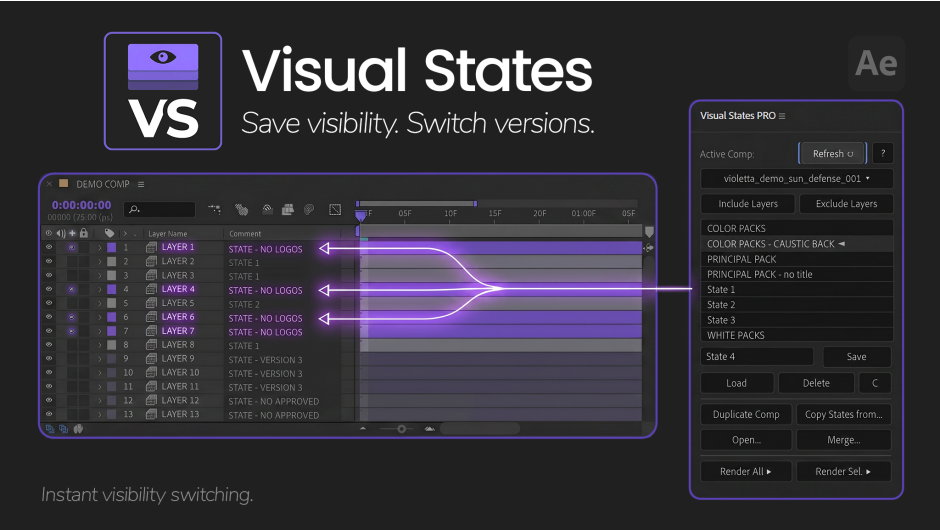
Visual States is a dockable After Effects panel for saving and loading named layer-visibility states in a composition. If one comp contains logo, language, or client layout variations, you can save each arrangement and switch between them without toggling layers by hand. The workflow records layer visibility rather than using keyframes or expressions.
Save and recall composition versions
Visual States PRO allows unlimited states per composition. Load a state with one click or double-click, select several with Ctrl+Click or Shift+Click, and delete multiple states together. The panel marks the last loaded state so you can see which setup is active.
In version 1.30.02, dated June 25, 2026, the state list sorts alphabetically. You can type a name and press Enter to save and apply a state; the name field then suggests the next available name.
Edit states and move between comps
Include and Exclude let you turn selected layers on or off in one or more saved states, or across all states, without loading each one in turn. New layers added after states have been saved are registered across the existing states with the opposite visibility. Renaming or reordering layers, and renaming comps, does not break saved states.
Comp Navigator browses compositions with saved states. Duplicate Comp with States carries those states to a duplicate, while Copy States from another comp reports how many layers matched in each state. Open or Merge imports states from another project, with controls for overwriting existing states.
States are stored in a plain .visualstates.json file next to the .aep project. That file can be shared through team folders or shared drives.
Queue selected versions for rendering
Render All and Render Sel send every saved state or only the selected states to the After Effects Render Queue. This is useful when a comp has several approved variations and you need to queue only some of them.
Check the product details
The publisher's product page has current compatibility and availability details. The English user guide covers setup and workflows.