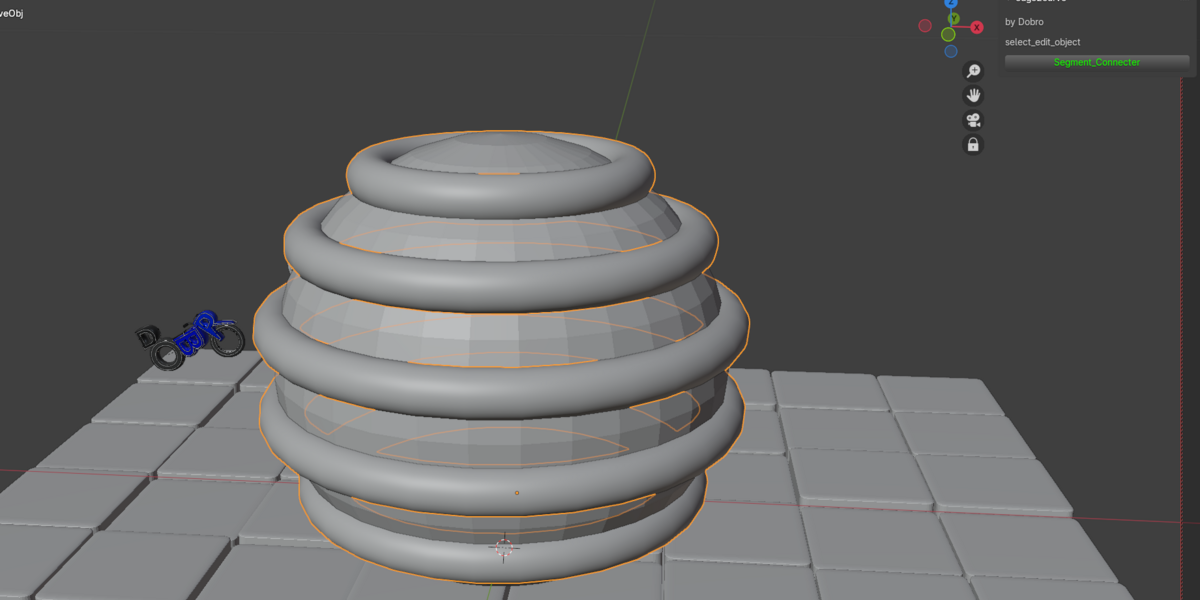
X-Over is a Blender add-on by CGMatter that solves curve self-overlap as you edit. It lets a curve weave over and under itself without self-intersection, which can otherwise require manual adjustment. Multiple splines in the same curve object can interact, and the stacking order can be inverted.
The add-on is suited to curve arrangements such as rope knots, overlapping bandages and spaghetti. It also works across surfaces and inherits their surface normals.
Solver controls and output choices
Curve Spacing sets the curve resolution. Smaller values produce more detail and accurate results, with a performance cost. Fast Mode uses shortcuts to find intersections faster, with lower accuracy. Height Offset controls how far the curve moves along the surface normal to resolve collisions, while Smoothing relaxes the resulting layers.
X-Over can output a mesh, the modified curve or the intersection sites. Snap to Surface places curve points directly on the corresponding surface. For mesh output, you can provide a custom profile curve; a circle is used when no profile is supplied. Subsequent curve modifiers can also be applied. Orientation settings control the curve normal for custom profiles, with options to inherit surface normals or use minimum twist or Z-up.
Setup and compatibility
X-Over requires a curve input, so do not mesh the curve before using it. Before installing, note that the documentation requires Blender 4.4 or newer, while the marketplace compatibility field lists Blender 4.4 through 4.5. To install the add-on, drag its ZIP file into Blender and confirm. It then appears in the 3D Viewport N-Panel. The marketplace lists the license as MIT.
To bake the modifier down to a mesh, switch to Object Mode and choose Convert To > Mesh. The X-Over documentation notes a few usage gotchas and links to a tutorial. Check the product listing for its current compatibility details.