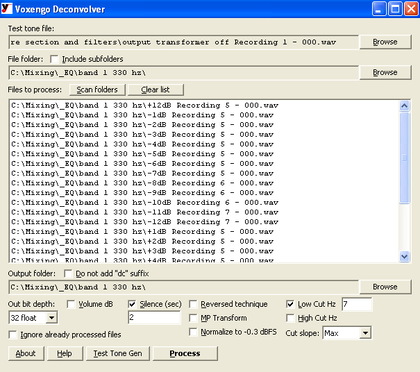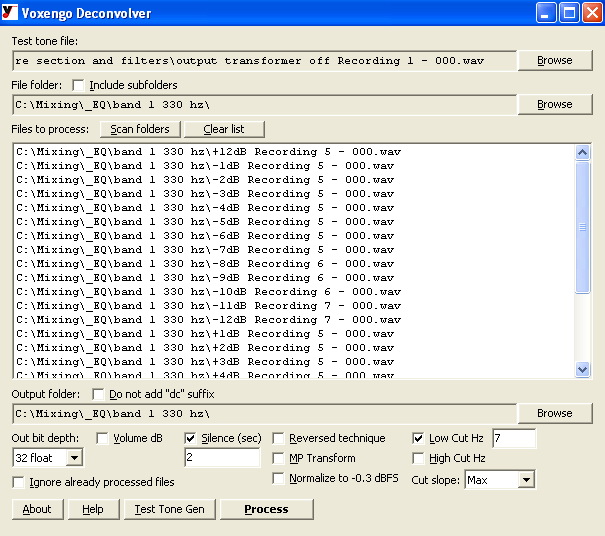
Voxengo Deconvolver is a Windows application for recovering impulse responses from recorded test tones. Use it to capture the response of a room, reverb unit, equalizer, or speaker cabinet, then prepare the resulting WAV files for convolution processing. Deconvolver captures only EQ and phase coloration; Voxengo warns that tube or similar sound sources produce an incorrect impulse response.
WAV processing and deconvolution
Deconvolver reads mono, stereo, and multichannel WAV files. Its feature list specifies input formats of 8, 16, 24, 32, and 64-bit PCM and IEEE WAV, with output options for 8, 16, or 24-bit PCM and 32-bit IEEE WAV. It supports batch processing, a built-in DC removal filter, a test tone generator, and automatic stereo normalization. Deconvolver supports all sample rates.
Voxengo describes the FFT deconvolution as mathematically exact and says a 25-second stereo file at 96 kHz may require up to 100 MB of memory. See the full feature list for the supported WAV formats and demo limits.
Capturing an impulse response
The manual recommends playback and recording equipment with a good signal-to-noise ratio and a reasonably flat frequency response. These devices may also need word-clock synchronization. To capture a source such as a room or hardware reverb, play a test tone through it and record the output for the full test tone duration, without cutouts or clipping. Leave enough trailing silence for the response to decay. For reverberant sources, the manual recommends about 1.5 to 2 times the expected reverb tail; for a preamp or other hardware unit, it recommends at least one additional second. Deconvolver includes a test tone generator. In the application, select the test tone WAV and the folder containing the recorded files, choose output settings, then process the files. The official manual describes the controls and capture setup.
A recording does not need to be synchronized with the test tone; you can include pre-roll and post-roll silence.
Reversed technique and minimum-phase transform
The reversed test tone technique works only with sine sweeps created by Deconvolver. Voxengo says it can improve results in some cases, particularly recordings with low signal-to-noise ratios or hardware with limited bandwidth. Test tones with fade-ins and fade-outs work best with this method.
The minimum-phase transform is an optional step after deconvolution. The manual says it can reduce pre-echo when capturing nonlinear equipment such as speakers and amplifiers. For reverb impulses, it can produce a response with no initial delay. Avoid it when the left and right reverb channels have different initial spike timings.
Windows availability and evaluation limits
Deconvolver is a Windows application and is not available for macOS. It supports Windows XP or later on 32-bit and 64-bit computers; Voxengo recommends a 1 GHz processor and at least 1 GB of RAM. The downloads listing identifies version 1.9.3, dated October 3, 2007. The demo does not support batch processing and is limited to three deconvolution operations per program session.