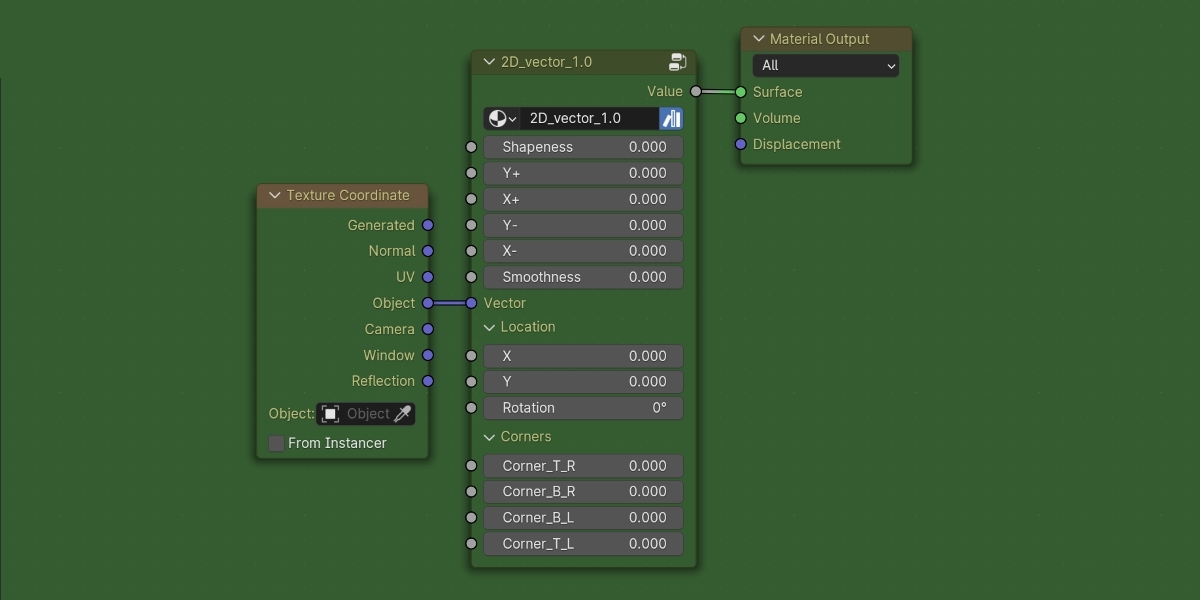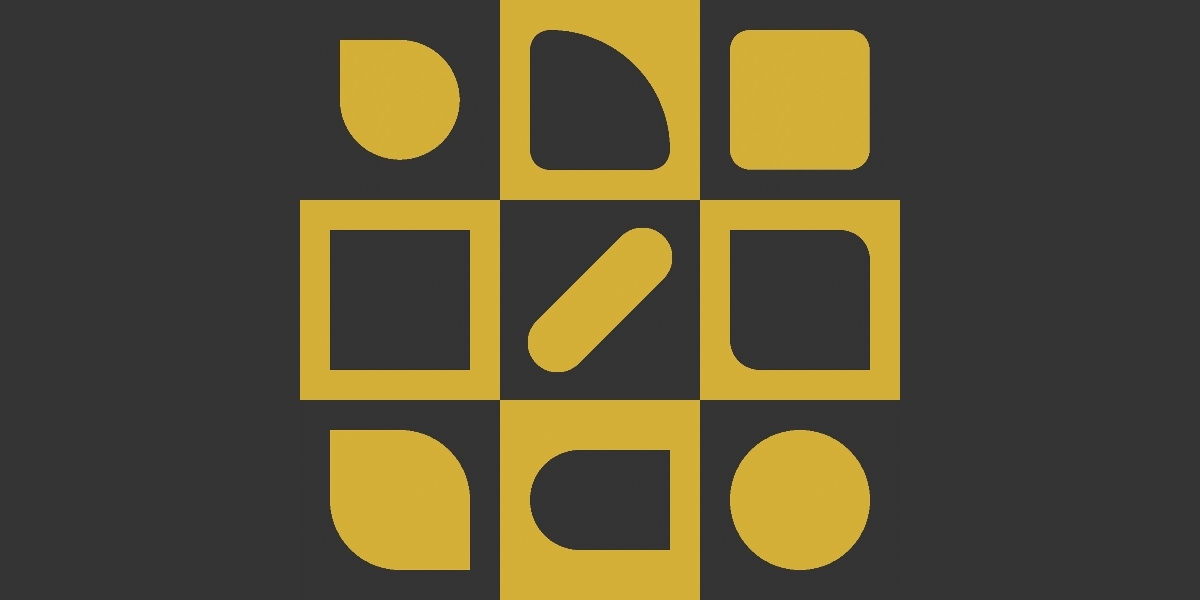
2D Procedural Shape is a Blender node group for creating procedural 2D vector shapes. It can produce forms from perfect circles and squares to organic drops, using one node. The controls include a Shapeness slider, separate rounding for each corner and rotation in degrees. See the product details or read the product documentation.
The product FAQ names UI elements, icons and motion graphics masks as intended uses. The documentation also describes using the node's output in a shader, so the shapes can be part of a Blender material workflow.
Using the shape in a Blender shader
The documentation says to append the node group to a Blender file or access it through the Asset Browser. Connect its Value output to a shader input, such as a Mix Shader mask or Base Color. Adjust Shapeness and the corner controls to change the form, then use Location and Rotation to position it.
Shape controls
- Shapeness: Changes the form of the shape.
- Individual corner rounding: Set the top-right, bottom-right, bottom-left and top-left corners separately.
- Rotation: Set the angle in degrees, with the documentation specifying a range of 0 to 360 degrees.
- Location: Position the shape in the node workflow.
The catalog overview describes the node as lightweight. The documentation says it works with both Eevee and Cycles, and the product listing names both as the render engines used.
Compatibility and license
The product details list Blender versions 4.1 to 5.0. The documentation overview says 4.1 and above, so check with the developer if you plan to use a version newer than 5.0. The listing identifies the license as MIT. Review the current product listing for the latest product information.