Apply noise to Blender meshes
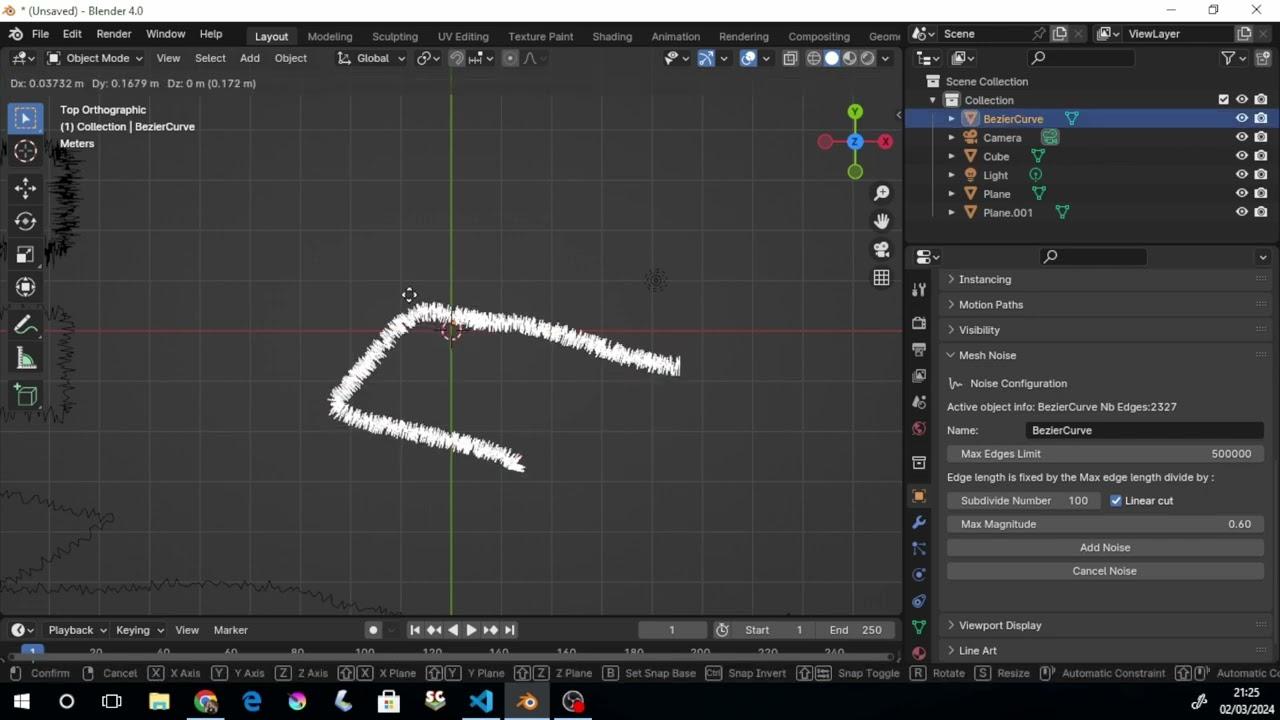
Add Noise To Mesh is a Blender add-on by Noisetik for building complex meshes with noise. It provides linear and non-linear noise, configurable magnitude and subdivision. Noise is applied on the XY plane only.
Adjust magnitude and the Max Edges Limit
Magnitude is based on the longest edge of the initial mesh. Its setting ranges from 0 to the full length of that edge, so the starting mesh matters when choosing a value. Subdivision is configurable as well, though the listing does not specify its available values.
The creator warns that noise generation can produce a very large number of edges. If the resulting edge count matters, set the Max Edges Limit before generating the mesh.
Check Blender version before installation
- Before installing, compare your Blender version with the listing, which names 3.6, 4.0, 4.1 and 4.2. Then open Edit > Preferences in Blender.
- Select Add-ons. Click Install in Blender 3.6, 4.0 or 4.1; in Blender 4.2, choose Install from Disk.
- Choose the add-on file, then make sure Add Noise Mesh is ticked.
The Superhive listing identifies version 1.0 and a GPL license. It also points to an example and documentation section.