AE Sheets is an After Effects extension for making localized versions of motion graphics. It organizes text and composition variants in a spreadsheet-style panel, then applies translations, language settings and font substitutions when you generate each version. It suits motion designers and animators who need to adapt a project for several locales.
Build language versions from indexed layers
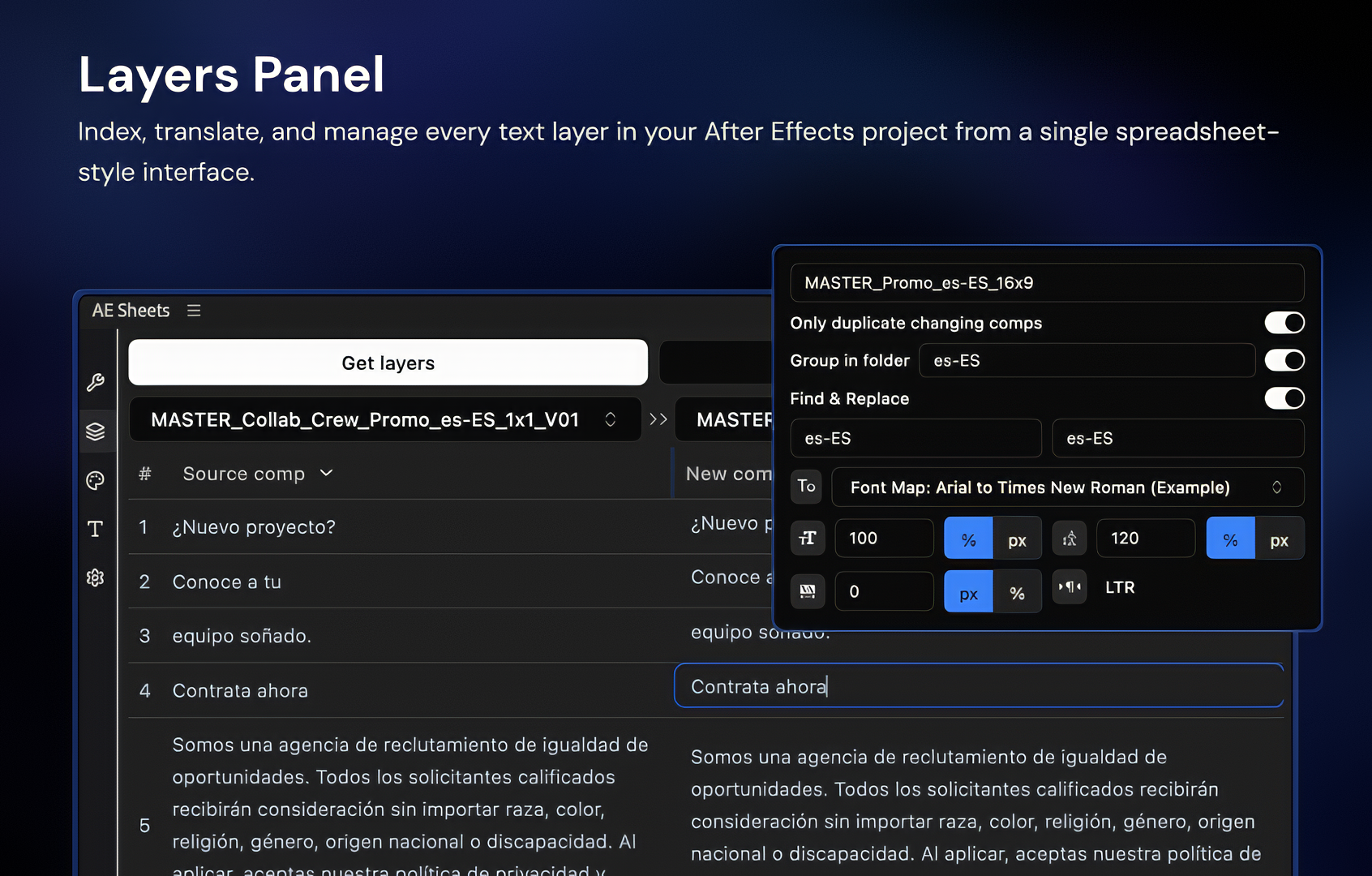
Index the text layers you want to manage by selecting them in the timeline or adding a caret and number to a layer name. Layers with the same index can update together. You can also index composition layers and choose a locale-specific precomposition for each version.
Create a language column from a preset, enter translations, then generate the composition. AE Sheets can suggest a matching precomposition when its name uses a language or region suffix, such as en-GB. The original composition remains untouched when versions are generated.
Translate with AI or a spreadsheet
For Google Gemini or OpenAI translation, provide your own API key. Version 1.2.0, dated September 17, 2026, added Anthropic Claude alongside Google Gemini and OpenAI; compatible models are listed in Settings. Google and OpenAI bill API usage directly at their standard rates. Custom translation instructions can set a tone or ask the service to keep brand names unchanged.
For human or external translation, export text as TSV or copy it into Google Sheets or Excel. Import the edited translations or paste them back into the corresponding version. You can configure composition names, folder grouping and find-and-replace rules for each version.
Prepare text and typography for each locale
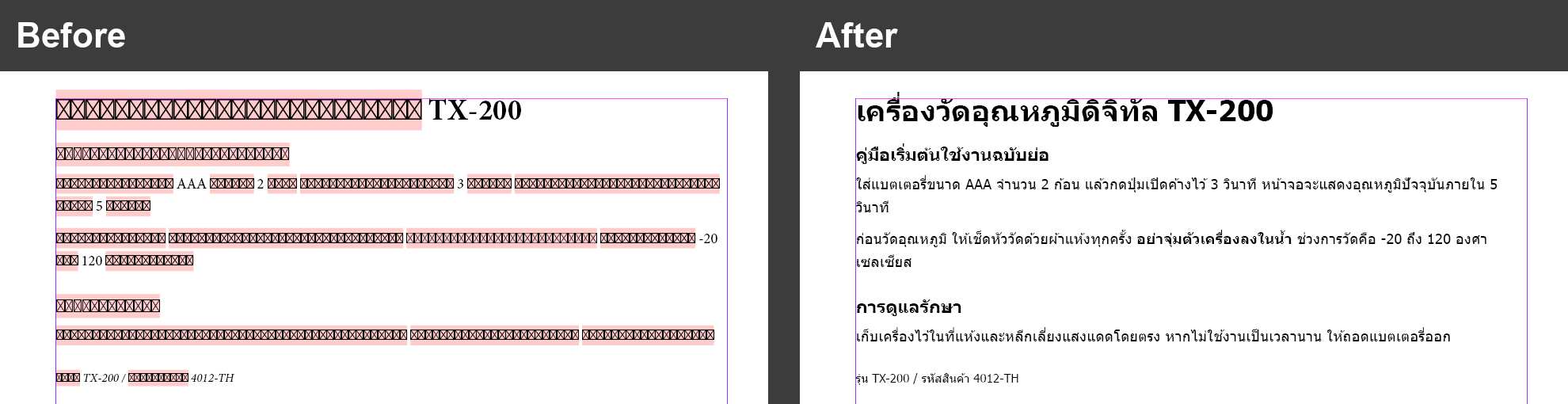
The product page lists 64 built-in language presets, with custom presets available for other locales. Presets can set font family, size, tracking, leading, right-to-left flow and a language code. Font Maps let you map individual source fonts to replacements while keeping distinctions such as bold and italic styles.
Rigging tools address common layout changes caused by translated text. Auto Resize scales type down when it exceeds a chosen width or height. Dynamic Anchor Point keeps text expanding from a chosen side or its center, while Pinning lets other layers follow an edge or corner of the text. These controls manage layout changes; Auto Resize may reduce the type size to make longer text fit.
Generate and review multiple compositions
Batch Create lets you select several language presets and generate their versions in one operation. Each version receives its preset's text settings and font map. Shared nested compositions without changing text are not duplicated. Grid Packer can place selected compositions into a Master Showcase composition for side-by-side review.
Compatibility, trial and licensing
AE Sheets requires After Effects 2024 or later and supports Windows and macOS. The vendor's documentation says Apple Silicon Macs run it natively. Install the extension with ZXP Installer, then open it from After Effects' Extensions menu.
The trial has no time limit and includes the features, with generation capped at 10 duplicated compositions. AI translation and license activation require an internet connection; the vendor says the other features work offline. The EULA grants one copy for use on one computer at a time. Additional users or computers require appropriate licensing.