Collect fonts for an After Effects handoff
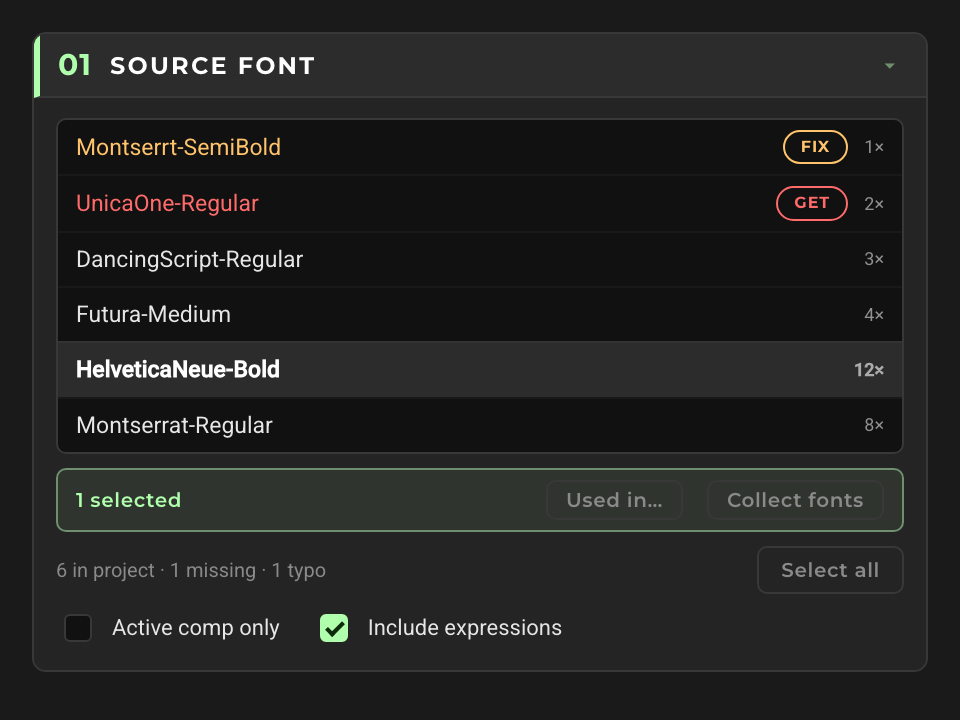
AEJuice Collect Fonts is an After Effects script for gathering the fonts used in a project. AEJuice lists two options: collect fonts alone, or collect fonts together with files. It can archive the collection as a ZIP, AEJuice also lists kBar integration.
Prepare a project for another editor
This fits motion designers and editors who need to package an After Effects project for a collaborator, archive it, or move it to another workstation. The collection supplies font files for the handoff, but the recipient still needs each font available to After Effects. When a project opens with missing fonts, After Effects shows the Resolve Fonts dialog. Fonts available from Adobe can be synced to Creative Cloud; fonts unavailable online are replaced with the default font.
Compatibility and license
AEJuice lists After Effects CC 2015, CC 2017, CC 2018, CC 2019, CC 2020, CC 2021, and CC 2022 or higher. Its technical section lists Windows 10 or higher, macOS 10.14 or higher, and M-series support. AEJuice's product page lists a single-user license for unlimited videos and clients. Its posted EULA describes an Individual license for one named user with annual revenue or funding below $500,000 USD per year. The EULA says a user does not qualify for that license if they are part of a team of more than one person, store AEJuice assets where others can access them, or allow others to use those assets; software use is limited to two machines at a time. It lists a separate Business license and requires each person who uses AEJuice assets to have a license. The EULA does not specify rights to share collected font files, so check each font's terms before transferring them.