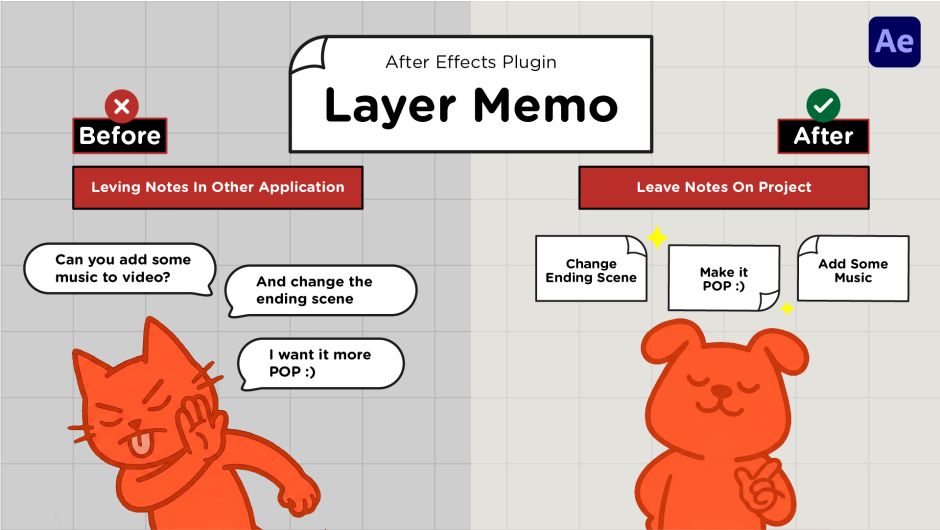
Layer Memo attaches notes to layers and compositions in After Effects, keeping each note tied to the work it describes. Select a layer, write a note and save. The note is stored with the composition name and layer reference inside the .aep project.
Track revisions and return to the right layer
Click a note in the panel to open its composition and select the referenced layer. This also works across deeply nested project structures. Freelancers can record client revision requests beside the affected layers; motion designers can leave context for a later session or a project handoff.
Organize notes with color-coded tags such as #todo, #client, #bug and #done. Search filters notes across the project. When work is finished, resolve and archive a note without deleting it, and use the stats bar to see open, resolved and to-do counts.
Project storage, compatibility and licensing
Notes use After Effects' native settings storage inside the .aep file. They need no external files or sidecar JSON, work offline and remain with the project when it is archived or shared.
The product listing names After Effects 2025 and 2026 as compatible versions. Its EULA permits one installed copy and one archival copy on a storage medium other than a hard drive for reinstallation, and restricts use to one user and one computer. Shared multi-user or network installations require an appropriate license for each user and copy, which studios should account for when planning editor handoffs.