Pubes is an After Effects script by Rendertom for generating splines inside a polygon or along a shape's edge. Polygon mode places splines randomly across the shape area. In Edge mode, splines can be placed evenly, randomly, semi-randomly, or projected at a chosen angle.
Regenerate and adjust spline details
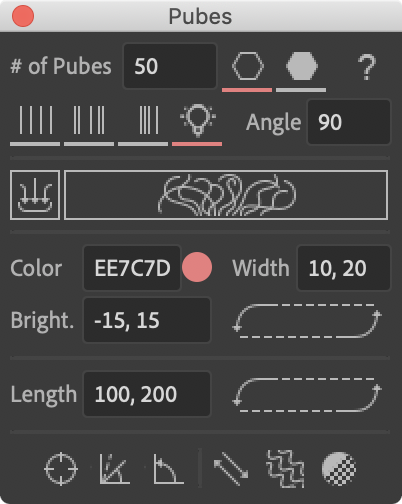
Pubes can read spline data and restore the controls used to create it. You can then regenerate the distribution, rotation, color, width, and length. Random rotation assigns a random value to each spline. Reset rotation restores the default value set at generation, and Reverse direction flips each spline's direction.
Use target, wiggle, and gradient controls
- Add target creates a layer and applies a rotation expression so each spline points toward that target.
- You can add or remove the Wiggle Paths shape effector and use an effect to control its parameters.
- Gradient Stroke adds a black-to-white gradient to each spline using Multiply. Alt-click reverses the gradient and switches the operation to Screen.
Shape requirements and animation limits
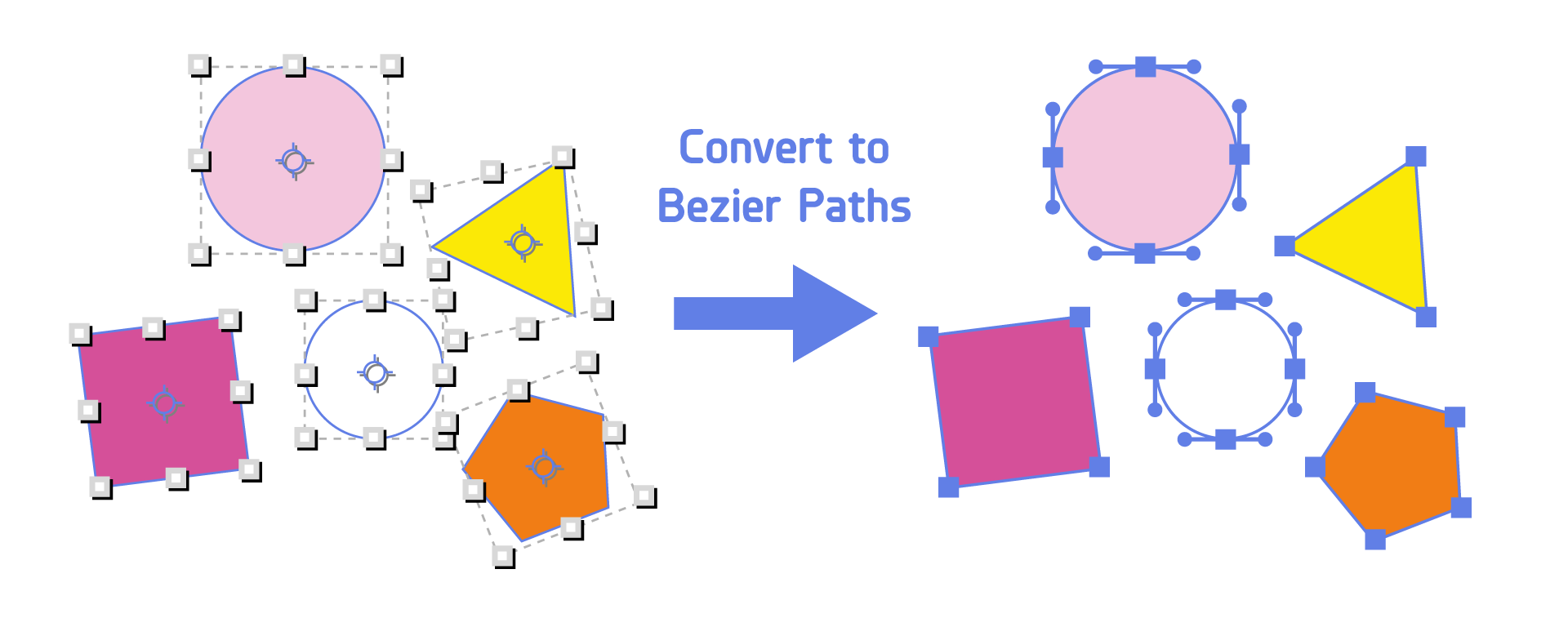
Pubes works with Bezier shapes. Parametric shapes such as rectangles, ellipses, and stars must be converted to Bezier paths first. The product listing says animated shapes are unsupported. Pubes generates splines from the shape's value at the current composition time because it performs extensive trigonometric calculations.
Listed After Effects compatibility
The product listing names After Effects 2024, 2023, 2022, 2021, 2020, CC 2019, CC 2018, CC 2017, CC 2015.3, CC 2015, CC 2014, CC, and CS6. See the Pubes product listing for product details and compatibility information.