File Sequence Exporter for Cinema 4D exports each frame of a scene animation as a separate .c4d or .obj file. The sequence can be imported as animated geometry into other graphics packages, including After Effects workflows using Element 3D, Stardust, Plexus, Particular, or Form.
Choose an output format
The product listing recommends .c4d for Element 3D and .obj for Stardust and Plexus. It also names Particular and Form as examples of After Effects destinations, but does not specify a preferred format for them. Check the receiving tool's import requirements before exporting a long sequence.
Reduce geometry for proxy sequences
The exporter lists Level of Detail for Cinema 4D v20 and Polygon Reduction for v19. These options reduce polygon and vertex counts for smaller proxy sequences.
Use command-line mode for batch work
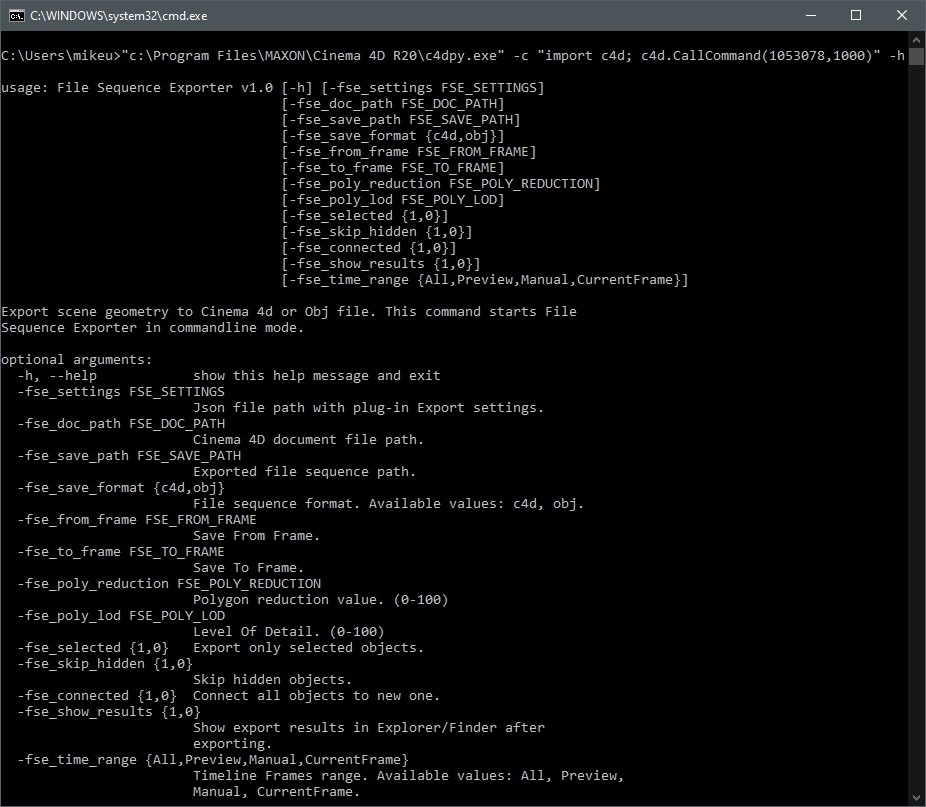
Command-line mode supports integration with batch files and scripts. It can fit workflows that need to repeat exports as part of a larger process.
Check compatibility and installation
The compatibility list names Cinema 4D 2025, 2024, 2023, S26, R25, S24, R23, S22, R21, and R20. A version history entry for 1.1.8.3, dated June 20, 2025, says its activation module was updated for Cinema 4D R2025.2. For releases beyond those listed, confirm support with the author.
To install, copy the File Sequence Exporter folder into Cinema 4D's plugins folder. For Cinema 4D R20 and later, the listing also describes opening Edit > Preferences > Plugins, dragging the plugin folder into the list, and restarting the application. See the aescripts product listing for current package and compatibility details.