RasterFast is a one-button After Effects script that turns on the "Continuously Rasterize" and "Collapse Transformations" switches for chosen layer types, including precomps and Illustrator files, across the entire project or the open comp before rendering.
Choose the scope and layer types
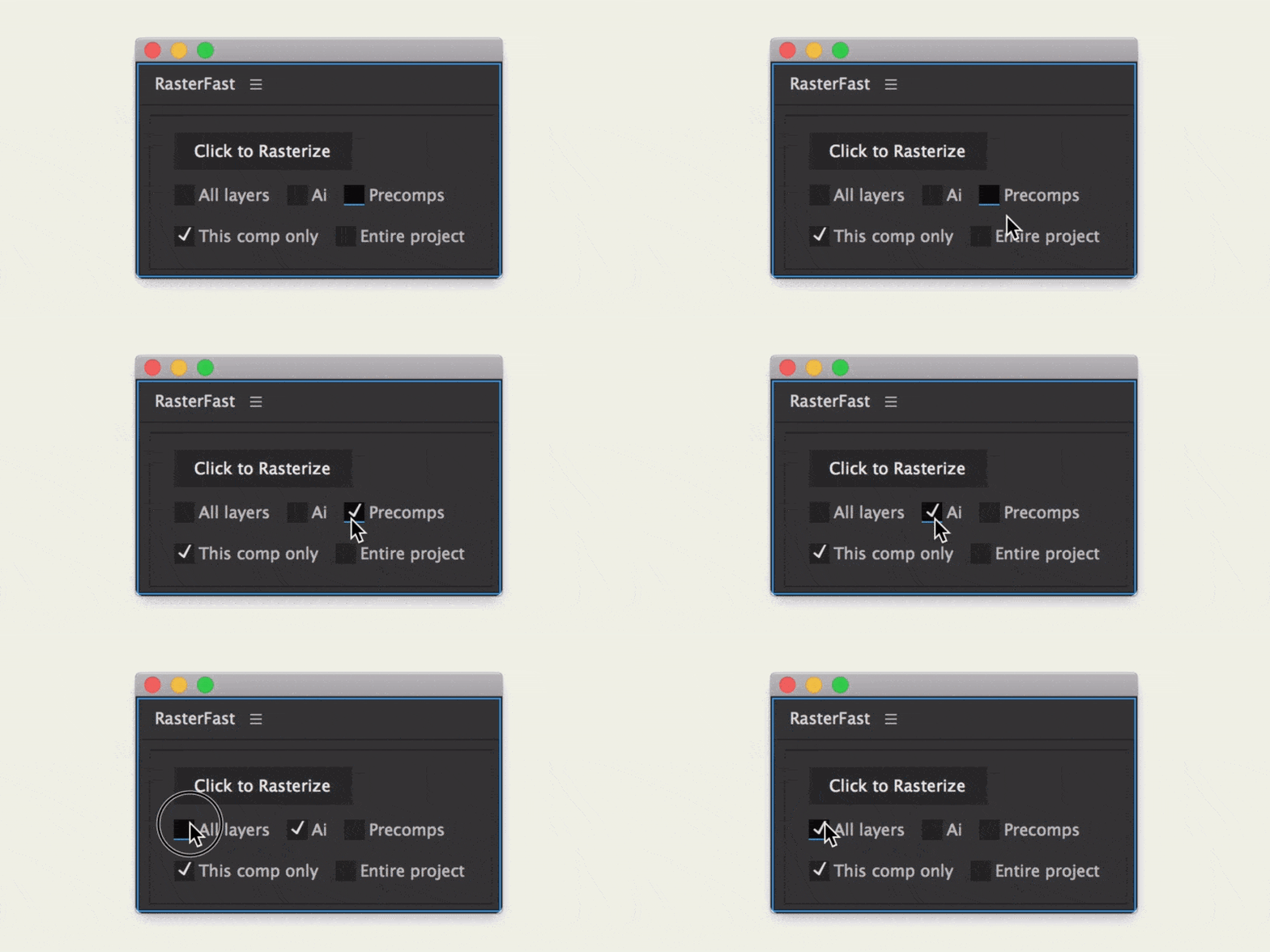
RasterFast can target the entire project or only the composition currently open. You can also choose which layer types to process; the listing names precomps and Illustrator files.
- Choose the layer types whose switches RasterFast should turn on.
- Set the scope to the whole project or the current composition.
- Click RasterFast to turn on both switches for the chosen layer types.
This gives you a project-wide pass when several comps need attention, or a narrower pass while preparing one composition.
Use it before rendering
Brander describes the problem behind RasterFast as discovering, after a large video has rendered, that an icon's continuous-rasterization box was left unchecked. The script applies those switches before rendering, so you do not have to search the project layer by layer.
The RasterFast product listing provides pricing and compatibility details.