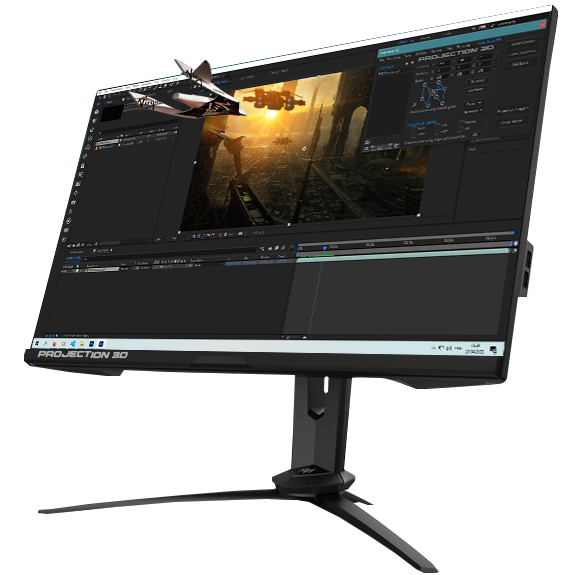
Projection 3D V5 is an After Effects tool for camera projection mapping and photo parallax animation. It combines camera matching with mask-based modeling, displacement and projection scene tools for building depth from images and footage.
The product’s tutorials cover camera matching, preparing assets for projection and modeling a city from live-action footage. Other examples include a flythrough from a still image and a 3D interior built from still images.
Modeling and camera tools
Projection 3D includes geometry tools for working from masks and curves. Extrude creates geometry from a selected polygon mask; Extrude Along Path uses one mask as the cutout pattern and another as the path. Spherize suits spherical surfaces, and Revolve turns a profile curve around a pivot. Mask Modeler creates complex surfaces from masks, including landscapes, rocks and mountains; Surface Modeler creates 3D models of any complexity.
- Image and object work: Bend a layer or image, create a 3D model from a depth map, displace a portrait or photo, or create a rough mesh and clean unwanted edges with Clean Edges in one click.
- Camera and compositing: Create a Vertigo dolly zoom, stabilize shaky video, use 3D matchmove stabilization, or integrate green-screen actors into a virtual scene.
- Scene handoff: Export solids, compositions, masks and layers as OBJ files, or export After Effects camera animation as a Python file for use in 3D software.
What V5 adds
Version 5 introduced a redesigned interface, the 3D Object Converter and Displace tools, a Projection Scenes Library, OBJ editing and one-click realistic water animation in Blender.
Requirements and camera matching
The product listing requires After Effects v24.2 or later with the Advanced 3D renderer.
V5’s new features use Blender for background processing, so Blender must be installed to use them. The product listing recommends the free fSpy app for best camera matching. The listing’s Version 5.1.0 entry, dated Nov 18, 2026, records a fix for texture sizes of converted 3D models in .obj format with newer Blender versions.
When it may fit
Consider Projection 3D V5 if your After Effects work involves adding camera movement to projected images, creating geometry from masks, or matching modeled elements to footage. Its export options can also help when a scene needs to move into other 3D software. Before choosing it, check the Advanced 3D renderer requirement and whether the Blender-based features fit your setup.
See the Projection 3D V5 listing for the full feature list, compatibility details and tutorials.