AiBar is a customizable toolbar for Adobe Illustrator from Poly Artboard, sold through the aescripts + aeplugins product listing. It brings menu commands, saved Illustrator Actions, and JSX or JS scripts into one panel, where each can be launched from a button. This suits Illustrator users who repeat the same operations and want those commands together instead of searching through menus.
Build a toolbar from commands, Actions, and scripts
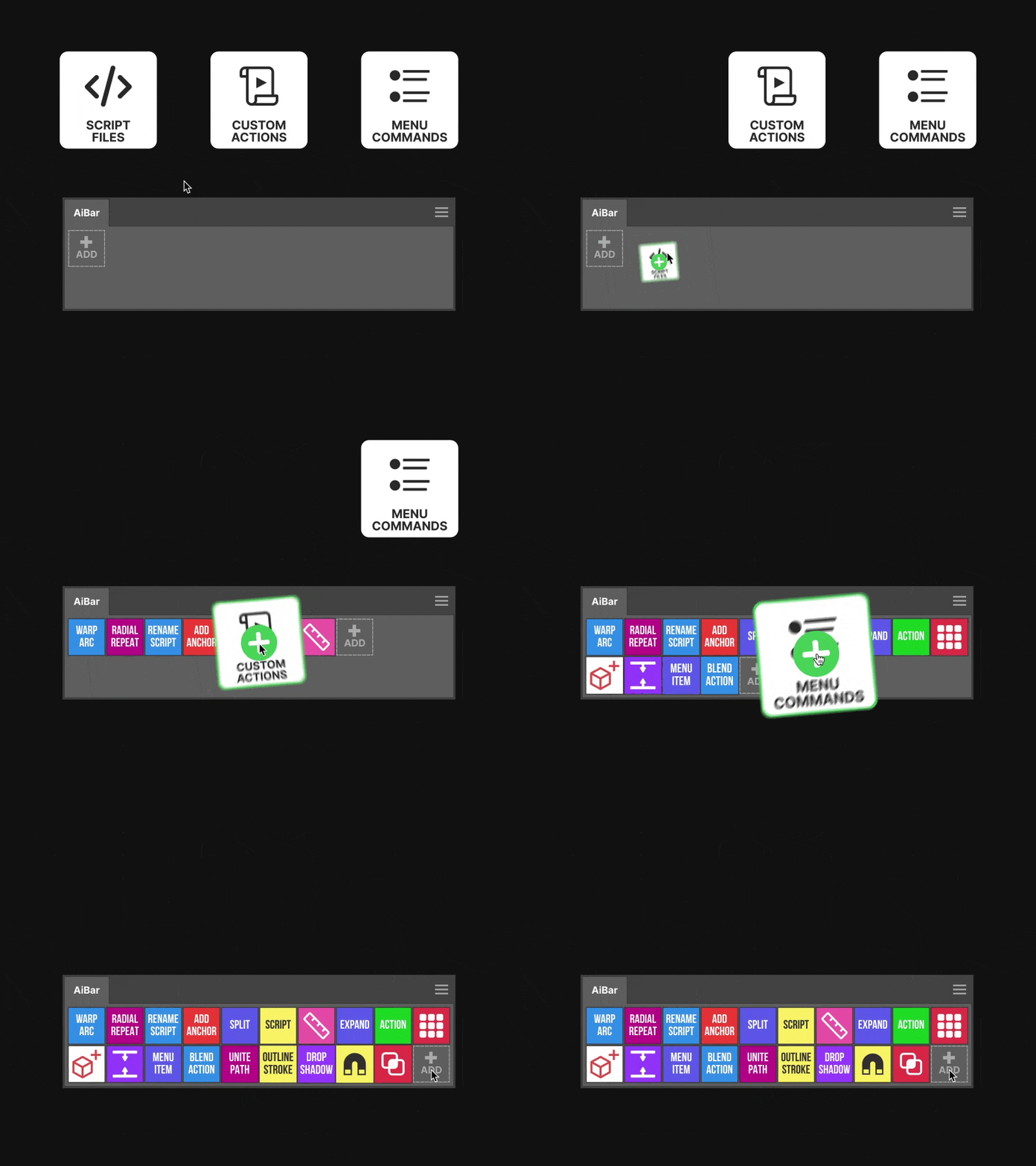
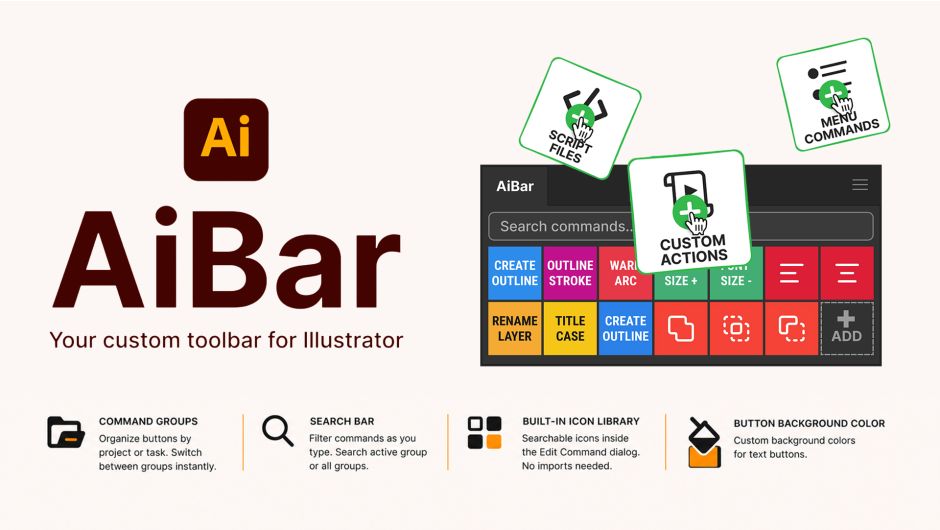
AiBar can turn menu items into buttons. The product listing says more than 300 commands are available, including commands from the Object, Type, Effect, and Path menus. It can also run saved Illustrator Actions and scripts added as .jsx or .js files. For quicker setup, drop menu commands, Actions, or JSXBIN scripts into an empty AiBar panel and the tool adds them as commands.
Find and group frequently used buttons
Version 1.1 adds command groups for separating buttons by project, client, or task. Groups are unlimited, and one command can appear in more than one group. Switch groups from the flyout menu. The search bar filters commands as you type; a Settings option controls whether it searches the active group or all groups.
Customize the toolbar
A searchable icon library is built into the Edit Command dialog, with separate controls for icon size and stroke weight. Text buttons can have a custom background color set with the color picker or a hex value, and the preview updates as you make changes. AiBar also has a global text-size setting that individual buttons can override.
Compatibility, licensing, and installation
AiBar requires Adobe Illustrator CC 2022 or newer and runs on Mac and Windows. The listing describes a one-time purchase with lifetime free updates. It also offers a trial with full functionality during the trial period.
The recommended installation method is the aescripts + aeplugins Manager: install and open the Manager, sign in, find AiBar in your product list, and select Install. As an alternative, download the AiBar package, install the ZXP file with ZXP Installer, restart Illustrator, then open Window > Extensions > AiBar. On first launch, activate with the license key in your purchase confirmation email or select Start Trial.
If AiBar does not appear in Illustrator's Window menu, the documentation recommends enabling debug mode through ZXP Installer's Utilities menu, restarting Illustrator, and checking that Illustrator CC 2022 or newer is installed.