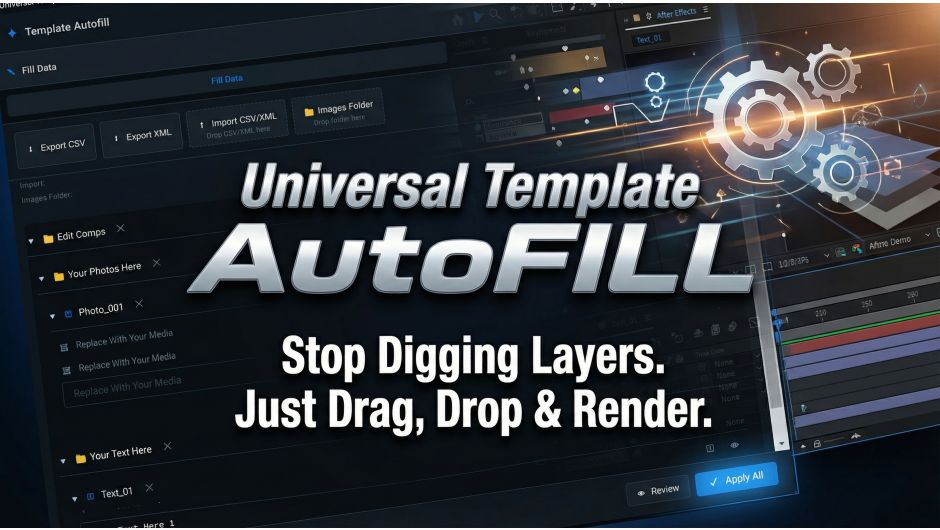
Universal Template AutoFill is an After Effects extension for populating projects with many editable placeholders. It scans a template and gathers text, image and logo slots, video placeholders, and supported effect controls in one panel. That gives editors a central place to enter replacement content instead of searching through compositions by hand.
What it can fill
The extension detects editable text and visual media placeholders, along with supported Effect Controls. Its Controls tab can expose sliders, angles, points, and dropdown menus, so those template settings can be adjusted from the same panel.
Import text and media in batches
Universal Template AutoFill can import and export data as CSV or XML. One workflow is to export a template, fill the New column in a spreadsheet, then import the file to populate the panel. XML export uses Excel SpreadsheetML format.
For media, set an Images Folder and use simple filenames in fields or CSV data. The extension resolves file paths from the folder. Its auto-fill options can target empty placeholders or overwrite existing media, sort files by name or date, or randomize the selection. It can also mix photos and videos in visual placeholders when that option is enabled.
Review changes before applying them
After entering or importing values, use Review to inspect pending changes. An optional backup is available before Apply All updates the project. This lets editors check the replacement set before applying it across a template with many scenes or repeated structures.
Where it fits
The extension is designed mainly for larger After Effects templates, including commercial Envato and VideoHive projects, slideshows, promos, product showcases, and social media packs. It is most useful when a project has many text layers, image or video slots, or controls spread across compositions. It can also be used in smaller projects, though there may be fewer placeholders to manage.
Typical workflow
- Open the template project in After Effects and open the panel from Window → Extensions → Universal Template AutoFILL.
- Click Refresh Analysis, or let the extension scan the project automatically.
- Enter text and media values, import a CSV or XML file, or set an Images Folder.
- Choose Review to inspect the pending edits, then select Apply All to update the project.
The product listing specifies After Effects 2020 (17.0) or newer and Windows or macOS. Check the official product page for its current compatibility details and the free trial.