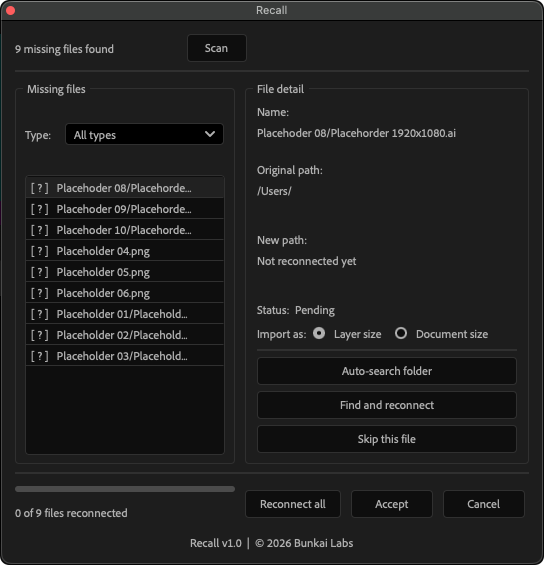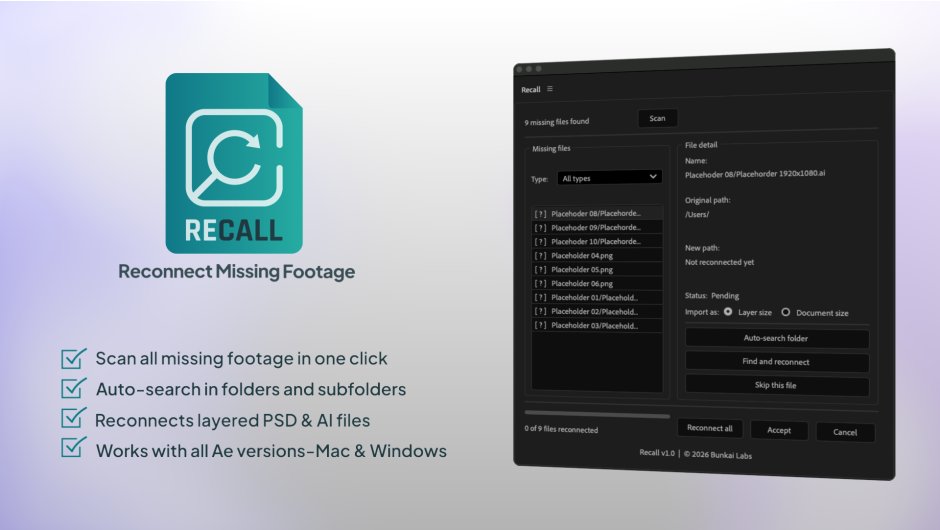
Recall is an After Effects script for finding missing footage and reconnecting project files. It scans a project and lists missing items with their original paths. For layered Photoshop and Illustrator files, it can also reconnect individual layers used as separate sources.
Scan a project and relink footage
- Open Recall from Window > Recall or File > Scripts > Run Script File.
- Click Scan to list the missing footage items.
- Use Auto-search and choose a root folder to search its subfolders for files with matching names, or use Find and reconnect to locate files manually.
- Accept the changes and save the project.
Reconnect layers from PSD and AI files
Projects can use individual Photoshop (.psd) or Illustrator (.ai) layers as separate footage sources. Recall identifies and reconnects those layers along with other missing project files, which is useful when a project depends on layered artwork rather than only flattened images.
For the product listing and author support, see Recall on aescripts.