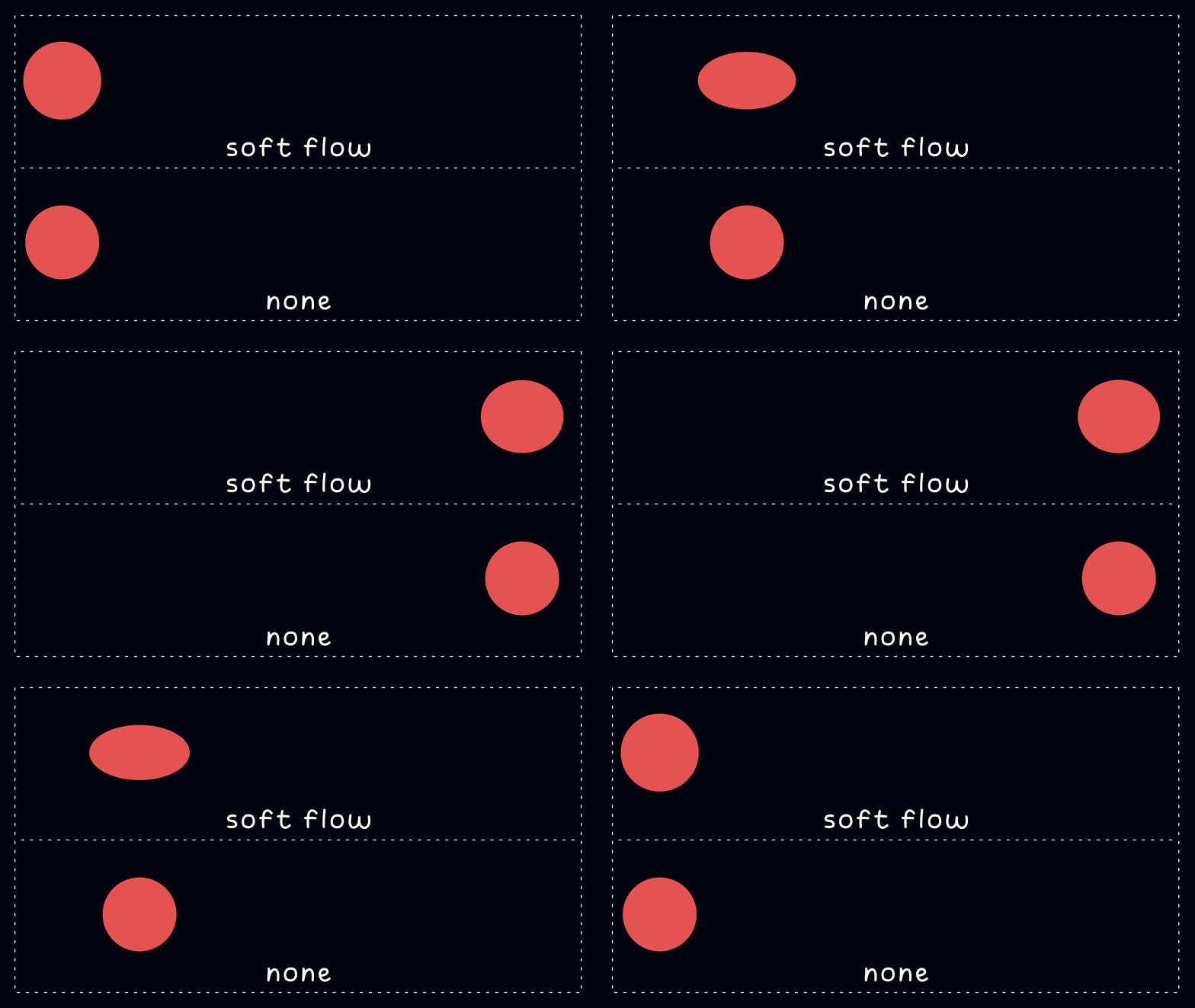
Soft Flow is a Pixcode tool for Adobe After Effects that adds soft body deformation to shape layers. The product listing says the motion is generated without manual keyframes and responds to changes in position, scale and rotation. It is intended for animators who want elastic movement on shapes, titles or interface elements.
How the deformation works
The listing describes natural drag and follow-through, with inertia, overshoot and graceful settling. Its softness control adjusts the amount of deformation, while speed and damping control how quickly the shape reacts and settles. The product listing also describes a real time preview in the After Effects viewport, so settings can be adjusted before rendering.
Where it can be useful
The listing points to logos and titles, plus UI elements, icons and characters in explainer videos. A subtle setting can add a little elasticity to a shape, while stronger softness can create a more pronounced wobble.
Shape types and compatibility
The product page lists rectangles, circles, polygons, custom paths, text outlines and imported vector shapes. It describes Soft Flow as a standalone script that does not need third party plugins or additional software. The listing records version 1.0.0, released July 27, 2026, and compatibility with After Effects 2024, 2025 and 2026. Check that version list against the After Effects release used in your project before installing.