Keep masks visible as you draw
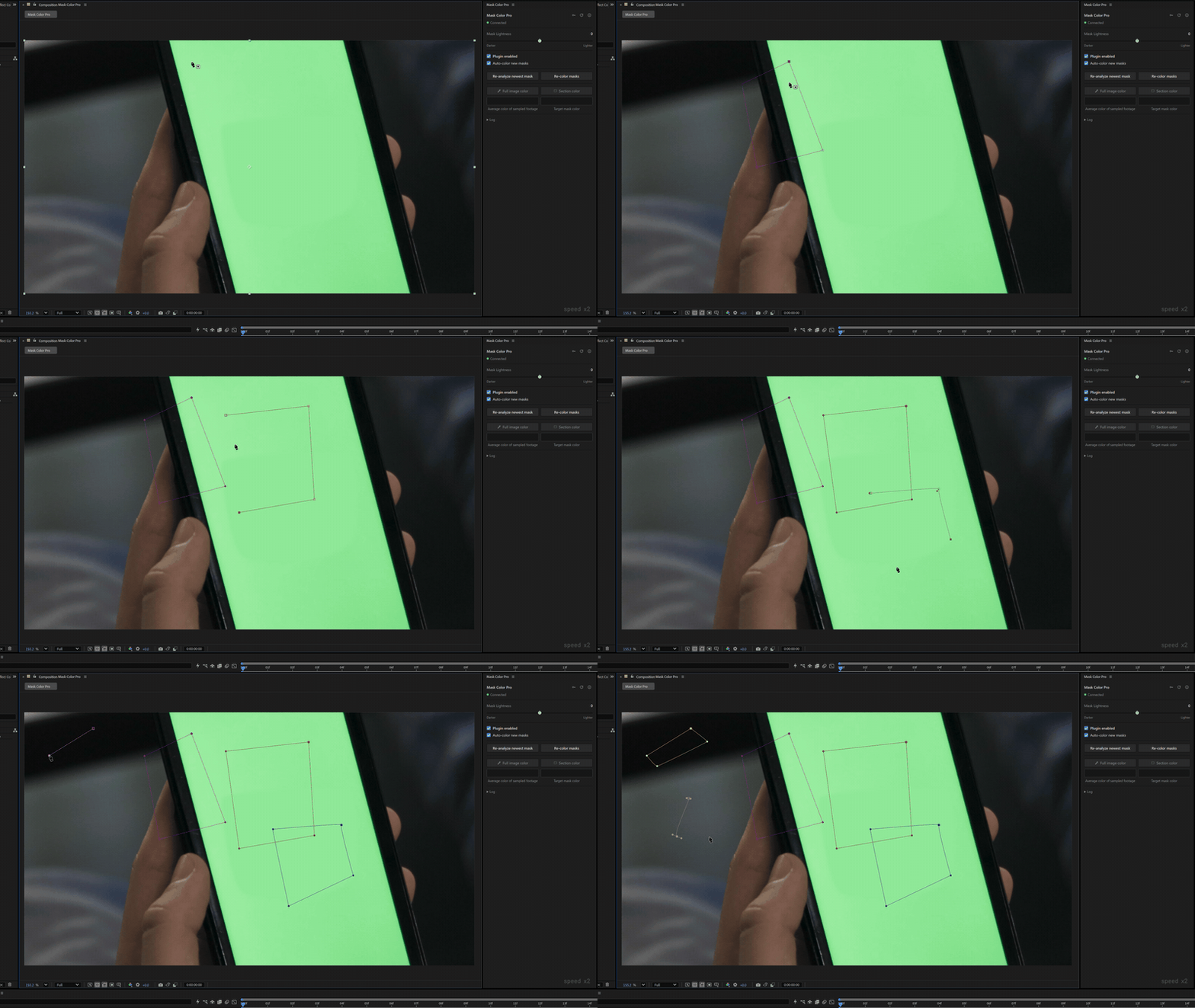
Mask Color Pro is an After Effects panel that samples the frame beneath a mask when drawing finishes, then assigns a contrasting outline color. It helps distinguish paths from footage where default colors can disappear, including greenscreen or bluescreen, sky, grass, and bright highlights. Nearby masks receive distinct colors, which can make dense rotoscoping sessions easier to read. Automatic coloring works with the Pen tool and the Rectangle, Ellipse, Polygon, and Star shape tools.
Adjust existing mask colors
For masks already in a composition, the panel provides one-click recoloring. A lightness slider moves a mask color toward white or black, while manual sampling can use the full frame or a region selected by dragging. The tool handles 8-, 16-, and 32-bpc projects and color-managed projects automatically. Batch recolors undo as a single step.
Compatibility and licensing
Mask Color Pro requires After Effects 18.4 (2021) or newer and is listed for Windows and macOS. A free trial is available. The product EULA grants use of one copy, with installation and use limited to one computer at a time. Multiple copies or users require an appropriate license for each copy and user.