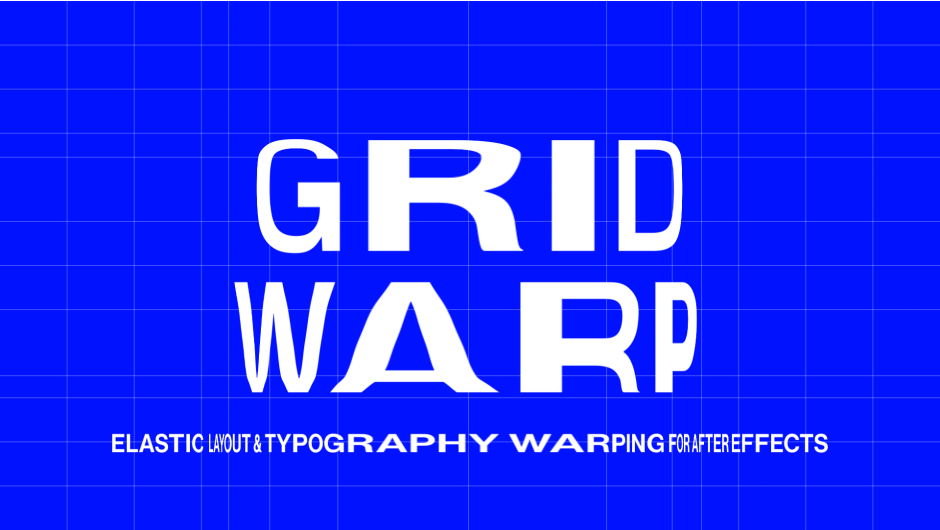
GridWarp is an After Effects effect for stretching, squeezing, and warping a layer with draggable row and column guides. It works with text, logos, shapes, and footage, making it useful for reshaping a composition or animating a distortion.
Shape a layer with the grid
- Apply GridWarp from Effect > NewMediaFX > GridWarp.
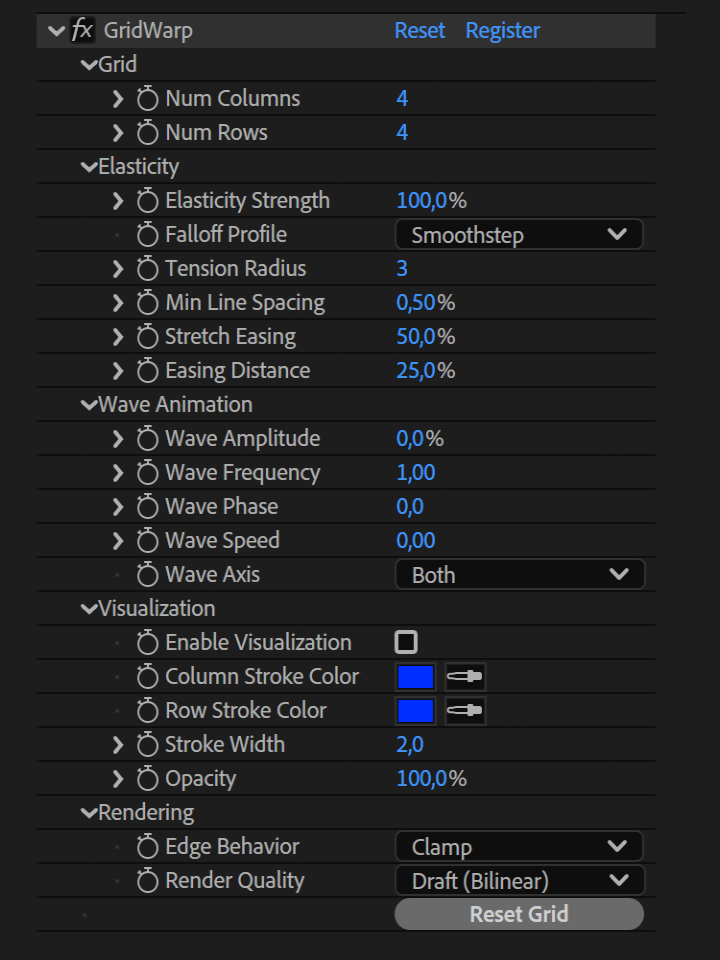
- Set the number of columns and rows.
- Drag a guide line in the Composition or Layer viewer. Neighboring lines follow the movement, with less influence on lines farther away; lines do not cross.
Elasticity settings let you adjust how the grid responds, including strength, falloff profile, tension radius, minimum line spacing, and stretch easing. Visualization controls can show the grid over the effect.
Animate the distortion
For a planned shape change, set Grid Positions at two frames. After Effects blends the grid lines between those points, and the positions can be adjusted in the Timeline panel. For motion without manually keyframing each change, Wave Animation moves the lines using amplitude, frequency, phase, speed, and axis controls. The wave can be limited to columns or rows.
Compatibility and practical limits
The product listing reports compatibility with After Effects 2024, 2025, and 2026. GridWarp can reshape existing layer detail, but it cannot create detail that is absent from the source. For a large stretch, start with a larger source layer.
The posted EULA grants use of one copy on one computer at a time. Multiple users or computers require an appropriate license for each user and copy. It also permits one archival copy on storage other than a hard drive, for reinstallation.