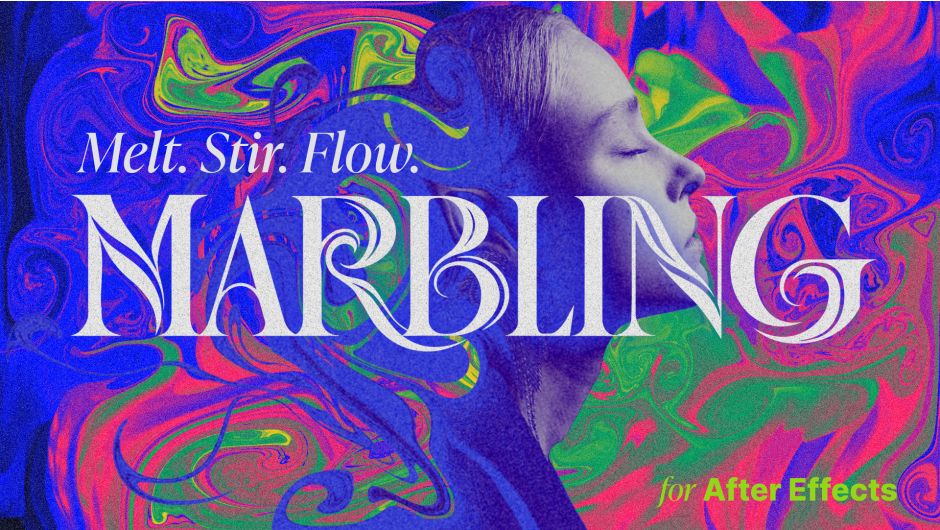
Marbling is an After Effects effect that uses a 2D fluid simulation to move layer pixels into flowing, folded patterns. Apply it to footage, photos, text, or shapes for liquid distortion, flowing type, or transition elements.
Direct the flow four ways
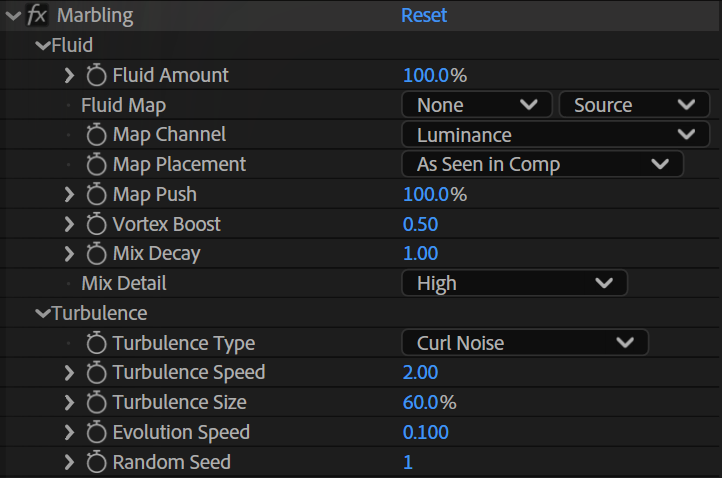
- Fluid Map: Use another layer to shape the flow. Black areas hold the water still, making the liquid move around those shapes. With a video map, Map Push lets a moving subject push the water aside.
- Turbulence: Choose Curl Noise, Popping Swirls, or Auto Stir, then adjust speed, size, and random seed to change the motion.
- Mixer: Place a mixer where you want to stir the water. Mix Detail sets how much fine detail remains in the resulting patterns, with Low, Medium, and High settings.
- Flow Path: Draw a mask path for paint to follow, or animate a stylus tracing the path to drag paint behind it.
These controls support several distinct treatments: text can act as a barrier or have paint flow inside its letters, while a Flow Path can form part of a transition when combined with After Effects' built-in wipe.
Rendering and image quality
Marbling is CPU-based and multithreaded. It renders the same result for the same frame, which works with After Effects' cache and Multi-Frame Rendering. It supports 8, 16, and 32 bpc, including values above 1.0 in 32 bpc. It can run on adjustment layers and with effects placed before it, such as Drop Shadow or Glow. Fluid Quality offers Draft, Standard, and High simulation settings.
The simulation builds each frame from the frames before it. The first time you jump to a later frame, Marbling calculates from the start of the simulation up to that point; farther jumps can take longer. Returning to a calculated frame is quick while it remains in After Effects' cache, but changing a setting may restart calculation from the beginning. Previewing at Half resolution is faster and keeps the motion unchanged. Try the listed free trial with your own footage and computer to check the wait times before buying.
System and license requirements
Marbling requires Adobe After Effects 2025 or later. It runs on Windows 11 (x64), or on macOS 26 or later with an Apple silicon Mac. The product's EULA grants one copy for use on one computer at a time; use across additional computers or by additional users requires an appropriate license for each copy and user.