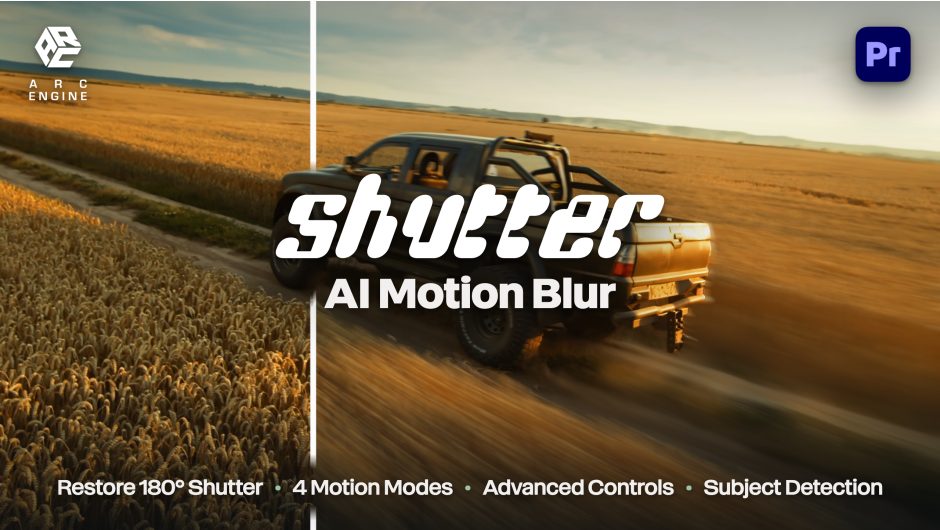
Shutter is a native Adobe Premiere Pro effect for adding motion blur to footage, titles, and graphics. Its AI Motion mode tracks movement and applies blur where things move, helping recreate a 180-degree shutter look on high-shutter or jittery action-camera, FPV, timelapse, and speed-ramped clips. Each mode has manual controls, or you can leave it on auto.
Choose a mode for the shot
Use AI Motion for complex movement in footage. Zoom, Linear, and Spin modes suit graphics, transitions, and stylized effects. Shutter can add clean streaks to moving titles and graphics. Its blur increases with fast movement and leaves stationary areas clear.
Flow Smoothing evens out measured motion so the blur follows it cleanly. Keep Subject Sharp holds the tracked subject crisp while the surrounding scene blurs. In Zoom mode, Zoom Boost scales the radial blur from a subtle push to a heavier smear for punch-ins and crash zooms.
Tune blur and playback
The product listing reports timeline rendering at 20 frames per second, measured on an M4 Max. Version 4.8.0, dated November 13, 2026, reports AI Motion rendering improvements of 4 to 5 times on Apple silicon and 4 to 9 times on NVIDIA cards. That release also added Motion Detail: Fast is the default, while Full can help when fine repeating details such as fences or spokes look smeared during fast movement.
The listing dates version 4.8.1 to November 20, 2026. Its release notes describe a fix for a false GPU acceleration warning on macOS 14 and 15, plus a Windows fix for black frames in Premiere Pro 2025.
Check system requirements
- macOS: macOS 14 or later on Apple silicon. Shutter uses Metal.
- Windows: Windows 10 or 11, 64-bit, with an NVIDIA GTX 10-series GPU or newer using CUDA. The listing specifies 6 GB of VRAM for 1080p and recommends 8 GB or more for 4K. AMD and Intel GPUs are not supported.
- Both platforms: Premiere Pro 2025 or later, GPU acceleration enabled, and 16 GB of RAM. Software Only rendering is not supported.
See the official Shutter listing for its current compatibility details, version notes, trial, and licensing information.