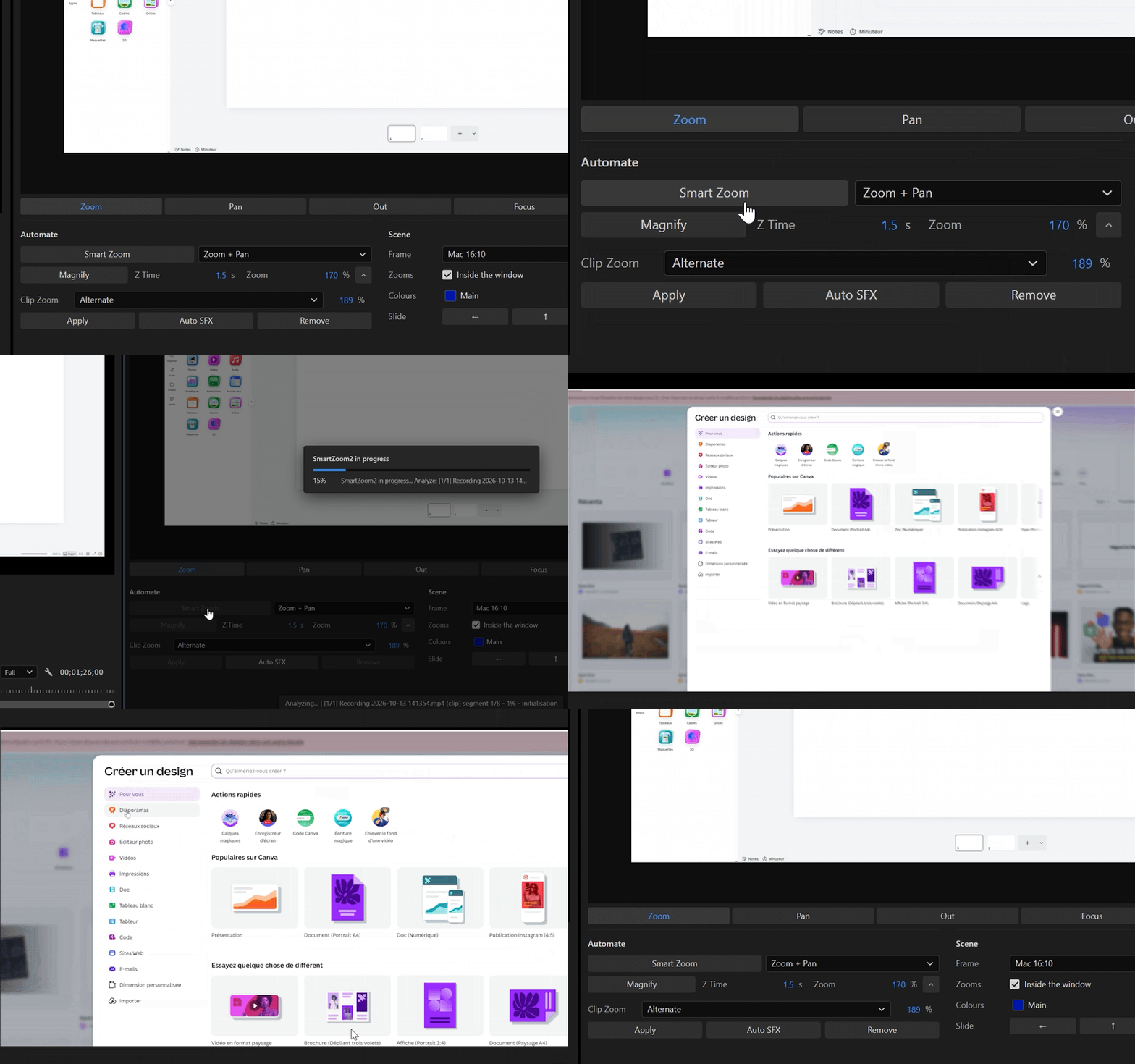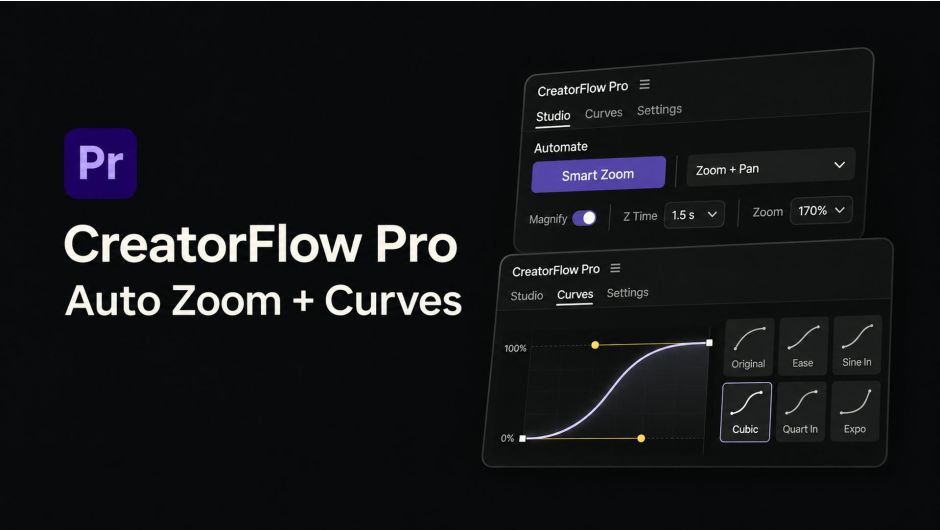
CreatorFlow Pro is a Premiere Pro plugin for adding zooms and pans to tutorials, screen recordings and talking-head videos. Its controls sit in a panel beside the timeline, with tools for automatic zooms, placed zooms, focus and motion curves.
Place and guide zooms
Smart Zoom follows the cursor and adds zooms automatically. For a fixed point of emphasis, click or drag in the preview to place a zoom. You can pan to follow activity, zoom out in one click, or use Focus to highlight an area of the screen. Built-in motion blur is also available.
Movement can be shaped with more than 100 animation curve presets. Choose a curve to smooth the keyframes; the product describes these as similar to curves in After Effects. A live preview is available inside the plugin panel.
Tools for tutorials and talking-head edits
For talking-head footage, CreatorFlow Pro can find a face in selected clips and add a zoom on every other cut. Screen recordings can be placed inside one of 15 device frames, including Mac, Windows and iPhone designs. Screen and face-cam layouts can be recolored, and the plugin includes YouTube subscribe animations.
The product listing says it works with screen recordings, talking heads, text and graphics. That makes its controls most relevant when an edit needs to direct attention to a part of the screen or combine screen footage with a presenter. If those are common tasks in your Premiere Pro projects, the available features are easy to assess in the plugin's live preview.
Host and compatibility
CreatorFlow Pro runs inside Premiere Pro. The product listing states compatibility with Premiere Pro versions 2021 through 2027. For current version and trial details, check the aescripts CreatorFlow Pro listing.