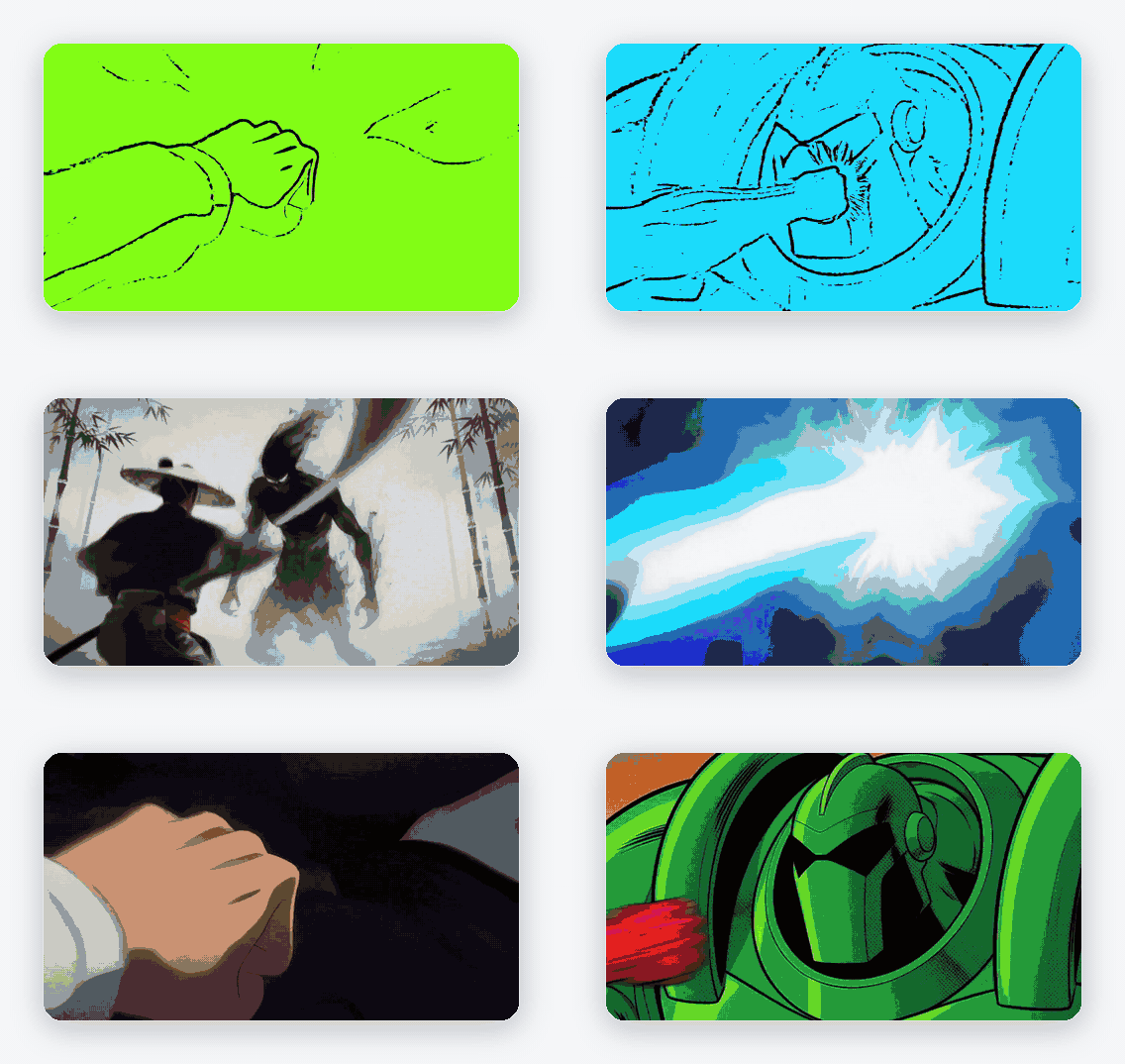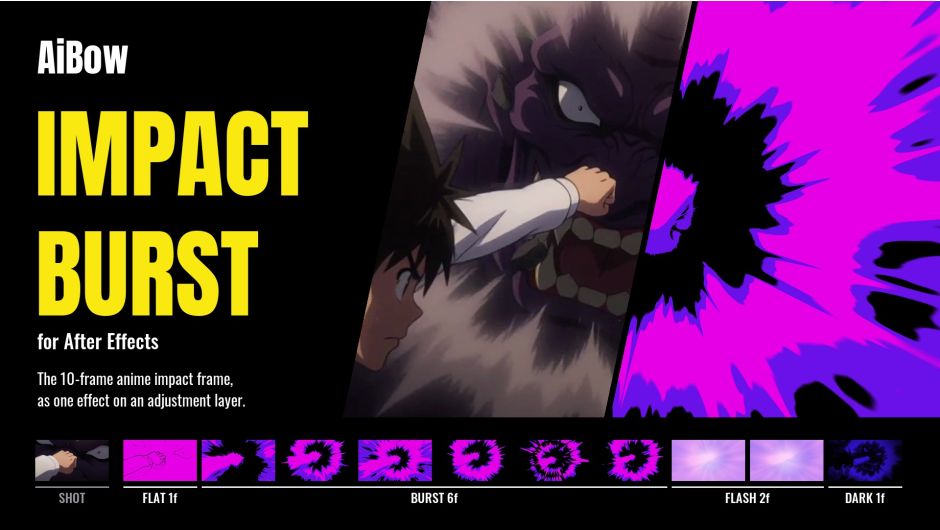
AiBow Impact Burst adds a brief anime-style impact sequence at a contact point in an After Effects shot. It fits editors and motion designers who want to control when the burst fires and how its spikes look.
Build the impact sequence
The standard sequence lasts ten frames: one line-only flat frame, six frames of three-tone radial spikes, two pastel flash frames and one dark frame. The 10-frame breakdown is measured from a 30 fps anime opening. You can change the frame count for each stage or set a stage to zero to skip it. Burst Hold keeps each spike shape for two or more frames for a heavier hit.
Four timing presets cover 10- and 6-frame versions: Magenta Hit and Mono Ink are 10f, while Short Hit and Burst Only are 6f. You can also adjust the stage lengths to fit the shot.
Choose when it fires and how it looks
Add the effect to an adjustment layer above the footage. Layer Markers lets you place an impact on a contact frame; each marker triggers a hit, and moving a marker moves that hit. Other firing modes include layer start, Trigger, every N frames, BPM and composition markers.
Gacha! in Random Look changes the color set and spike shape each time you press it. There are 11 color presets, or you can set Shadow, Mid, Highlight, the two flash colors and the dark-frame tint yourself. Spike controls include center, streak length, spikiness, count, tone thresholds, background, ring frame, center jitter and zoom punch.
Apply it to footage or lettering
On an adjustment layer, the effect reaches everything below it. You can also apply it directly to a text or shape layer. Transparent areas stay transparent, and the spikes grow from the letter or shape forms, so titles and graphics can have their own burst over the shot.
Compatibility and licensing
AiBow Impact Burst requires After Effects 2025 or later. The listed operating systems are Windows 10 or 11 (64-bit) and macOS 11 or later on Apple silicon or Intel. Windows rendering supports DirectX 11 GPU or CPU; macOS uses CPU. It supports 8, 16 and 32 bpc color depth, and a trial is available.
The product listing currently says a Floating License Server is required. aescripts' license guide says floating licenses use a server on the same network, allow one user per license at a time and require VPN access for remote use. Check that this setup fits your team before purchase.