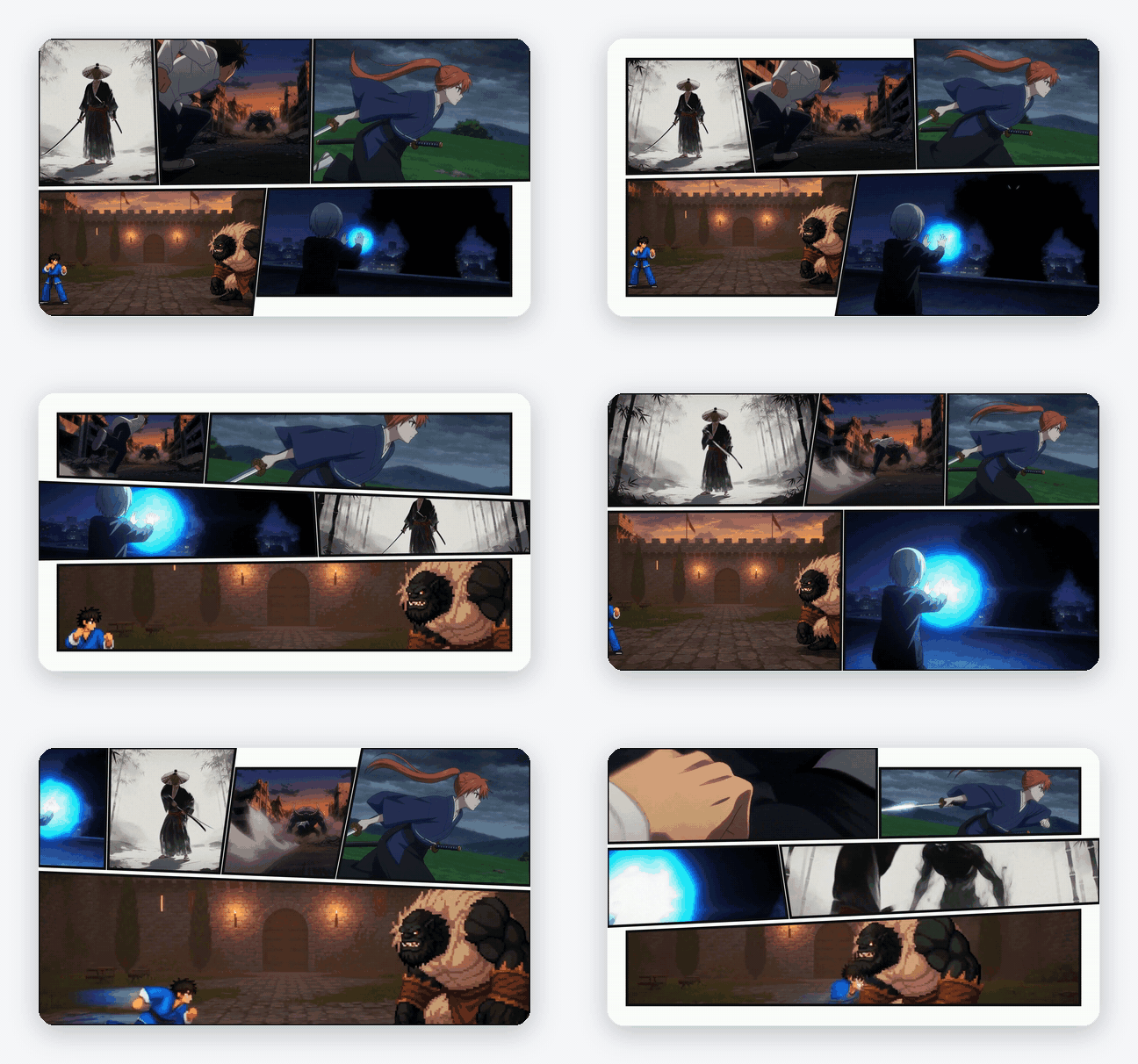
AiBow Manga Koma is a ScriptUI panel for assembling comic pages and motion-comic sequences from footage in After Effects. It creates a composition for each page, with every panel as a masked precomp, frame lines on a shape layer, and a control null for line width and paper color.
Generate and refine comic layouts
Choose a page size, reading direction, and one of four styles: Calm keeps panels straight and regular, Standard adds a slight tilt, Action uses stronger slants, edge bleeds and split panels, and Splash creates larger panels. Each new batch gives six layouts; Mutate makes six variations of a selected layout, and a seed lets you bring a batch back. Sliders adjust row and column slant, bleed, split panels, and large panels.
Set reading direction to right-to-left or left-to-right; changing it mirrors the layout. Reading-order numbers are guide layers and do not render. Page formats include B5, A5, social 4:5, square, 9:16, and 16:9. Frame width and gutter can be set in pixels or percentages, and a layout can be saved as SVG.
Build and animate a page
Open Window > AiBow Manga Koma.jsxbin, choose the style, page size, and reading direction, then select one of the six layouts. Select footage in the Project panel and click Create page comp to place it into panels in reading order. Add panel reveal to bring panels in one at a time as the frame lines fade in.
Create camera tour makes a 16:9 composition that starts on the full page, visits each panel in reading order, holds, and returns to the page. You can retime its keyframes. To change a finished page, apply a new layout with the same panel count. The masks and frame lines update, the footage is refitted, and the reveal and camera tour follow. Footage you moved or scaled yourself stays as you left it, so that framing may need manual adjustment after a re-layout.
Compatibility, trial, and licensing
The panel supports After Effects 2025, 2026, and 2027 on Windows 10/11 and macOS. Its online license check requires Allow Scripts to Write Files and Access Network to be enabled under Preferences > Scripting & Expressions. The trial supports pages up to six panels and camera tours of the first three panels. The EULA grants one copy for use on one computer at a time; additional copies or users require an appropriate license.