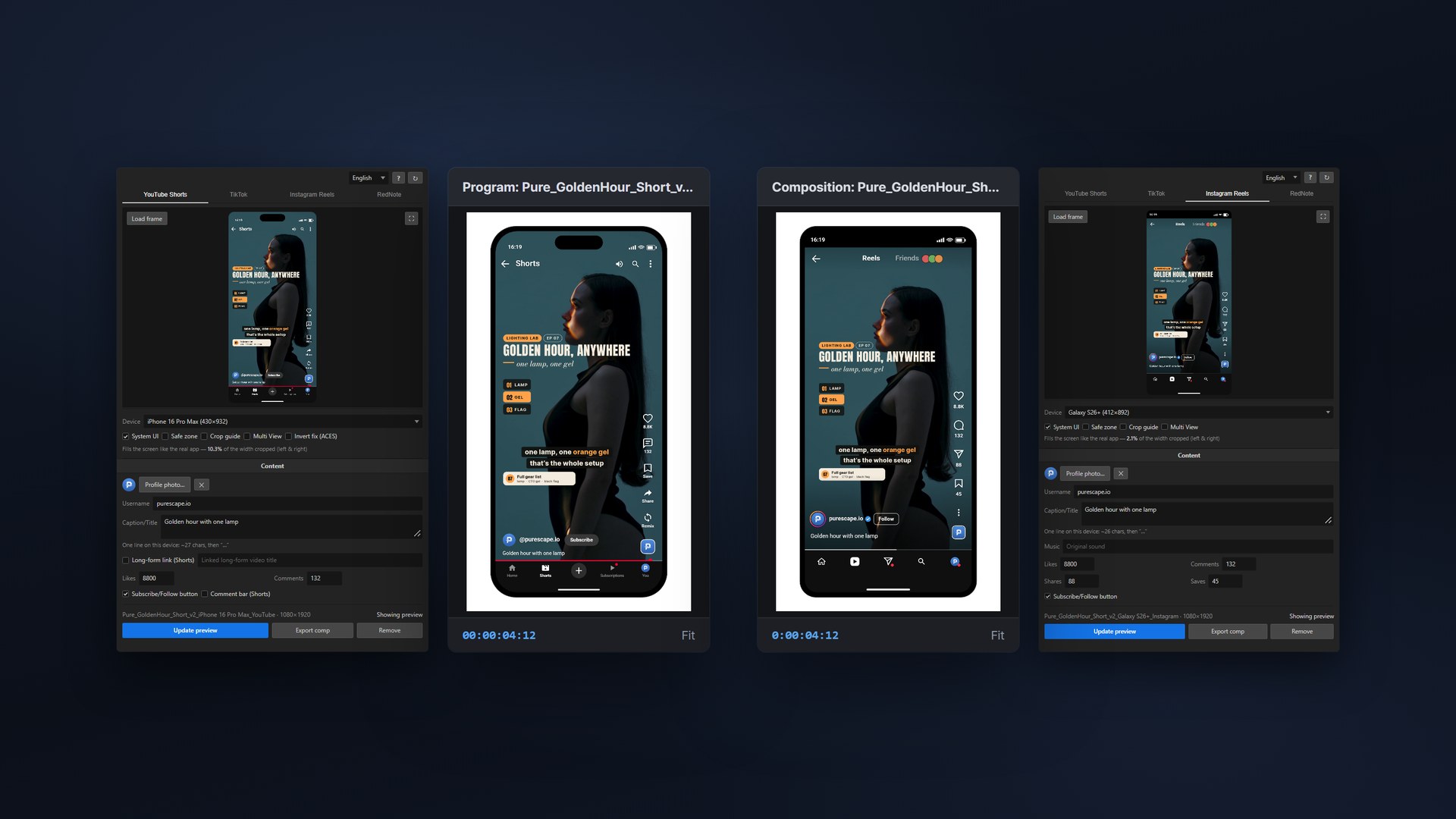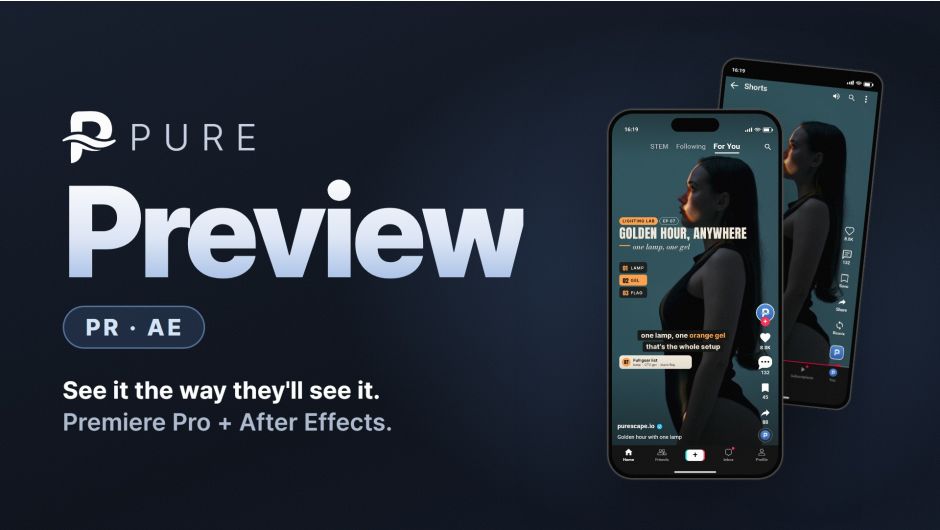
Pure Preview is an extension for checking vertical edits inside short-form video interfaces in Premiere Pro or After Effects. It nests the original sequence or composition in a phone view and places a selected YouTube Shorts, TikTok, Instagram Reels or RedNote interface over the video. You can see where titles, captions and other details sit relative to on-screen controls before exporting.
Set up phone previews and check device crops and safe areas
A 9:16 frame does not occupy the same area on every app and phone. For example, YouTube Shorts crops 10.3% of the video width on an iPhone 16 Pro Max and 2.1% on a Galaxy S26+. On a Galaxy Z Flip 6, it crops none of the width and letterboxes the video. RedNote on the Z Flip 6 crops 15.8%. Pure Preview also includes a safe-zone overlay to help check text placement around interface controls.
The interface can be shown in English, Korean, Japanese or Chinese, with counts formatted for the selected language. Examples include 88K, 8.8만 and 8.8万. You can also load any frame from the edit into the panel while setting up a preview.
Compare apps and phones in one view
Multi View places several phone previews in one 16:9 sequence or composition. Compare four platform interfaces on one phone, or compare three phones on one platform. The preview is nested from the original edit, so changes to a cut, title or grade carry through without rebuilding the preview. Captions, account names and counts update as you type.
Pure Preview leaves the original sequence or composition unchanged. When you finish, its Remove control takes the elements it added back out of the project.
Export a frame for approval
Export comp saves the current frame with the phone interface around it as a single PNG. That gives you a still to send for client approval before anyone uploads the video. Version 1.0.3 also includes an Invert fix for ACES.
Compatibility and trial
Pure Preview supports Premiere Pro 2022 (22.0) and later, and After Effects 2022 (22.0) and later on Windows and macOS. One license covers both app versions. The product listing's version history shows version 1.0.3, dated November 18, 2026.
The seven-day trial is the full product. Install it through the aescripts + aeplugins Manager app by opening the Account menu and choosing Add Trial. See the Pure Preview product page for the current trial and compatibility details.