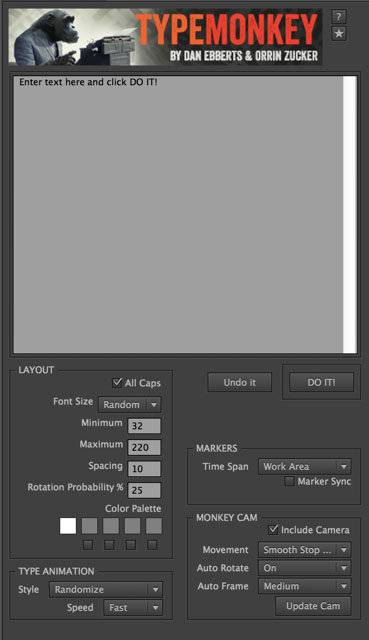
TypeMonkey is a kinetic typography script for Adobe After Effects. Enter or paste copy, choose a font and composition, then use its control panel to generate animated text layouts. It distributes words across the composition or work area and can create a parented camera that follows each successive word. The workflow is intended for motion typography in video and film, including projects built around lyrics or voice-over.
The generator creates layouts and transitions from selected parameters. You can choose a transition style and adjust text size, spacing, rotation and opacity. After generating a layout, you can also make manual changes. Version 1.28, dated May 11, 2026, adds SRT file import; motion blur and preset load and save also appear in the feature list on the TypeMonkey product listing .
Control timing with markers
TypeMonkey places labeled markers on a timing control layer. Moving a marker changes when its word appears and adjusts the associated camera move. The Marker Sync feature can align generated timing to markers already on a guide layer, such as markers placed on an audio layer. This gives you a way to match words to an existing beat or cue pattern, with manual marker edits available for finer timing.
Shape the text and camera movement
Layout controls cover sizing, spacing, rotation, color and transition style. Camera options include movement interpolation, auto-rotation and auto-framing, and the product listing says the camera can be updated after a layout is built. The listing also describes support for third-party TextMods, sold separately, including Arabic and Hebrew text modifiers for right-to-left language support.
Compatibility and practical notes
The product page lists compatibility with After Effects 2026, 2025, 2024, 2023, 2022, 2021, 2020, CC 2019, CC 2018, CC 2017, CC 2015.3, CC 2015 and CC 2014. The TypeMonkey user manual notes that longer compositions can accumulate many layers and markers, making timing edits more involved. It suggests splitting complex work into smaller compositions when that helps manage the sequence.