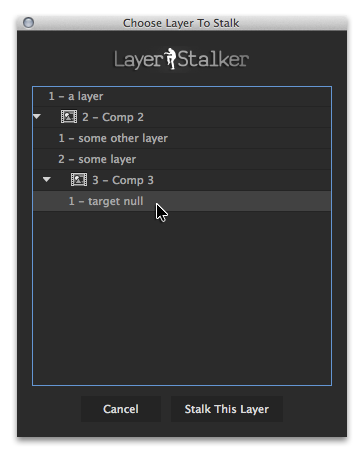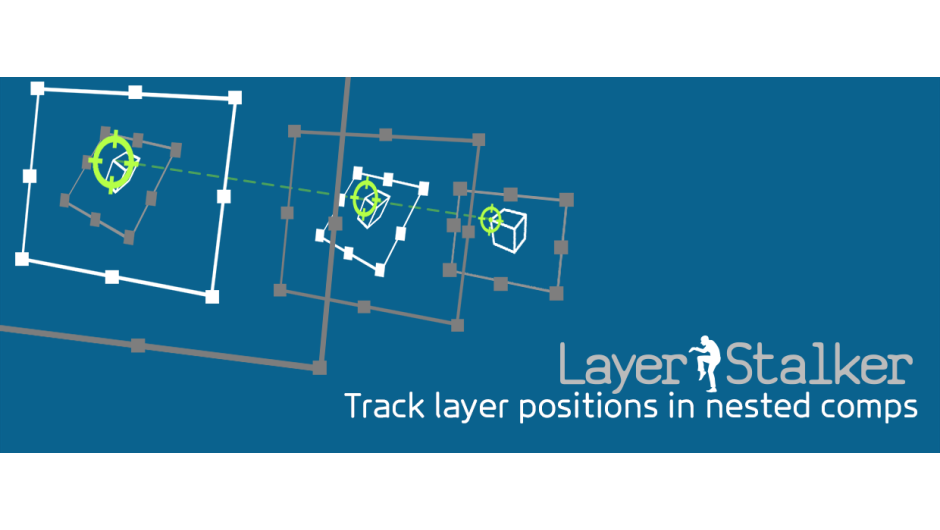
Layer Stalker links a 2D or 3D spatial property in an After Effects composition to the position of a target layer in that comp or in a nested composition. It can drive layer position and other point values, such as a beam endpoint, particle emitter position, Corner Pin point, anchor point, or Puppet pin. This suits motion graphics work where a callout or FUI element needs to follow a target across composition boundaries.
Set up a layer link
- Select the spatial property in the timeline.
- Click Choose Target Layer in the Layer Stalker panel.
- Navigate to and select the target layer.
Layer Stalker creates an expression to resolve the target's position across nesting, parenting, time remapping, and transformations. The generated expressions are human-readable for easier customization. The panel also includes Strength and Lag sliders.
Compatibility and limits
The listing names support for After Effects 2024, 2023, 2022, 2021, 2020, CC 2019, CC 2018, CC 2017, CC 2015.3, CC 2015, CC 2014, CC, and CS6. The product page says nesting was tested up to 24 layers; deeper nesting is described as theoretically unlimited.
By default, Layer Stalker returns values in the outermost composition's coordinate space. Version 1.5.0 added Parent-space output, which allows applying Layer Stalker to a parented layer. Its expressions use layer names, so keep names unique within each composition along the nesting chain. If duplicate names occur, Layer Stalker uses the first one it encounters.
License scope
The posted EULA permits installation and use of one copy, plus one archival copy on storage media other than a hard drive, solely for reinstallation. It prohibits installation or use on more than one computer at a time or by multiple users; multiple-copy use requires an appropriate license for each user and copy.