After Effects Link is a Blender add-on for sending rendered frames and sequences into a new or existing After Effects composition. It is aimed at motion designers and VFX artists who finish Blender renders in After Effects and want the composition setup and layer names carried across. It does not turn a Blender scene into an editable After Effects 3D scene.
Transfer frames, sequences, and render passes
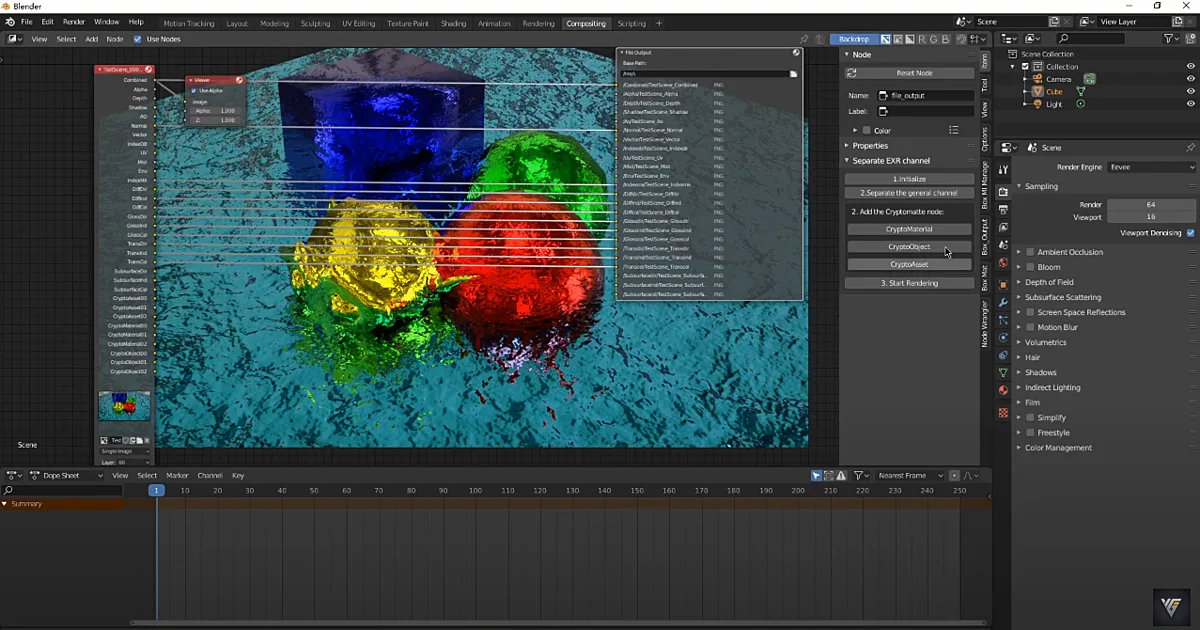
Choose a single frame or a full sequence. The add-on detects the sequence frame range and can send output from Blender’s render cache for preview or use saved files for final export. It supports render passes such as Cryptomatte, Beauty, and RGB. The composition can match the render’s resolution and frame rate, with layer names preserved.
Install and connect the add-on
Install the provided ZIP through Blender’s Edit > Preferences > Add-ons panel. In the add-on preferences, set the path to the After Effects executable. Render a frame or animation in Blender, then use Cache to After Effects for a preview or Send to After Effects for saved output.
Check version support before setup
Blender support differs across the product listing: its compatibility section says Blender 3.0 or later, while Details lists 3.6 to 5.2; the FAQ lists 3.6 to 5.1. For After Effects, the listing and FAQ say CC 2020 or later, while the documentation page lists CC 2023–2024. These conflicting entries do not establish one current compatibility range. Confirm the versions with the developer before relying on a specific combination; see the Superhive product listing, its FAQ, and the documentation.
Common questions
What does After Effects Link transfer?
It sends rendered frames or image sequences into an After Effects composition and supports render passes such as Cryptomatte, Beauty, and RGB. The product FAQ also lists camera animation, null objects, light data, and scene timecode synced to After Effects. Composition setup and layer names are preserved.
Can it turn a Blender scene into an editable 3D scene in After Effects?
No. The product listing describes transferring rendered output and supported passes, and says it does not convert a Blender 3D scene into an editable After Effects 3D scene.
Which Blender and After Effects versions are supported?
The product listing's compatibility section says Blender 3.0 or later and After Effects CC 2020 or later; its Details table lists Blender 3.6 to 5.2. The FAQ lists Blender 3.6 to 5.1, while the documentation page lists After Effects CC 2023–2024. The conflicting entries do not establish one current compatibility range; confirm which versions apply to your setup with the developer.
Is After Effects Link free?
No. The current Superhive listing shows $9 for a one-seat Personal / Indie license, $18 for a Studio license with up to 3 seats, and $72 for Enterprise with 15+ seats. The AnyPlugins page, updated July 15, 2026, lists it as free, while the documentation page also lists $12. Check the current listing for price and license terms.
How do I connect it to After Effects?
Install the provided ZIP from Blender’s Edit > Preferences > Add-ons panel, then set the After Effects executable path in the add-on preferences. After rendering, use Cache to After Effects or Send to After Effects.
Trackerjack is an After Effects-to-Blender add-on that imports tracked footage, points and solids, then creates a compositor setup. Check version support.
Create After Effects lens flares with Video Copilot Optical Flares: 3D lights, tracking, occlusion and editable presets. Check prices and compatibility.
Aeblink V1.1 ( Now Support Blender is a one-way After Effects to Blender scene transfer with keyframes; the catalog lists Blender 4.0–5.1. Confirm the range.