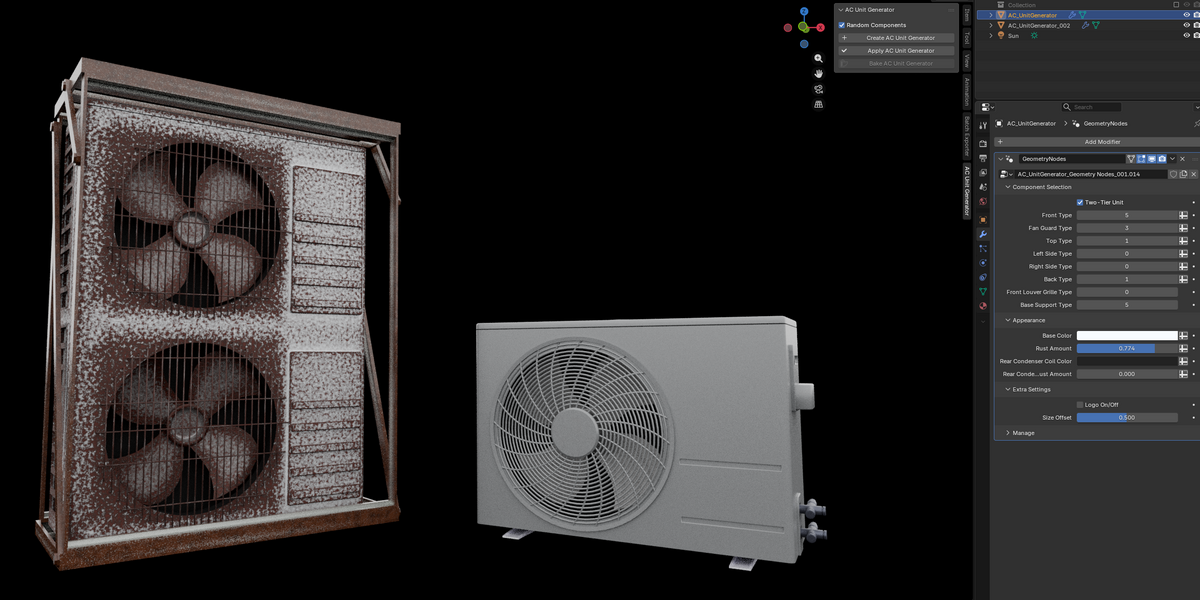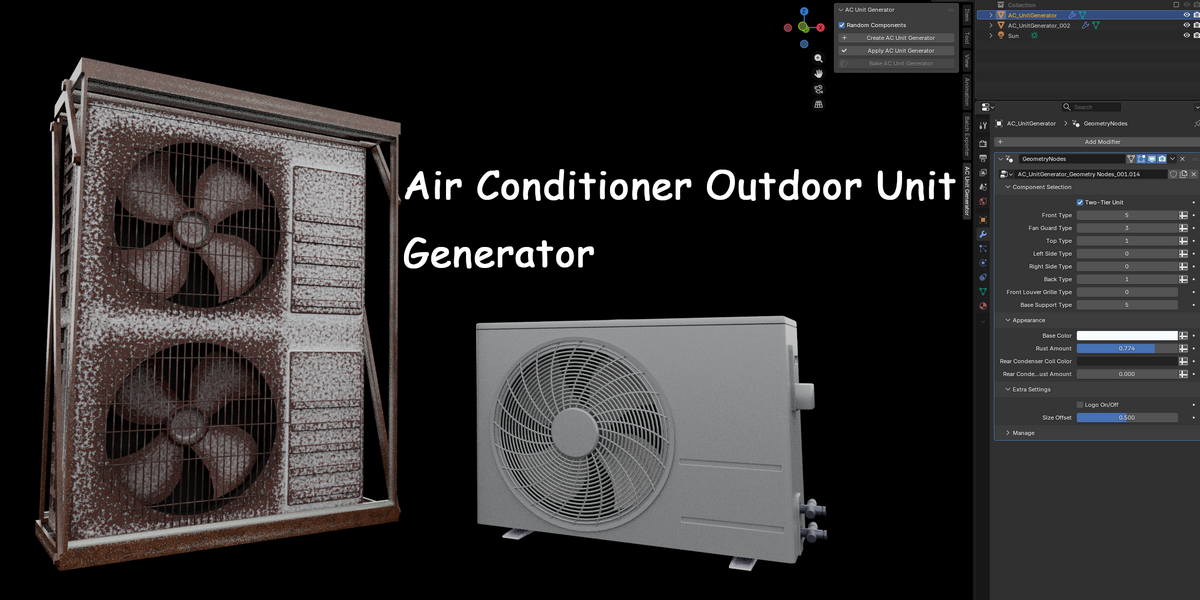
Air Conditioner Outdoor Unit Generator by NineLine is a Geometry Nodes add-on for creating outdoor air conditioner props in Blender. Choose interchangeable parts and appearance settings to build units for Blender scenes, Unreal Engine projects, visualization work, or other 3D environments. It includes 12 presets and a Random Components option for varying selections when creating a unit.
Build different unit shapes
The generator makes single-tier and two-tier units. Its eight customizable sections cover the front, fan guard, top, left and right sides, back, front louver grille, and base support. Approximate dimensions range from 0.7 × 0.3 × 0.5 m to 1.4 × 0.6 × 1.0 m for single-tier units. Two-tier units reach up to 1.4 × 0.6 × 2.0 m. The product listing describes the available configurations and size range.
Adjust components and appearance
Geometry Nodes controls let you select the parts for each section. Appearance settings include the base color, rust amount, rear condenser coil color, and coil dust amount. You can toggle the logo and adjust the unit's size offset. Base support options include wall-mounted and metal-frame designs.
Apply the model and bake textures
Create a unit, adjust its Geometry Nodes parameters, then apply the generator to make an editable mesh. When the shape is ready, use Bake AC Unit Generator to bake the textures and assign baked materials. The add-on creates a Textures folder beside the saved Blender file. Baking may pause Blender for a while, so save the file first. The product documentation covers the controls and baking steps.
Install and check compatibility
In Blender, open Edit > Preferences and select Get Extensions. From the menu in the upper-right corner, choose Install from Disk and select the extension ZIP file. After installation, the AC Unit Generator tab appears in the 3D Viewport sidebar. The listing shows Blender versions 5.1–5.2 and says the tool was tested with Blender 5.2; newer versions have not been verified. The listing identifies the license as GPL.