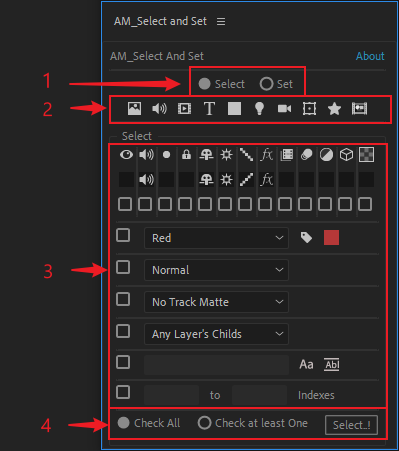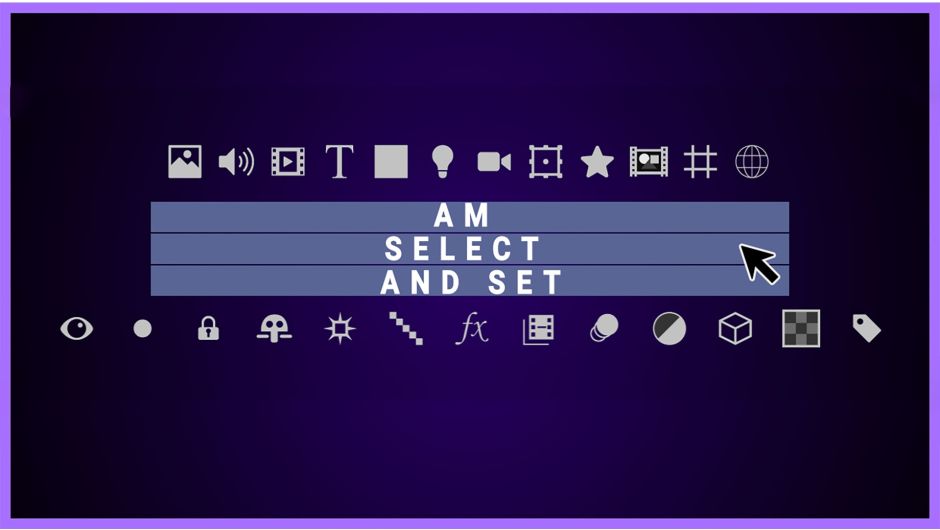
AM Select And Set is an After Effects utility for selecting layers by type and attribute values, then changing attributes across the selection. It suits After Effects users who need to find matching layers in a busy composition without selecting each one individually.
Select layers by rules
Choose Select, optionally limit the eligible layer types, and add attribute conditions. The tool supports 10 layer types and 19 attributes. Examples include layer name, index, label, blending mode, 3D state, and visibility. Choose whether every condition must match or whether Check at least One is enough. For example, a rule can select layers that have 3D enabled, a red label, and visibility off. Restricting the types to Image or Video excludes other layer types with those same attribute values.
Holding Shift while pressing the selection button selects filtered layers without disturbing the previous selection; holding Alt or Option ignores the filters and inverts the selection in the active composition.
Change selected attributes
After selecting the target layers, switch to Set to change attributes across the selection at once. This can reduce repeated edits when several layers need the same adjustment.
Compatibility and licensing
The listing names After Effects 2024, 2023, 2022, 2021, 2020, CC 2019, CC 2018, CC 2017, CC 2015.3, CC 2015, CC 2014, and CC. It does not list versions released after 2024.
The product page shows a suggested price of $30. Individual users can pay any amount under its Name Your Own Price terms; businesses and teams must pay the suggested amount for a valid license. The EULA permits one copy for use on one computer at a time and one archival copy on a storage medium other than a hard drive, solely for reinstalling the software. Multiple users or copies require appropriate licenses.