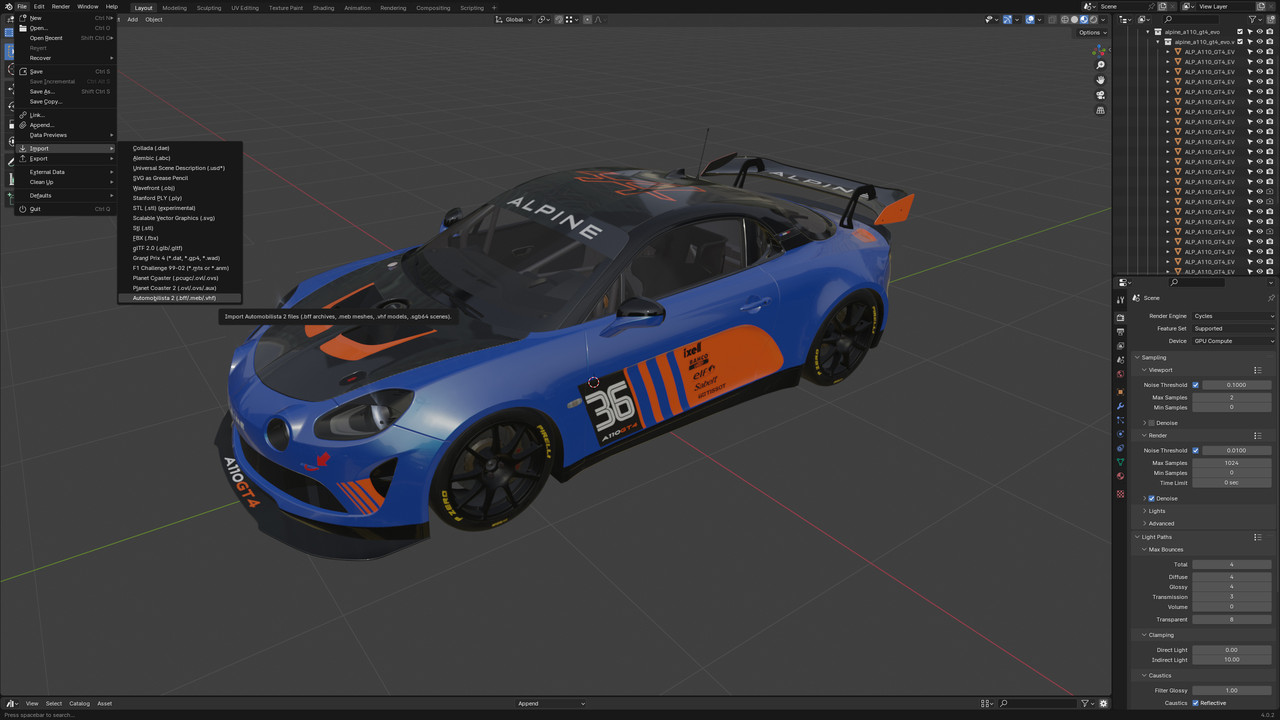
Automobilista 2 Importer brings Automobilista 2 tracks and cars into Blender directly from the game's .bff archives. It imports meshes, materials, textures, lights and liveries, so you can inspect these assets without unpacking the archives first. The project README also notes alpha cutouts for trees and vegetation, and says terrain shadow helper meshes are placed in a separate hidden collection.
Set the game folder before importing
Before your first import, open the add-on preferences and set the path to your Automobilista 2 installation. The project README says this path is needed for shared textures such as paint, carbon and glass. If those textures are missing, check the configured game path.
Compatibility and installation
The Blender Extensions listing identifies version 0.8.1 and Blender 4.2.0 as the minimum supported version. It lists the license as GPL-3.0-or-later and says the add-on reads game archives and extracts textures to its cache.
Download the add-on from its Blender Extensions listing, then follow Blender's Install from Disk instructions. Check the listing for the current version and compatibility details before installing.