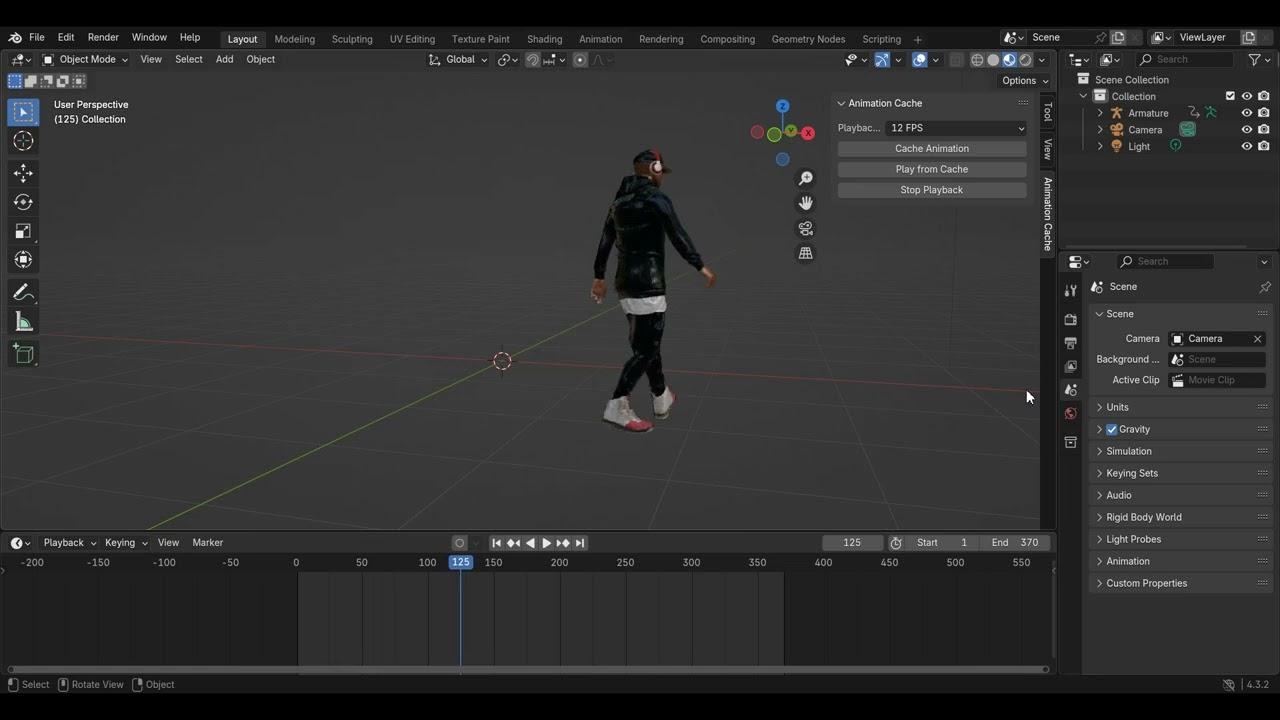
Animation Cache 2.0 is a Blender add-on from Bowstone Studios for reviewing animated meshes when live scene evaluation makes viewport playback choppy. It stores evaluated mesh animation in native Alembic geometry cache files, which Blender reads during cached playback to reduce repeated rig and mesh evaluation. The result depends on scene complexity, hardware, storage, and viewport settings.
The Superhive product listing describes the 2.0 features and compatibility details. Its user guide documents a cache workflow with controls that differ from the 2.0 listing.
What Animation Cache 2.0 adds
You can keep separate cache sets for different characters or mesh groups, then build, rebuild, and clear each set independently. Add Selected Meshes can include related armatures and parent controls. Each build can use the scene frame range or a custom range, with options for viewport or render evaluation, subdivision, UVs, normals, and vertex colors.
Choose an animation frame rate of 12, 24, 30, or 60 FPS before building. Cache status shows whether a set is empty, valid, dirty, building, or in error. Relevant changes can mark a set dirty automatically. A dirty set plays from the live scene until you rebuild it. Playback feedback reports displayed FPS, target FPS, and skipped frames.
Build and review a cache
- Select the animated meshes, create a cache set, and add the selected meshes.
- Set the frame rate and range, choose the build options, then build the cache. Wait for its status to show Valid.
- Choose Keep Timing or Every Frame, then select Play Cached.
- Pause with Pause Cached before editing. Rebuild affected sets after relevant animation, frame-rate, or build-option changes.
Pausing restores the recorded viewport visibility and playback timing settings. If needed, Restore Live Scene provides a direct way to return to the recorded live-scene state.
Choose a playback timing mode
Keep Timing skips late frames to preserve the animation's timing. Every Frame displays each frame, allowing playback to slow down when the viewport cannot keep up. The displayed FPS and skipped-frame count help show how the current scene is playing back.
Compatibility and installation
Animation Cache 2.0 requires Blender 4.2 or newer with Alembic support. The marketplace details list Blender versions 4.2–5.2. Install the extension ZIP through Preferences > Get Extensions > Install from Disk, then open the Animation Cache tab in the 3D Viewport sidebar. The listing identifies the license as GPL. Check the current product listing for compatibility and other details before installing.