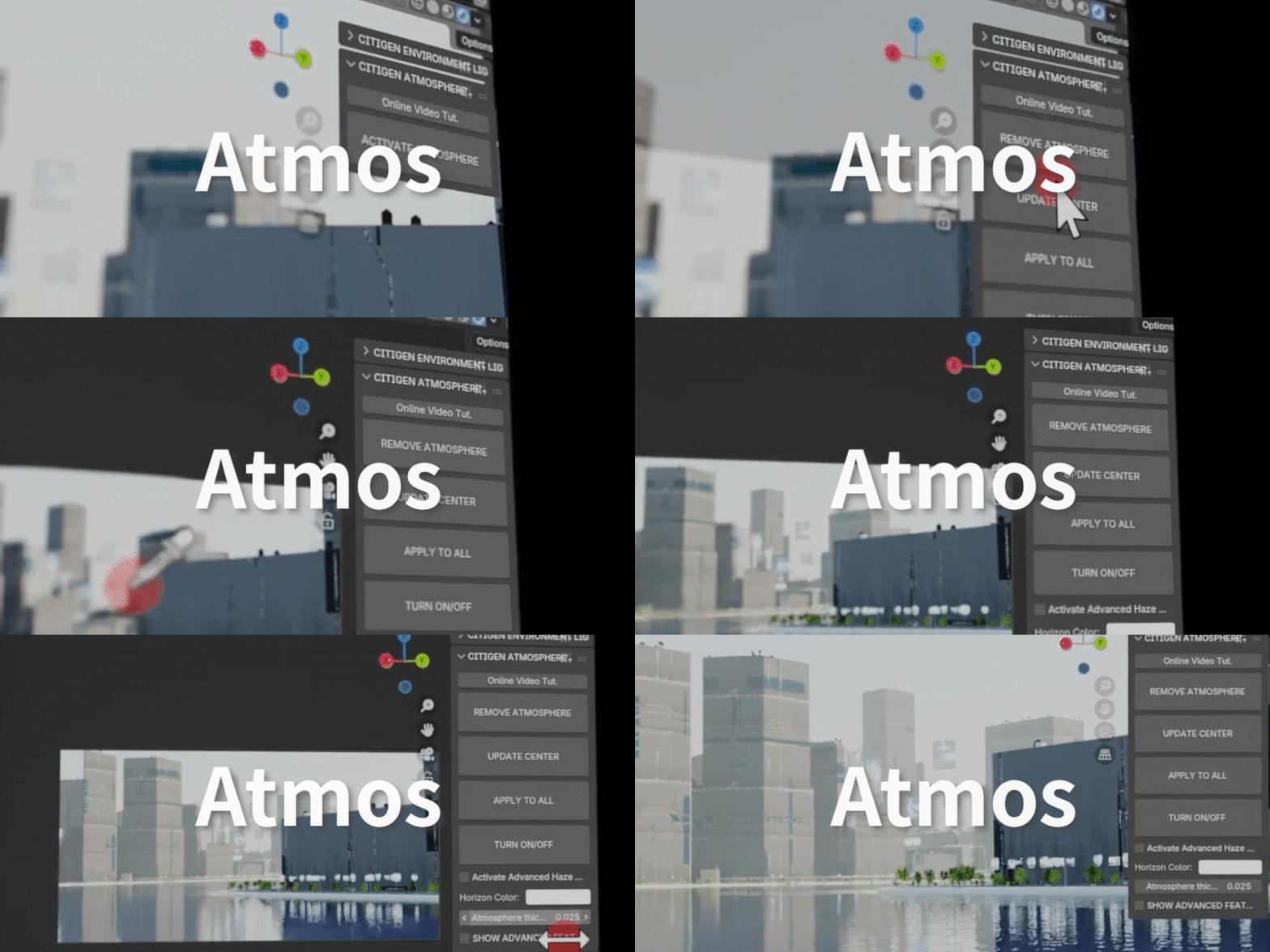
Atmos is a Blender add-on by CITIGEN for adding adjustable atmospheric haze to large outdoor scenes. You resize its Atmosphere Object to fine-tune the effect in real time. According to the Superhive product listing , Atmos can leave an HDRI background unaffected.
Adjust haze with the Atmosphere Object
Select the Atmosphere Object and resize it to adjust the haze without building a complex node setup.
The add-on is aimed at outdoor scenes where atmospheric haze helps set the depth and appearance of the environment.
Keep the HDRI background unaffected
Atmos can leave an HDRI background unaffected by the added haze, which sits on the ground while the sky stays clear.
You can also save frequently used haze settings as presets and share them with others.
Rendering and scene fit
CITIGEN says Atmos can render faster in certain cases. CITIGEN provides no benchmark, so the size of any speed gain is unknown. If render time matters for your project, compare it using a representative scene and your usual settings.
Atmos may suit Blender artists who want a resize-based control for haze in large outdoor scenes, especially when they want the HDRI background to remain unaffected.
Blender versions, license, and support
The product details list Blender 4.0 through 5.2 and an MIT license. The listing includes 12 months of support from CITIGEN and product updates.
CITIGEN's FAQ reports that Blender 5.0 seemed to have a GPU-rendering bug, citing longer command-line render times; it says Atmos works in CPU mode in Blender 5.0.