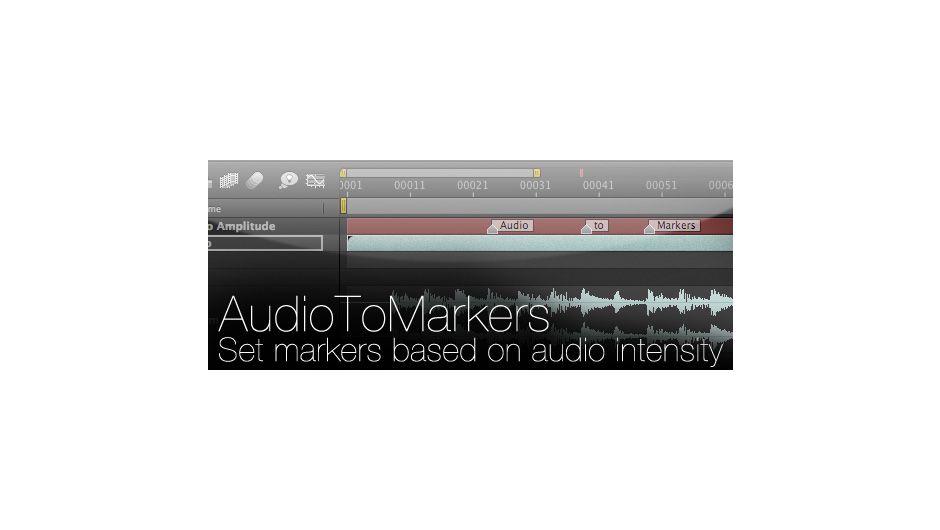
AudioToMarkers is an After Effects script for turning audio intensity into timing points or layer edits. It can place markers on a layer, split a layer at threshold crossings, or create a text layer with incrementing numerical keyframes that can trigger expressions. It suits motion work where edits or animation need to follow changes in audio level.
Set up audio threshold markers
- Select the audio layer and run After Effects' Keyframe Assistant command, “Convert Audio to Keyframes.” This creates an Audio Amplitude layer.
- Run AudioToMarkers and choose the layer to mark or split. If the target layer is missing from the list, select the composition and press Refresh.
- Set the audio level threshold. The script reads the Audio Amplitude layer's “Both Channels” value. It places a marker when the level crosses the threshold. Another marker is not placed until the level drops below the threshold and crosses it again.
The threshold-crossing behavior makes AudioToMarkers useful for timing repeated events from changes in audio level.
Choose an output
- Place markers on a layer: add timing points to a chosen layer.
- Split the layer: cut a chosen layer at threshold points. The product listing's version history also records a minimum-frames-before-cut option.
- Create a numbered text layer: generate incrementing numerical keyframes that can be used to trigger expressions.
Compatibility and licensing
The seller's compatibility list includes After Effects 2026 through 2020, CC 2019, CC 2018, CC 2017, CC 2015.3, CC 2015, CC 2014, CC and CS6. The listing shows $14.99 as the suggested price under its Name Your Own Price model; individual users may pay any amount, while businesses and teams must pay the suggested price for a valid license. The EULA grants one copy for one user on one computer at a time; multiple users or copies require appropriate licenses.