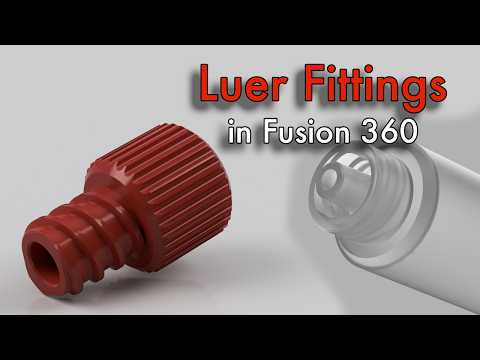
The Luer Fitting Generator by Ortus Lab is an add-in for Autodesk Fusion that creates parametric Luer fittings in a design. The Autodesk Marketplace listing describes its geometry as sized to the ISO 594 and equivalent ISO 80369-7 6% Luer taper. Listed uses include Luer-compatible hardware, fluid-feed lines, resin or silicone mold ports, and microfluidics research devices.
Choose a fitting type
The generator includes Male Slip, Male Lock, Female Slip, Female Lock, Male Lock (internal), and Female Slip (internal). The project README explains their placement: the external Male Slip and Male Lock variants protrude from the body; the Female Slip and Female Lock variants form a boss with the taper recessed and opening outward. The two internal variants cut into an existing body, so the fitting can sit in a part wall.
Adjust the bore and clearance
Male variants have an adjustable through-bore diameter for the fluid path. Diametral clearance can be tuned for a press fit to suit a printer or material. A live preview updates as inputs change, and each fitting commits as a single timeline group. The listing also describes input validation and error handling. The README says the status line explains invalid geometry and placement issues.
Place a fitting in Fusion
- Open or import the part that will receive the fitting.
- Run Luer Fitting from the Solid tab's Create panel. Pick a center point, such as a sketch point, construction point, BRep vertex, or circular edge. If you plan to use an internal variant, choose a placement on an existing body.
- If the point is not a sketch point, select a plane or planar face to set the fitting axis. Choose the fitting type, set any needed bore and clearance values, then confirm.
For an internal variant placed away from an existing body, the README says the dialog disables OK and the status line explains why.
Check the finished part
The available product information does not specify clearance ranges or establish certification or application-specific validation for a finished part. Check the modeled and printed connection with the intended printer, material, and assembly before relying on its fit. For support, the listing provides [email protected]; bug reports can go to the project issue tracker.