3D Printing Essentials
Prepare parts and compare build layouts in Autodesk Fusion with 3D Printing Essentials. Create reusable setups for FFF, SLA/DLP, SLS and MJF workflows.
Published software and plugin guides for Autodesk Fusion.
Read the software guidePrepare parts and compare build layouts in Autodesk Fusion with 3D Printing Essentials. Create reusable setups for FFF, SLA/DLP, SLS and MJF workflows.
Create airfoil profiles in Fusion with Airfoil Splines from Selig or Lednicer .dat files; use design history and Hybrid design intent for timeline edits.
AlignMesh Pro fits scanned mesh faces in Autodesk Fusion. Preview deviation, tune scan tolerances, and create datum planes or timeline-based alignments.
Arroway Threading & Fastener Suite adds adjustable-clearance threads, insert holes, nut traps, and drill references in Autodesk Fusion for 3D-printed parts.
Autodesk Fusion combines CAD, CAM, CAE, and PCB for product development. Explore its design, electronics, simulation, and manufacturing workspaces.
Explore B3D Generative for Autodesk Fusion 360: fill closed sketches or curved faces with maze patterns and tune spacing, variation and output geometry.
B3D Serpentine Cords wraps wave bands around a solid body in Autodesk Fusion. See how its layer controls, offsets and sketch-only output work.
B3D Voronoi Fracture is an Autodesk Fusion app for Voronoi cells or geometric shape cavities, with spacing, edge rounding, and a real-time preview.
Create woven textures with B3D Wavy Path on selected Autodesk Fusion faces. Adjust strand width, layer spacing, wave count, amplitude, and phase shift.
Build parametric cabinets in Autodesk Fusion with CabinetForge. Choose cabinet and front styles, edit dimensions, and generate four shop reports.
CADtributions are a local activity graph for design saves, with streaks, project filters and PNG export; history stays on this computer.
Map Fusion design dependencies with Contriver Node Atlas. Trace change impact, record missing links and trace rebuild failures to their source.
CoroPlus® Tool Library add-in is a CAM integration for tool and cutting data recommendations and assemblies in Autodesk Fusion.
FrameMakerPro is a Fusion add-in for angle and channel steel frames, imported geometry, trim and butt-joint cuts, beam placement, and cut lists.
Send nested additive setups to Formlabs Fuse printers via PreFormServer. Fusion to Fuse preserves layout and checks build fit, or saves a PreForm .form file.
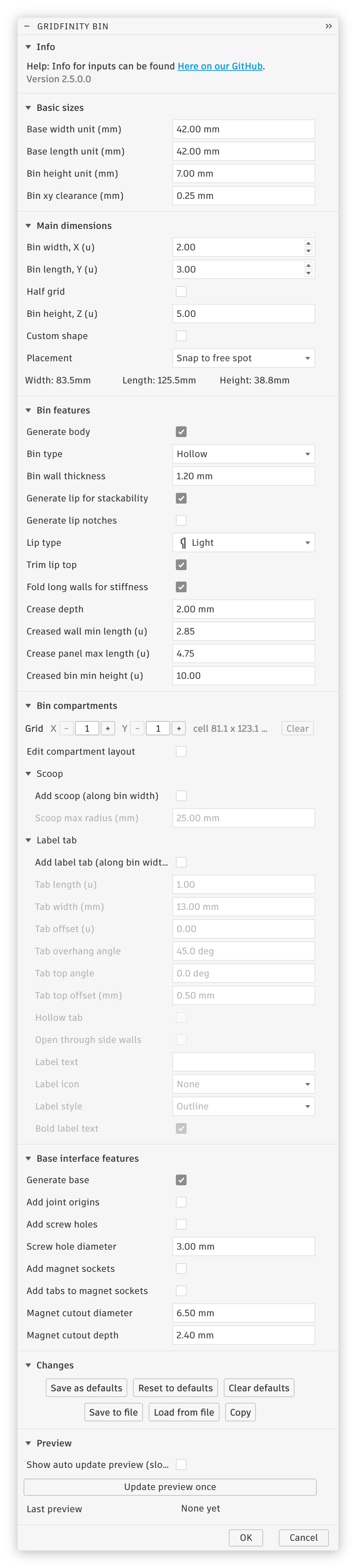
GridfinityGenerator needs a Fusion license. Create parametric bins and baseplates, edit dimensions in Fusion, then export or prepare for manufacturing.
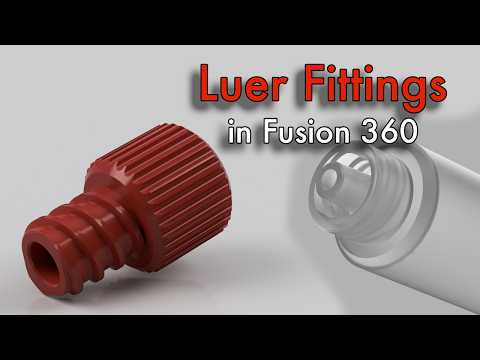
Use Luer Fitting Generator in Autodesk Fusion to create parametric slip and lock fittings, adjust bore and clearance, and review the live preview.
MapBoards Pro arranges Autodesk Fusion component copies on material boards and exports SVG, DXF, cut lists, and reports. See how its PLUS options work.
Use OSH Cut Metal IQ in Fusion to check sheet metal designs against OSH Cut's tooling and inventory. Review flags before sending parts to OSH Cut's cart.
Create editable Voronoi, Honeycomb, Bionic and other surface patterns in Autodesk Fusion. Tune spacing, rotation and margins, then inspect the live preview.
Browse millions of CAD, CAE and BIM models with PLUGIN 3Dfindit powered by CADENAS, then configure and place components in AutoCAD, Revit or Inventor.
Autodesk Project Salvador Team
Explore Project Salvador's AI concept images and sketch creation in Autodesk Fusion. Check version compatibility, known SVG issues and prompt terms.
ProtoTech Solutions and Services Pvt. Ltd
Export models with ProtoTech's JSON Exporter for Fusion®: parts, assemblies, colors, textures, properties, hidden entities, sketches, and compression.
ProtoTech Solutions and Services Pvt. Ltd
Export Fusion® models to JSON with ProtoTech's trial plug-in. Check its export features, Windows support, trial terms and license options before installing.