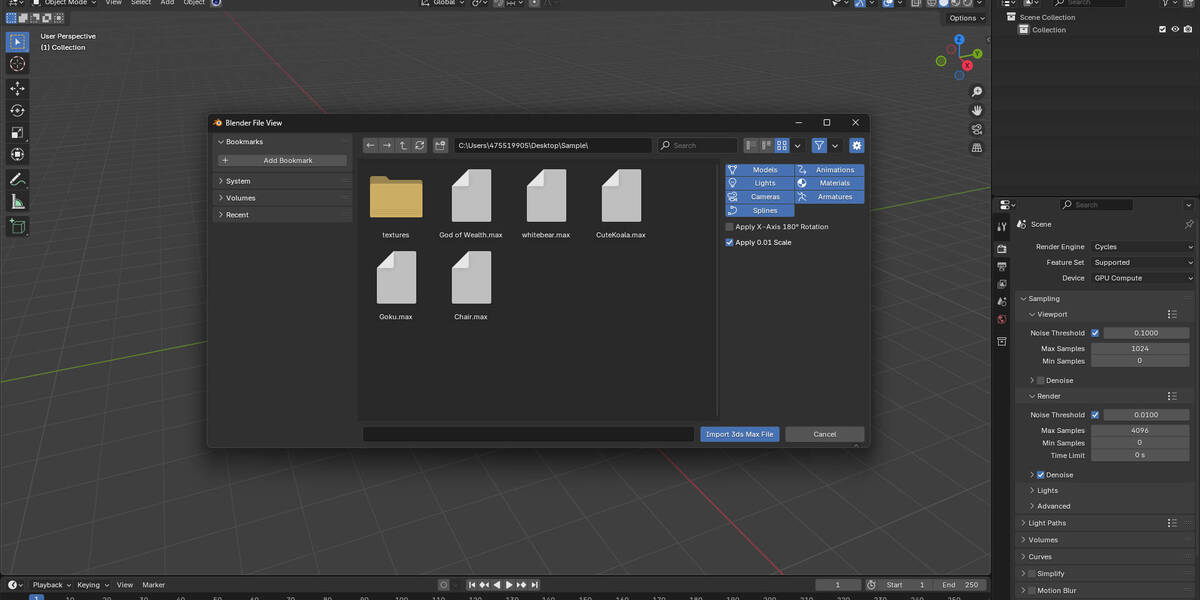
Autodesk 3ds Max File Import-Export (.max) is a Blender add-on by blenderVfxMaster for importing .max files into Blender and exporting Blender scenes to 3ds Max. Its conversion uses the native 3ds Max Python API and MAXScript, so it requires a working 3ds Max installation on Windows. It is intended for people moving scenes between the two applications, including studios with mixed pipelines and artists converting existing assets.
Import and export controls
Import settings let you choose which assets to bring in, including models, lights, cameras, splines, animations, materials, and armatures. The add-on also provides an X-axis 180-degree rotation option and 0.01 scale conversion for coordinate and unit adjustments. You can save default import settings for your projects.
On export, filter by supported object type or limit the transfer to the current selection. The product listing says it preserves material assignments, animation data, scene hierarchy, and object relationships. Material fidelity depends on the material systems, and procedural animation may need adjustment after transfer. Version 1.0.0 of the documentation, last updated in 2024, describes Blender generating intermediate data that 3ds Max converts to .max and identifies FBX as the compatibility format.
Installation and version details
The product documentation describes installing the downloaded ZIP through Blender’s Preferences, enabling the add-on, then using Auto Detect to locate the 3ds Max Python path. A path can also be configured manually if detection fails.
The version 1.0.0 documentation, last updated in 2024, lists Windows 10/11 (64-bit) and says Linux and macOS are unsupported. The product listing describes Blender 4.2+ and 3ds Max 2023+ as requirements, while its compatibility field lists Blender 3.6–5.2 and its FAQ lists Blender 3.6–5.1. The version 1.0.0 documentation, last updated in 2024, gives Blender 4.2+ and 3ds Max 2023+ in its System Requirements, but its FAQ says 3ds Max 2020+. Confirm the applicable versions with the creator before installing.
Check the converted scene
Before using a converted scene in production, review its scale and orientation, then inspect materials, animation, and object relationships in the destination application. This is especially useful when a scene depends on a particular material system or procedural animation. The documentation recommends testing with a simple scene and verifying exported files in 3ds Max.