Background Timesheet is a Blender add-on by Shynez for arranging several background images as keyframes across scene frames. The developer describes it for 3D layout and guide work in 2D anime projects. The Blender Extensions catalog lists release 0.8.1 for Blender 4.2.0 or newer, with support ending before 6.0.0.
How to set up a timesheet
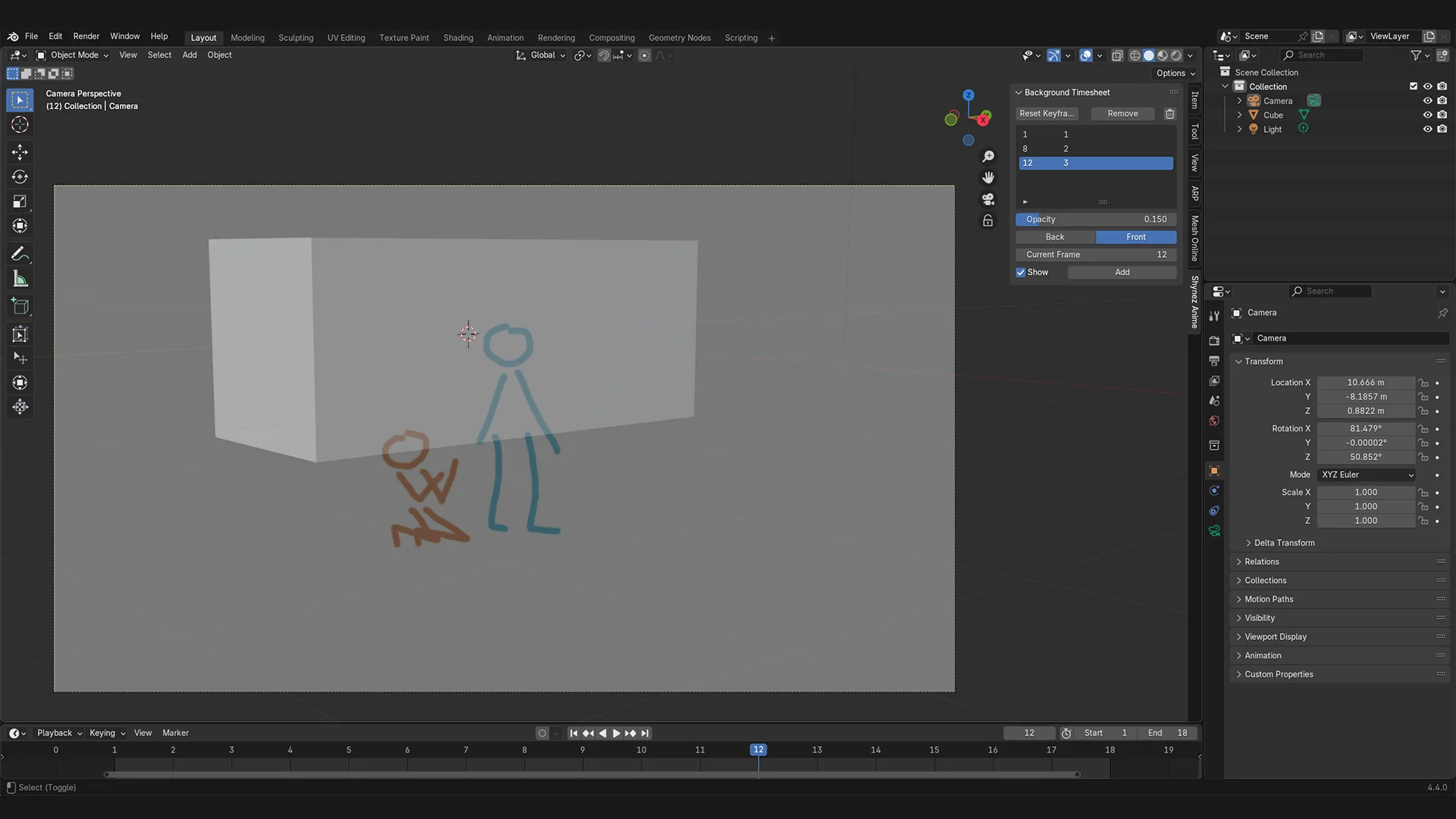
The add-on's controls are in the Animation category of the 3D Viewport Sidebar. With the intended camera active, set the scene to the frame where an image should appear, click Add, and select the image file. To move through the images, change the current frame or click a list item in the camera view.
This arrangement suits shots that use several background references across different frames, such as layout guides for an anime project. The add-on places its background timesheet keyframes on the active camera.
Camera keyframes and render resolution
Adding an image also changes the render resolution to adjust for the image size. If the scene needs a particular output size, check its render settings after adding images. The developer README also lists a Reset Keyframes button for common keyframe issues.
Version and installation details
The Blender Extensions catalog lists version 0.8.1, maintainer Shynez, and a GPL-3.0-or-later license. Its compatibility range starts at Blender 4.2.0 and ends before 6.0.0. Check the Blender Extensions listing and the developer repository for release details and usage notes. Blender's extension installation documentation covers installing an extension from disk.