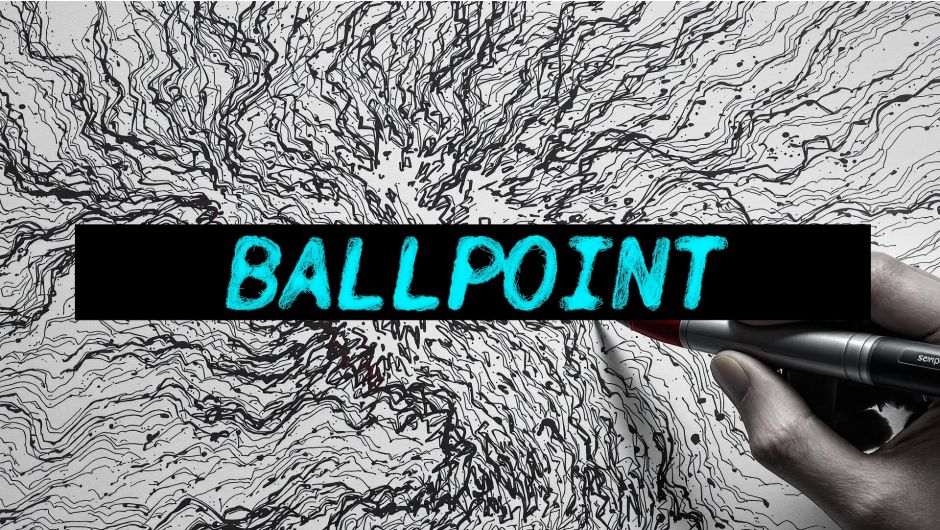
Ballpoint turns video footage into tapered ballpoint-pen linework. Its GPU rendering places strokes around strong image edges, then draws them along or across shapes. The result can range from a loose sketch to dense crosshatching. It suits reveal animations, stylized inserts, and shots where drawn texture should replace or layer over the original image.
Shape the strokes
Start with a preset such as Robocop, Curls, Web, or Crosshatching, then tune the effect in the host application. Detail Radius sets whether the strokes follow fine details or broader forms. Coverage Energy controls how far the strokes wander and how much they curl, while Edge Tracking determines how long they search for contours. Stroke Angle and Cross Angle change their direction for hatching or crosshatching.
Stroke Count controls density, up to 32,768 strokes. Stroke Length and Stroke Width set line size; Subdivision smooths strokes, and Trim Segments removes stray long jumps. Random Seed creates a different stroke layout. Choose one ink color or use colors from the source image, then set Paint On to transparent, the original image, black, or white. When painting over the original, blend modes include Max, Min, Add, Multiply, and Cutout. Glow adds a blur-based glow to the lines.
Animate and composite the effect
The product page says every element is keyframable and many settings are brush-sensitive. Parameter changes update interactively, so you can shape the look while working in the timeline. The documentation notes that a still frame shows the full effect. Transparent output and the Cutout blend mode provide options for isolating the strokes or showing footage only through them.
Check host and GPU support
The compatibility list names After Effects 2020-2027, Premiere Pro 2020-2027, Media Encoder 2020-2027, DaVinci Resolve 18-21, and Nuke/NukeX 12.0-17.0. The manual describes Adobe plug-in installation for After Effects and Premiere Pro, and an OFX bundle for Resolve and Nuke. In Resolve, the effect appears under Effects, then OpenFX.
Ballpoint requires GPU rendering: Metal on Mac, or DirectX 12 or Vulkan on Windows. The manual lists macOS on Intel or Apple silicon and 64-bit Windows; the product page specifies macOS 12.0 or later.
Install and license
For purchases through aescripts, its Manager App installs the Adobe plug-in. Manual installation is also documented for Adobe hosts and for the Resolve/Nuke OFX bundle. The product EULA grants one copy for one user on one computer at a time. Multiple users or computers require the appropriate additional licenses.