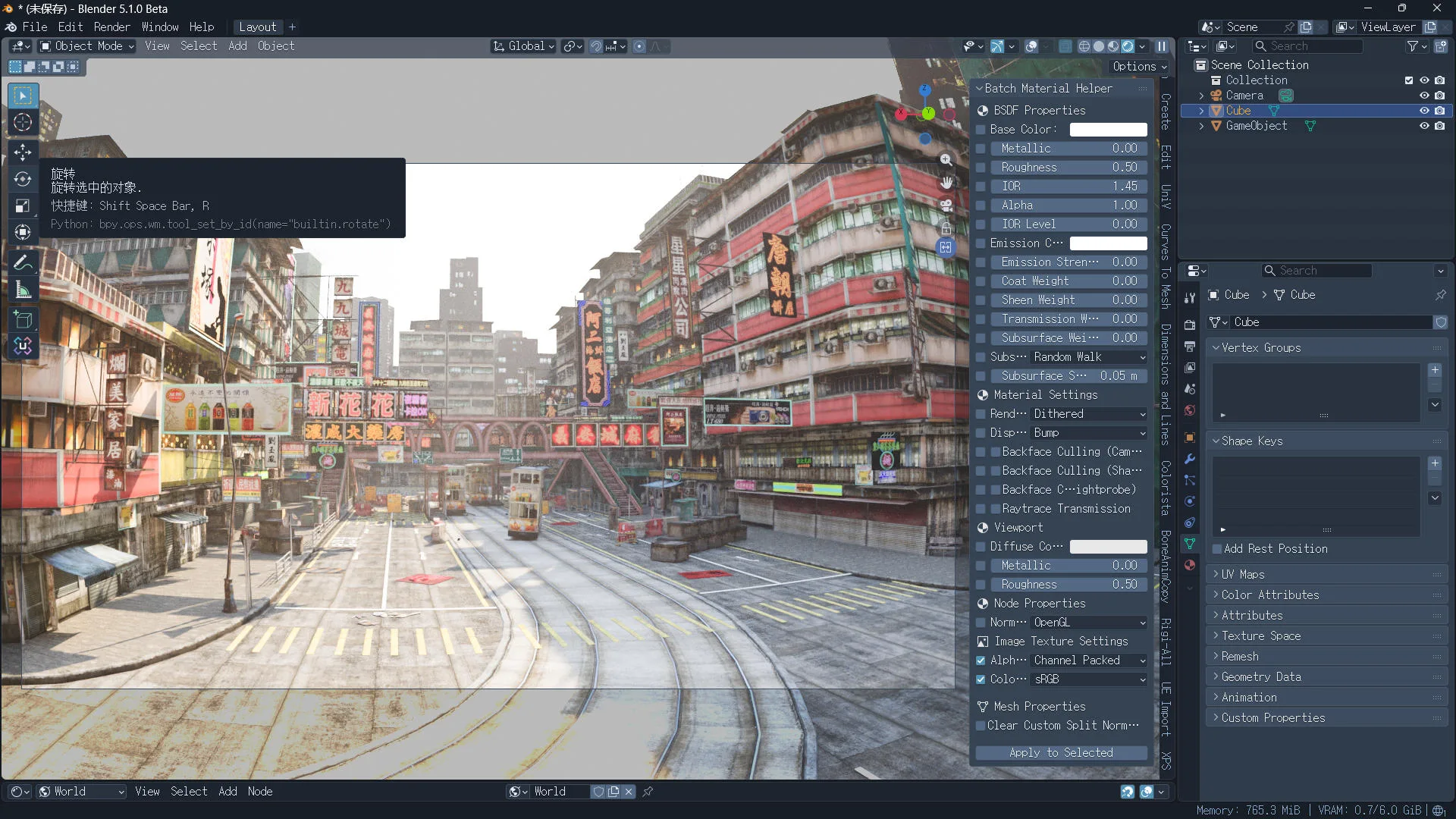
Batch Material Helper is a Blender add-on for applying material settings to selected objects in bulk. The Blender catalog record lists the extension under Material and describes it as helping users modify materials quickly. The project README names Principled BSDF settings such as Base Color, Metallic, and Roughness.
Release and compatibility details
The catalog lists maylog as the maintainer for version 1.0.8, sets Blender 4.2.0 as the minimum, and gives the license as GPL-3.0-or-later.
Applying material edits to selected objects
Select the relevant objects in the 3D Viewport, open the sidebar's Material tab, find the Batch Material Helper panel, choose the properties to change, enter values, and apply them to the selected objects. The README gives XPS- and FBX-imported models as examples.
The listing provides the add-on download and links to Blender's Install from Disk instructions. Check the selected release's compatibility before installing. If you plan to redistribute the add-on, consult the GPL-3.0-or-later license terms.