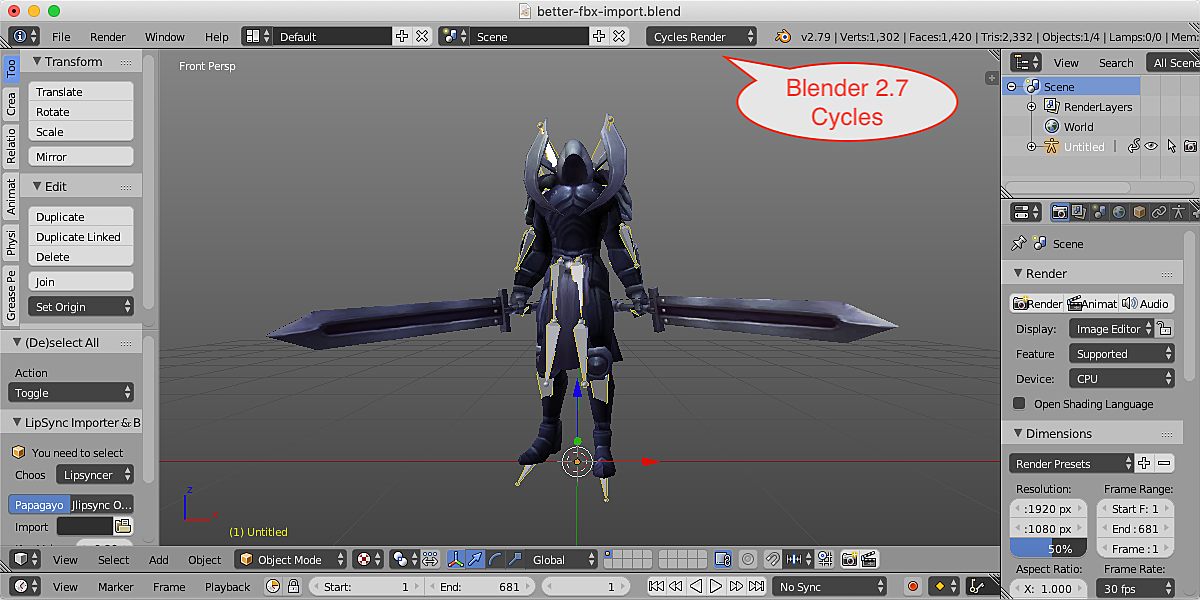
Better Fbx Importer & Exporter is a Blender add-on for importing models from several 3D formats and exporting them for other software and game engines. Mesh Online describes it as an option for FBX files that Blender’s native importer has trouble reading. It supports ASCII and binary FBX files from FBX 5.3 through FBX 2020, along with DAE, OBJ, DXF and 3DS imports.
Import and export formats
The importer accepts FBX, DAE, OBJ, DXF and 3DS files. The exporter writes FBX, DAE, OBJ and DXF. Import settings include scale, units, normals, smoothing, bone orientation and animation options, so you can adjust how a model enters the Blender scene. In Blender 4.2 and newer, the add-on also supports dragging a model file into the 3D View.
To use the importer, choose File > Import > Better FBX Importer. For export, choose File > Export > Better FBX Exporter, then set the file type, FBX version, units, axis and other options for the destination.
Materials, animation and rigs
The add-on imports PBR materials from 3ds Max and Maya and can export material styles for Unity, Unreal Engine and Godot. It supports Cycles and Eevee, multiple UV and material sets, vertex colors, shape key animation and armature deformation. When exporting textures, enable Embed Media to include image files in the FBX. The importers in Unity and Unreal do not import ambient occlusion textures automatically, so assign them manually.
Animation controls include exporting the active action, all actions or NLA tracks, with an option to concatenate multiple animations. For a multi-animation export, the documentation notes scene constraints: use one armature and at most one mesh with shape key animation, keep the corresponding shape key and armature actions in the same order, and clear incompatible actions from the Action Editor before exporting. If an exported animation differs from its Blender playback, the developer suggests trying baked animation.
For game workflows, the Rigify export option can create game-friendly armatures. Version 6.5.0 added a Target Engine setting to the Rigify export options. Choosing Unity, Unreal or Godot exports engine-friendly bone names and IK bones. Generic rig exports are not retargetable, according to the developer’s documentation. The listing also describes basic IK constraint support: use an empty object as the target. If you have not assigned one, the add-on creates an empty object automatically. Exported IK constraints are not compatible with Maya.
Batch work and export controls
You can import multiple files at once, optionally placing them in separate collections. Export options can write objects to separate files or export visible, non-empty collections as separate files. Mesh LOD export is supported for Unity and Unreal. For Unreal, the documented setup uses an empty node with the custom property fbx_type set to LodGroup and names the LOD meshes with suffixes such as _LOD0 and _LOD1.
Compatibility and limits
Superhive lists Blender versions 3.6 through 5.3, and the developer describes support for Windows, Linux and macOS. Drag-and-drop import and Collection Exporters require Blender 4.2 or newer. The developer’s changelog lists version 6.5.1, released November 11, 2026, with a fix for applying modifiers to placeholder meshes. Check the product listing for current compatibility, documentation and release details.
The stated limitations include custom bone shapes and multiple bind poses. The listing’s limitation note says IK bones are not generally supported, while its later Target Engine feature adds engine-friendly IK bone export and its documentation describes basic IK constraints. Treat those as specific workflows rather than broad IK-rig support. If you use Auto-Rig Pro and need a retargetable armature, the developer recommends its own FBX exporter.