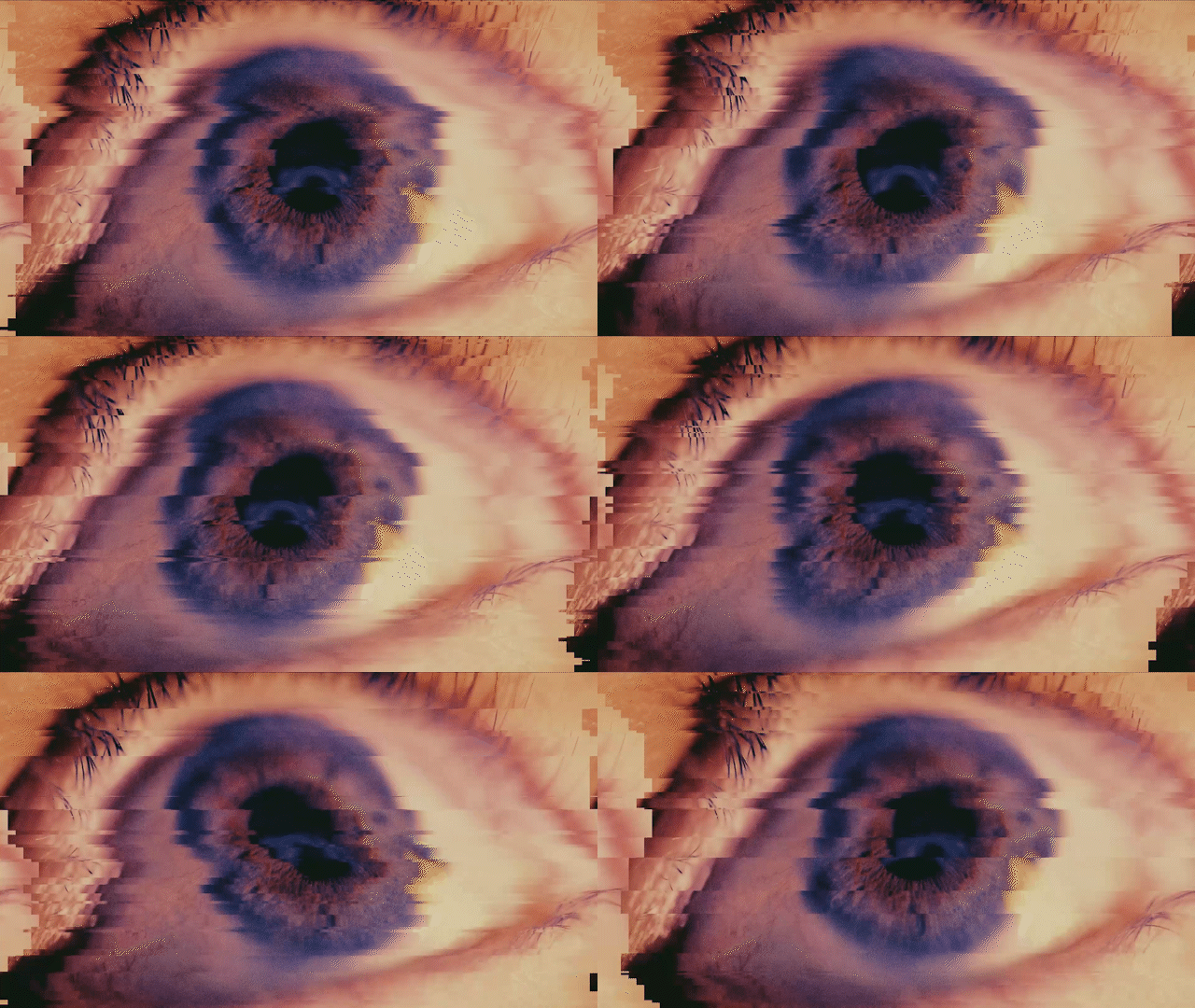
Block Swap rearranges rectangular blocks from a source image in After Effects and Premiere Pro. It fits workflows that need a controllable block shuffle for recomposing a shot, making a glitch or noise effect, or building a transition.
Control the block shuffle
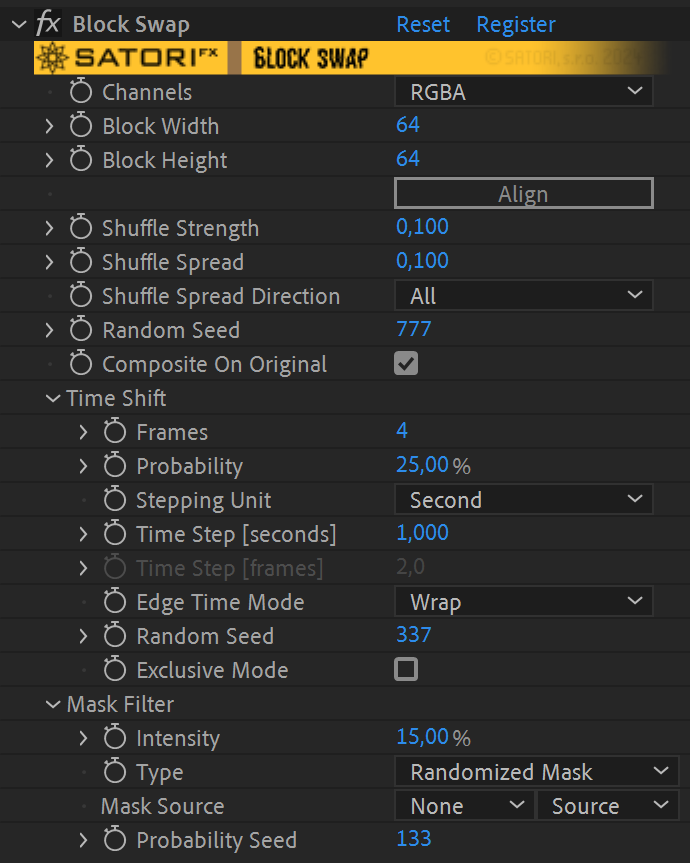
Set block width and height, then adjust Shuffle Strength to control how many blocks move and Shuffle Spread to control how far they travel. Spread Direction can shuffle blocks anywhere in the image or keep movement within rows or columns. Choose RGBA or apply the effect to an individual red, green, blue, or alpha channel. Random Seed sets the shuffle order and can be animated to change the pattern over time.
The Align control finds nearby block dimensions that can make tiles the same size across the image. If the frame width or height is a prime number, a final row or column may contain blocks that cannot be swapped with blocks of a different size.
Use time shifting and masks
Time Shift can draw blocks from up to 16 frames at other points in the layer. Frame Count set to 0 disables it; Probability controls how often blocks use a different time. Set the time step in seconds to keep the interval stable if the composition frame rate changes, or in frames to step according to that frame rate. At the layer edges, Repeat Last uses the first or last available frame, Wrap repeats the footage, and Mirror reverses it. Exclusive Mode applies time shifting without the screen-space shuffle.
Mask Filter limits where blocks swap, using the source layer or another layer as a mask. Intensity controls the filtering and defaults to 0%, which disables it. Threshold filters according to mask luminance: darker areas are filtered first, while the brightest areas remain even at 100% intensity. Randomized Threshold varies the intensity before applying the threshold, which can create more natural block changes with gradients. Randomized Mask varies mask luminance before filtering; at 100% intensity, it filters all blocks. Composite on Original can output only changed areas for use with another effect.
Compatibility and licensing
The listing supports Windows, macOS Intel, and macOS Apple silicon. It lists After Effects and Premiere Pro from CS6 through 2026. Multi-Frame Rendering is supported; GPU use is marked unsupported. The registered version has no rendering resolution limit, while the trial is limited to 4096 pixels vertically.
The product EULA permits installation and use of one copy and one archival copy, stored on a medium other than a hard drive and used only for reinstallation. Additional copies or use by multiple users or on multiple computers require an appropriate license for each user and copy.