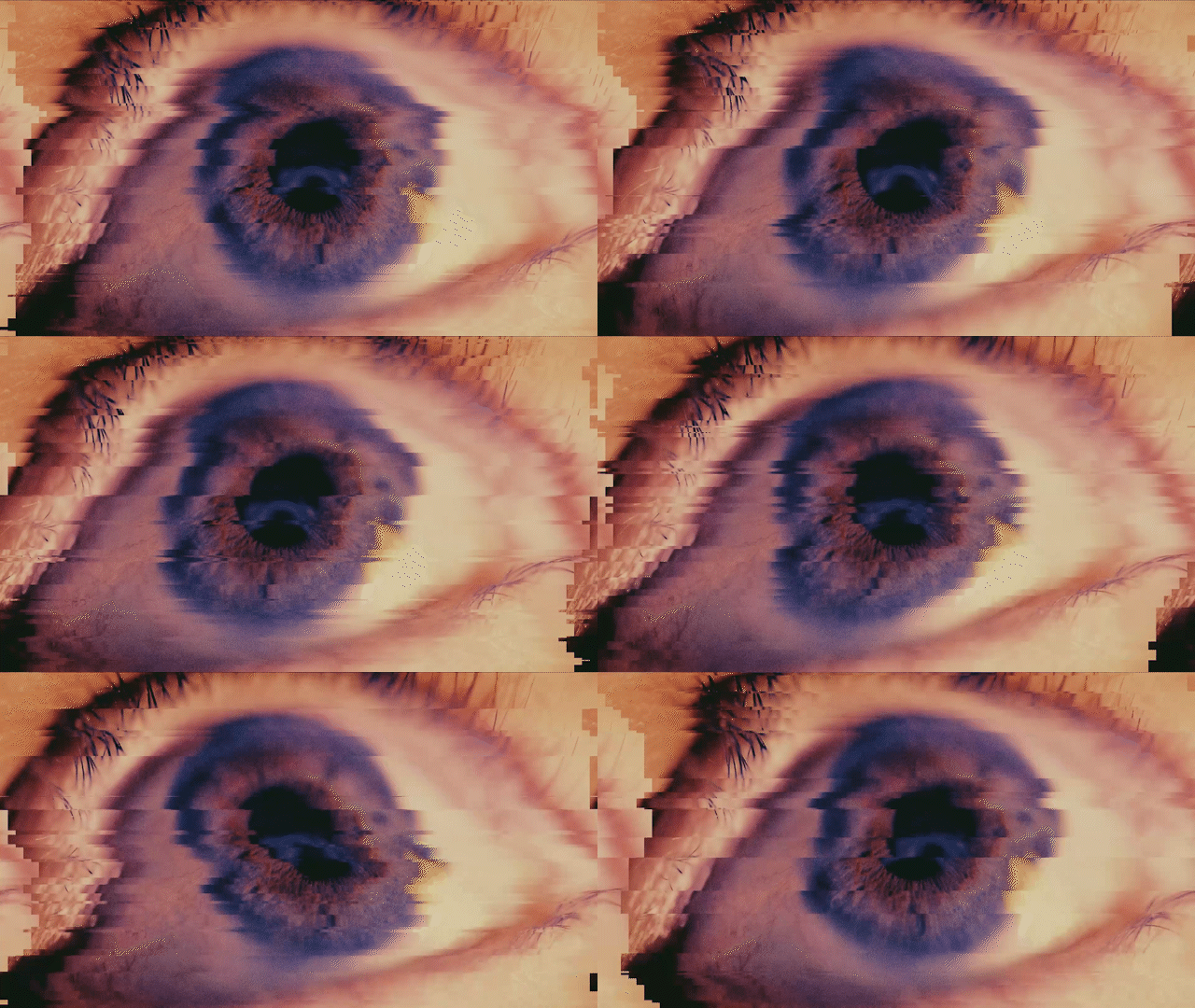
Pixel Stretch by Satori creates nonlinear pixel-stretch effects with subpixel accuracy in Adobe After Effects and Premiere Pro. It can use the image's luminance or a separate layer as a stretch mask, and the Direction control sets whether the effect moves along rows or columns.
Each stretched pixel offsets the pixels that follow it on the same row or column. This cumulative behavior can produce more organic patterns than a simple line-stretch effect.
Choose what drives the stretch
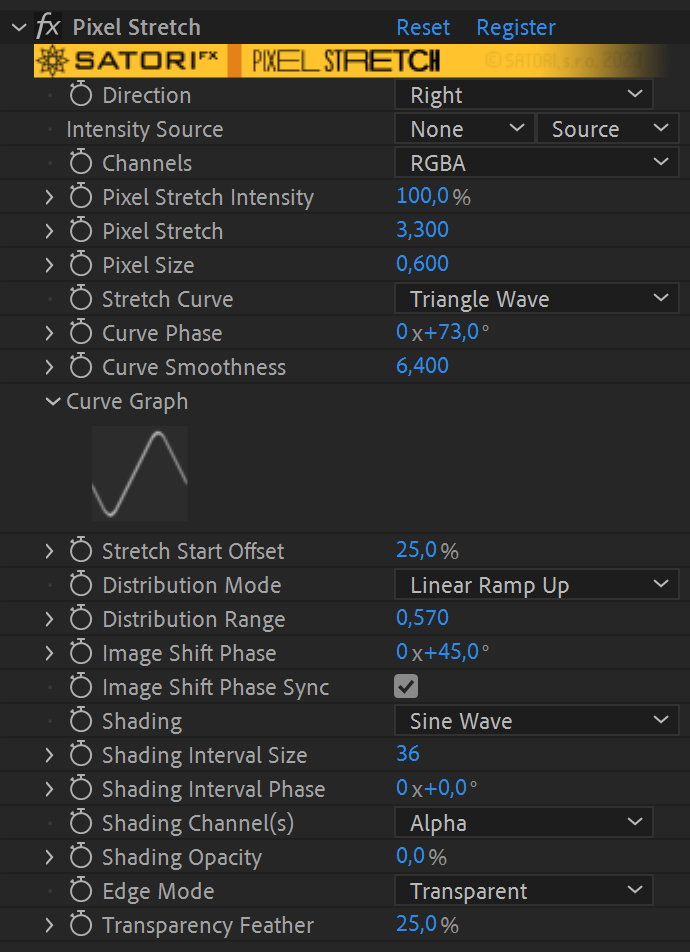
Set an Intensity Source to use another layer as a mask, or use the current image's luminance. Channel options include Luma, RGBA, Red, Green, Blue and Alpha. The RGB (no Alpha) and Luma (no Alpha) modes leave the alpha channel unchanged; the other modes let you apply the effect to alpha as well.
Shape the pixel pattern
Pixel Size sets the base pixel size, while Pixel Stretch sets how much it can grow. With the default curve, dark pixels add little or no stretch and bright pixels add more. Pixel Stretch Intensity scales the effect from 0% to 100%; it also interpolates shading opacity and image shift, which can help animate the effect.
Stretch Curve maps brightness to stretch, with linear ramp-up and ramp-down options as well as other mappings. Curve Phase and Curve Smoothness adjust that mapping. Distribution Mode controls how the stretch spreads across the image: Constant, Linear Ramp Up or Linear Ramp Down. Stretch Start Offset skips part of the image before stretching. Distribution Range values from 0 to 1 cover up to 100% of the image width, or height for vertical stretching; values above 1 can extend into repeated image area when Pixel Size is below 1. Image Shift Phase offsets the image along the stretch direction.
Shading adds adjustable patterns over the result. If starting Pixel Size is below 1 and the stretched image leaves gaps, Edge Mode controls how they are handled; in Transparency mode, Transparency Feather can smooth the edges.
Use it for line stretches and transitions
To approximate a line-stretch effect, set Stretch Start Offset to the desired row or column and increase Pixel Stretch and Pixel Size. For a more gradual pattern, adjust Distribution Mode and Range. You can apply multiple instances to the same layer or clip, using the offset and distribution controls to affect a chosen part of the image.
For transitions, the seller suggests setting Edge Mode to Transparent and enabling Transparency Feather. Shading Opacity can also be used with the layer's opacity.
Compatibility and release details
The aescripts product page lists Pixel Stretch for After Effects and Premiere Pro from CS6 through 2026, on Windows and macOS Intel and Apple Silicon. It lists Multi-Frame Rendering support and no GPU utilization. Version 1.6.0, dated July 20, 2023, added channel options and Pixel Stretch Intensity. The seller's page has the current compatibility details, trial and purchase options.