Keep client brand references in After Effects
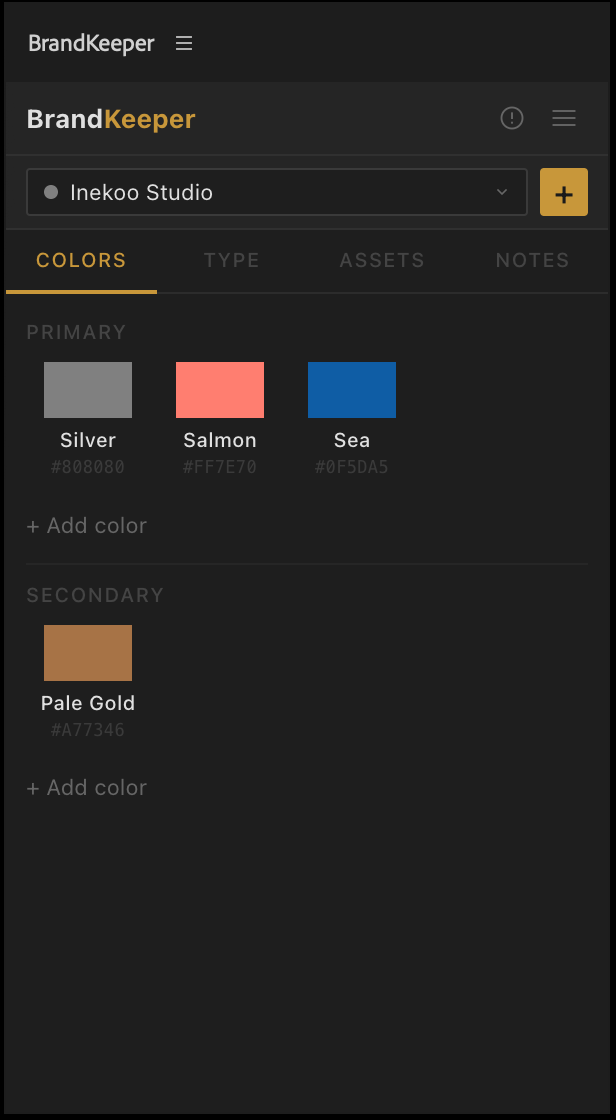
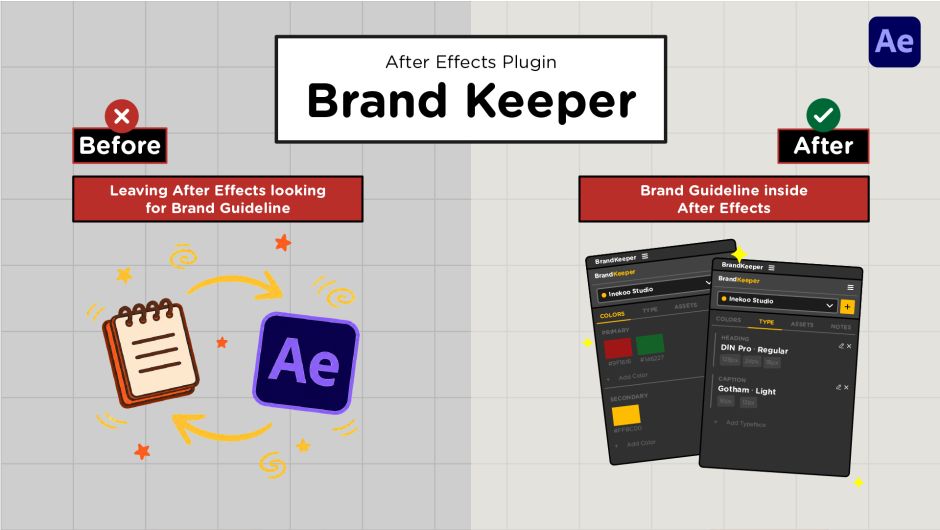
Brand Keeper is a CEP panel for storing brand colors, type rules, assets and notes inside After Effects. It suits motion designers, freelancers and studio teams who need to check several clients' guidelines while working in compositions.
Build a profile for each brand
Profiles can hold primary and secondary color swatches, with a click to copy a swatch's HEX value. The type section records font family, role, weight and size system. Global notes can hold brand rules such as tone of voice and usage restrictions, while composition-specific notes stay attached to the composition.
Organize and place assets
Drag multiple files into the Assets panel, group them in folders and use thumbnails, color markers and search to find items. You can select assets in bulk to move, import into the active composition, remove or clear them. This keeps the workflow close to the composition instead of requiring file browsing for each import.
Reuse profiles across projects
The brand library is stored locally on the machine and is available across After Effects projects rather than being tied to one AEP file. Export a profile as a .bkbrand file to share its colors, typefaces, assets and notes with another Brand Keeper user. The seller says the panel does not require an internet connection during use and brand data stays local. Sharing a profile does not transfer the software license.
Compatibility and licensing
The seller's technical notes list After Effects 2021-2025 on macOS and Windows, while its compatibility section lists After Effects 2025 and 2026. Check with the seller if you rely on 2026 or versions from 2021 through 2024, since the published version ranges differ.
The product's EULA grants one copy for use on one computer at a time. Additional users or copies require appropriate licensing. Check the selected license type before purchase if you need to install Brand Keeper on multiple computers or share it with a team.