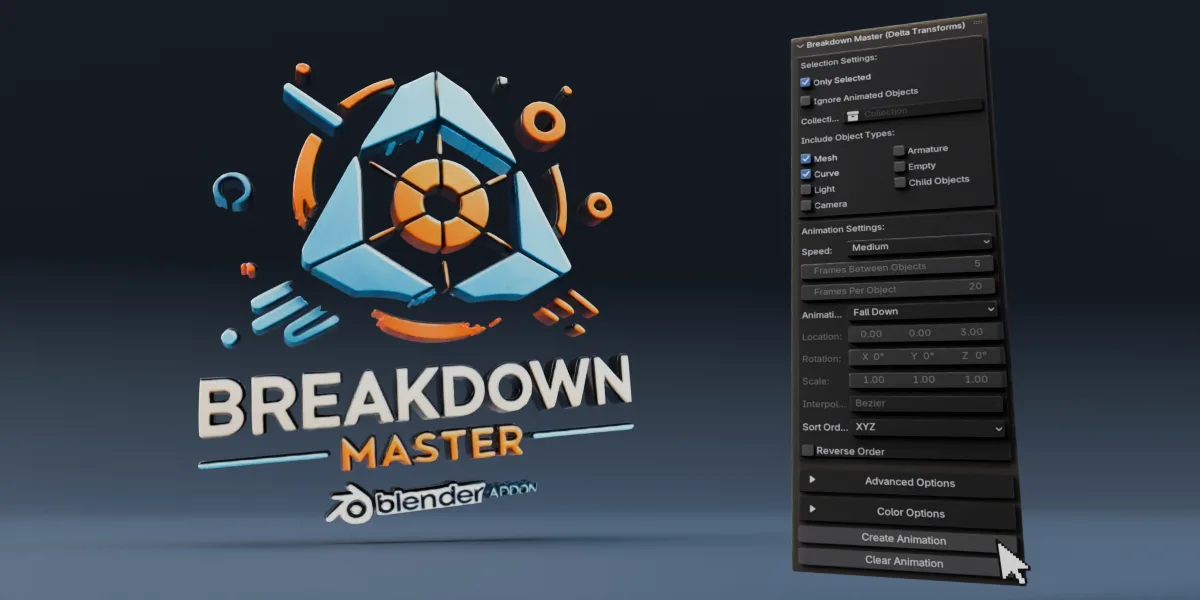
Breakdown Master - One Click Breakdown Maker is a Blender add-on for creating sequential breakdown animations from objects in a 3D scene. Its controls appear in a sidebar panel in the 3D View, where you can set up an animation and create it with one click.
Choose objects and animation settings
Choose whether to animate selected objects or all objects in the scene. Object type controls let you include types such as meshes, curves, lights and cameras. For timing, choose a preset speed or set values for Frames Between Objects and Frames Per Object.
Pick an animation style such as Pop or Fall Down, or customize the location, rotation and scale offsets. Additional settings cover sorting order and scene framing. Optional effects include color animation, wireframe and a slider animation with its own timing controls.
Apply and adjust the animation
Click Create Animation to apply the sequence. Each object has a properties panel where you can override global animation settings. You can also override animation types for collections: select a collection in the Outliner, open the Collection tab and use its Breakdown Master settings.
Clear Animation removes breakdown animations and resets changes. The Superhive product listing says the sequence leaves the objects' original transforms unchanged.
Compatibility and license
Superhive lists Blender 4.2 through 5.2 compatibility, Blender Internal, Cycles and Eevee render engines, and Extension compatibility for the add-on. It identifies the license as MIT. The catalog lists Breakdown Master as free; check the Superhive product listing for current compatibility and terms before installing.