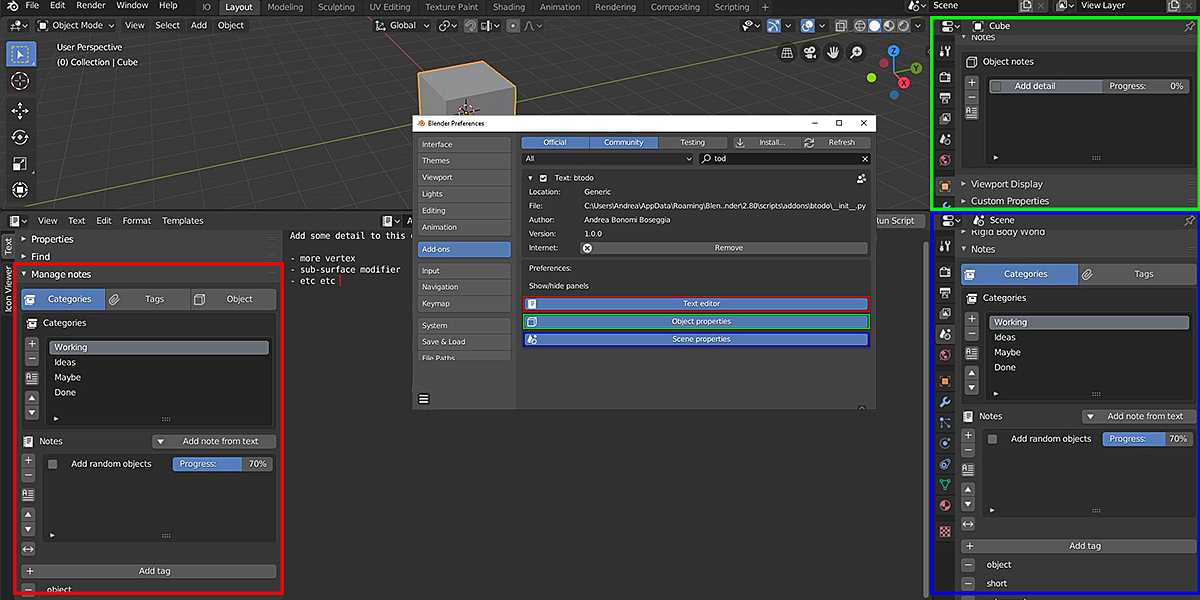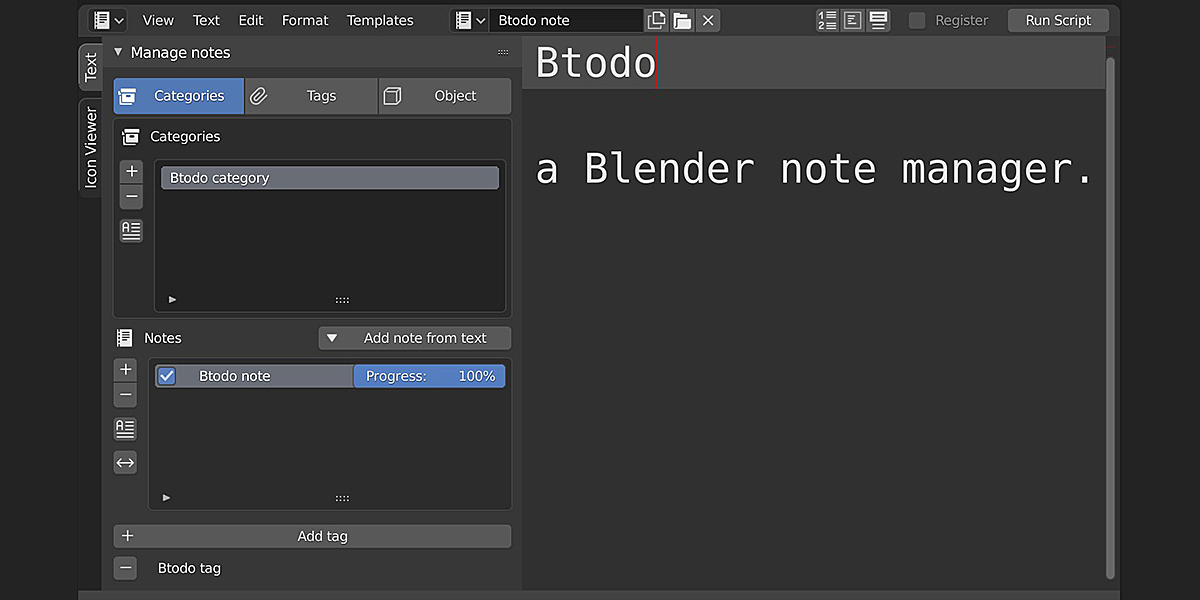
Btodo is a Blender add-on for keeping notes and to-do lists in a project’s built-in text editor. Its panel lets you create and organize text data-blocks, add checklist-style notes, and attach comments to scene objects. The notes are packed into the project’s .blend file, so they stay with the project.
Organize notes by category and tag
Create categories for different parts of a project, then add notes to each one. Tags provide another way to sort and find notes, and you can move notes between categories. Btodo can also add an existing Blender text data-block as a note, which is useful when project notes already live in the text editor.
The category view filters notes by category, while the tag view lists them by tag. An object view shows notes attached to the active object. These views are also available in the scene and object properties. You can control panel visibility in the add-on preferences.
Add checklists and object comments
A note’s “check” parameter supports checklist-style, to-do items. For context tied to a particular part of a scene, add a custom note or comment to an object. Btodo also lets you rename and rearrange categories, notes, and tags. Use the controls beside the lists to rename text data-blocks instead of changing their names directly in Blender’s UI.
Know what deletion removes
Notes attached to an object are deleted when that object is deleted. Removing a category also removes its notes, and deleting a tag removes it from every note that uses it. Check those items before cleanup if you need to keep the notes.
Check the build for your Blender version
The Superhive listing maps Btodo v1 to Blender 2.8x and v2 to Blender 2.9x. It also lists Blender 3.0 and 3.5 among supported versions, but does not map those releases to a build in the version note. Check the developer documentation for the build that matches your Blender release, especially if you use a newer version. The listing identifies the add-on’s license as GPL.