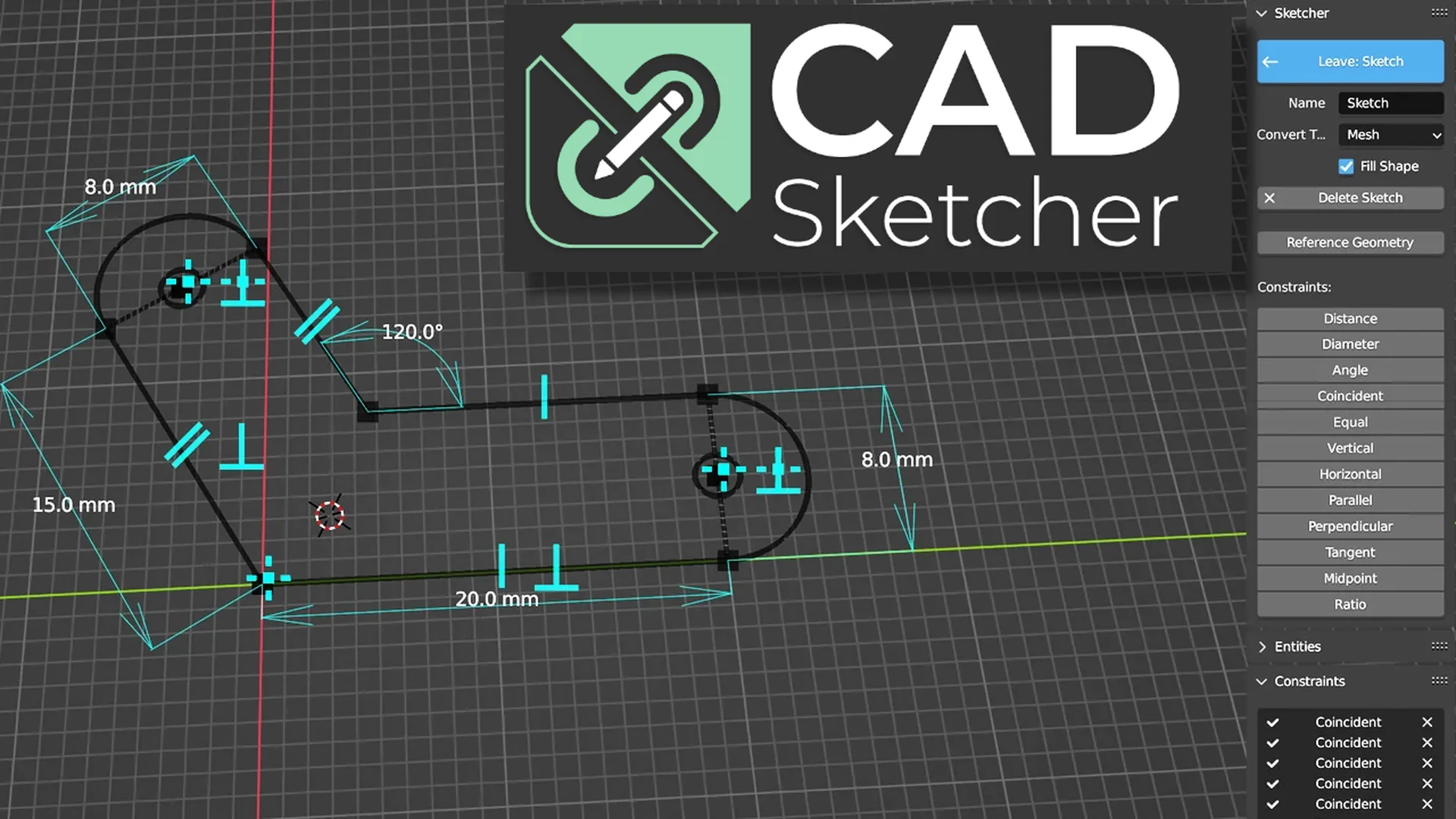
CAD Sketcher is a constraint-based sketching extension for Blender. It lets you define precise 2D shapes with geometric relationships, then continue working with the sketches in Blender’s modeling workflow. The Blender Extensions listing identifies hlorus as the maintainer and lists version 0.32.1 for Blender 5.0.0 or later.
How constraint-based sketching works
In Blender’s 3D Viewport, add a sketch on an origin plane, draw geometry, and apply constraints. CAD Sketcher includes tangent, distance, angle, and equal constraints. For example, a diameter constraint sets a circle’s size, and distance constraints set a rectangle’s dimensions. Changing a dimension updates the sketch while its constraint continues to define the geometry.
Draw a line between two rectangle edge points, mark it as construction geometry, and constrain its midpoint to the sketch origin. This keeps the rectangle’s position and dimensions defined in the sketch.
From sketch to Blender geometry
CAD Sketcher creates a body represented by a Blender mesh object that follows changes to the sketch. Its Convert modifier controls whether closed shapes are filled and the angular resolution of arcs and circles. Later modeling operations, including extrudes and booleans, can stack above the modifier.
CAD Sketcher converts sketches into Bezier curves or meshes that remain editable through Geometry Nodes and modifiers. This non-destructive workflow lets you revise the sketch while shaping the Blender model.
Where CAD Sketcher fits
CAD Sketcher is intended for precision modeling in Blender’s mesh environment and is not meant to replace dedicated CAD programs. It can help when a 3D model starts with a 2D profile that needs defined dimensions or geometric relationships.
The project repository labels the extension experimental and work in progress, and advises against using it on production files without a backup. Test it on a copy of your file before relying on it in a production workflow.
Requirements and installation
The Blender Extensions entry lists version 0.32.1, a minimum Blender version of 5.0.0, and a GPL-3.0-or-later license. To install through Blender, open Edit > Preferences > Get Extensions, search for CAD Sketcher, and choose Install. The installation guide covers other installation options and troubleshooting. For a first sketch, follow the project’s getting-started steps.