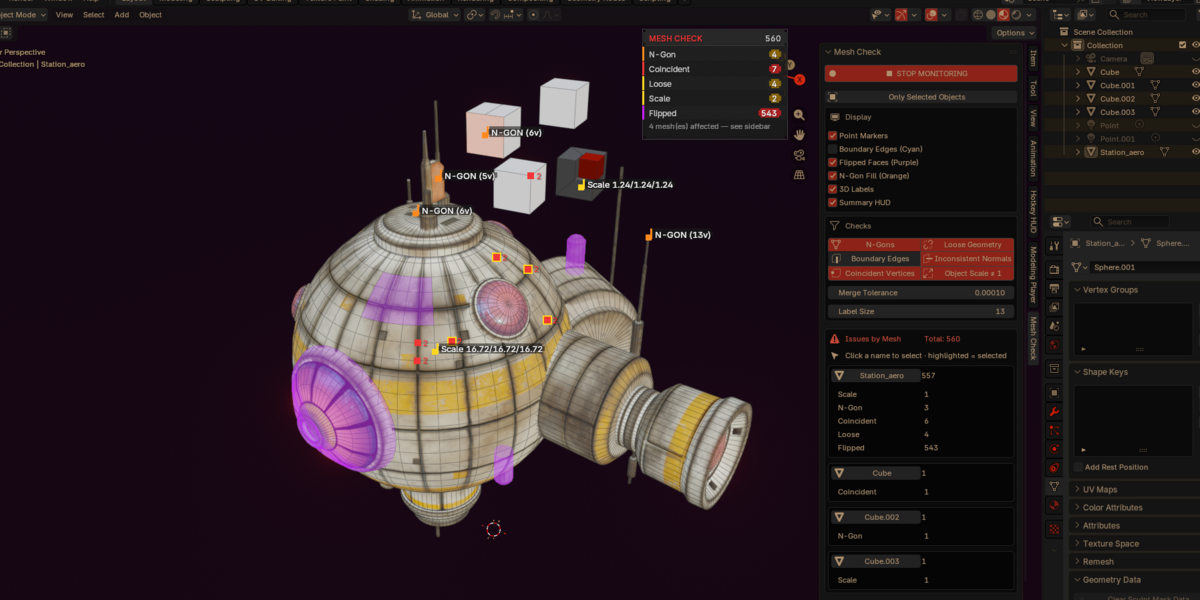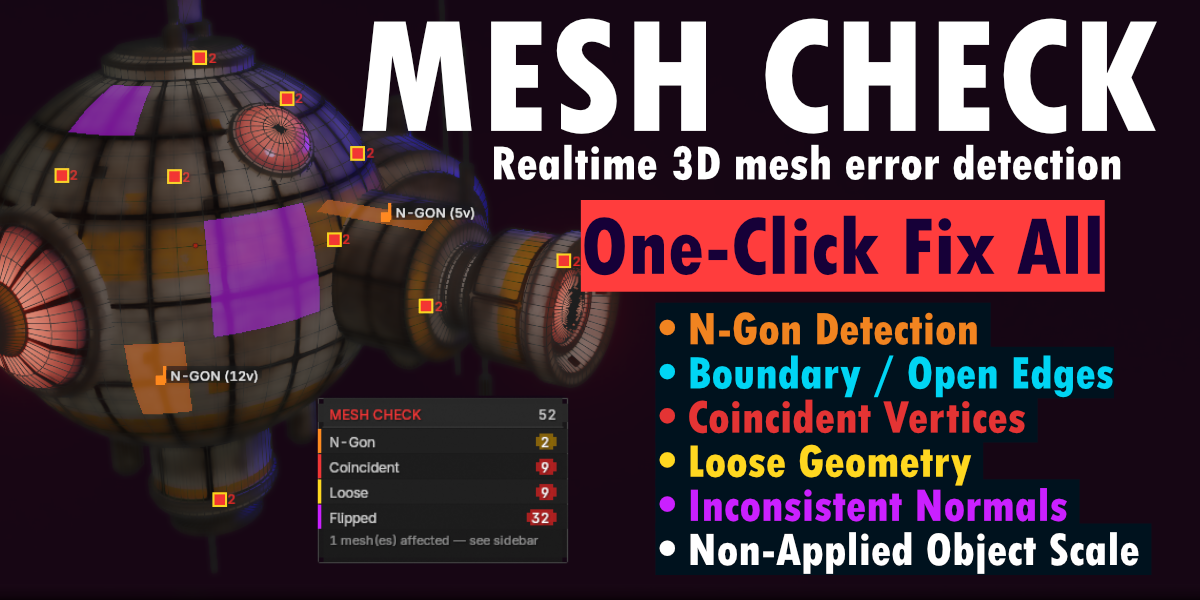
Mesh Check is a Blender Extension by Cole 3D that scans meshes while you work and marks topology issues directly in the viewport. Its color-coded overlays show where each issue sits, and a sidebar groups findings by mesh. Version 1.3 is listed for Blender 5.0 and newer.
Topology issues it detects
- N-gons: faces with more than four sides, shown in orange.
- Boundary or open edges: edges used by one face, shown in cyan.
- Coincident vertices: overlapping points within the set tolerance, shown in red with live counts.
- Loose geometry: vertices or edges not connected to a face, shown in yellow.
- Inconsistent normals: faces wound opposite to the rest of their island, shown in purple. Its flipped-normal check uses Blender's Recalculate Outside logic to identify reversed faces.
- Object scale: non-applied scale is shown with a label.
Review multiple meshes in the viewport
A compact HUD displays issue totals and the number of affected meshes. The sidebar lists findings by mesh; click a name to select that object. Mesh Check can inspect multiple objects at once, or limit scanning to the current selection.
Choose when to apply fixes
Detection does not modify geometry on its own. Issue-specific buttons appear for the current selection, with options to fix selected meshes or all flagged meshes in the scene. Fixes use Blender's native operators and are undoable. Each fix also shows the equivalent manual Blender steps.
Adjust monitoring for your scene
Scanning is live and throttled. On very dense meshes, the inconsistent-normals pass is skipped above an internal face limit to help keep the viewport responsive. You can disable individual checks, pause monitoring from the status badge, or adjust overlays, merge tolerance and label size.
Version and installation
The listing marks Blender 5.0–5.2 as compatible and describes support for Blender 5.0 and newer. Mesh Check installs as a Blender Extension through Install from Disk or by dragging its ZIP into Blender. Check the product listing and documentation for current compatibility details.