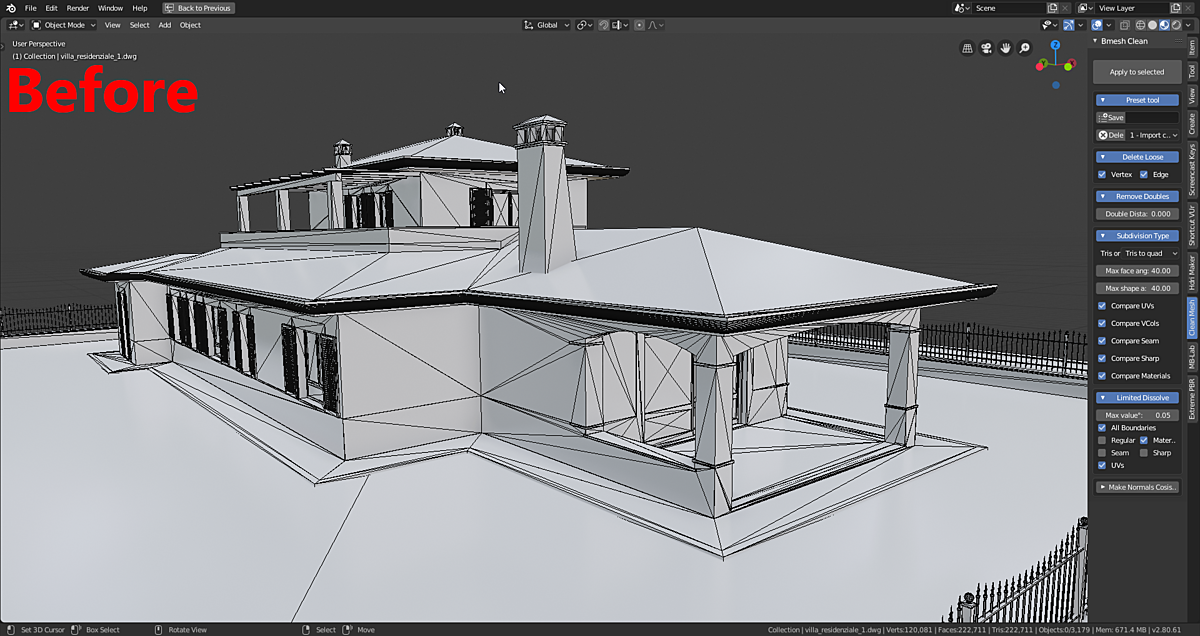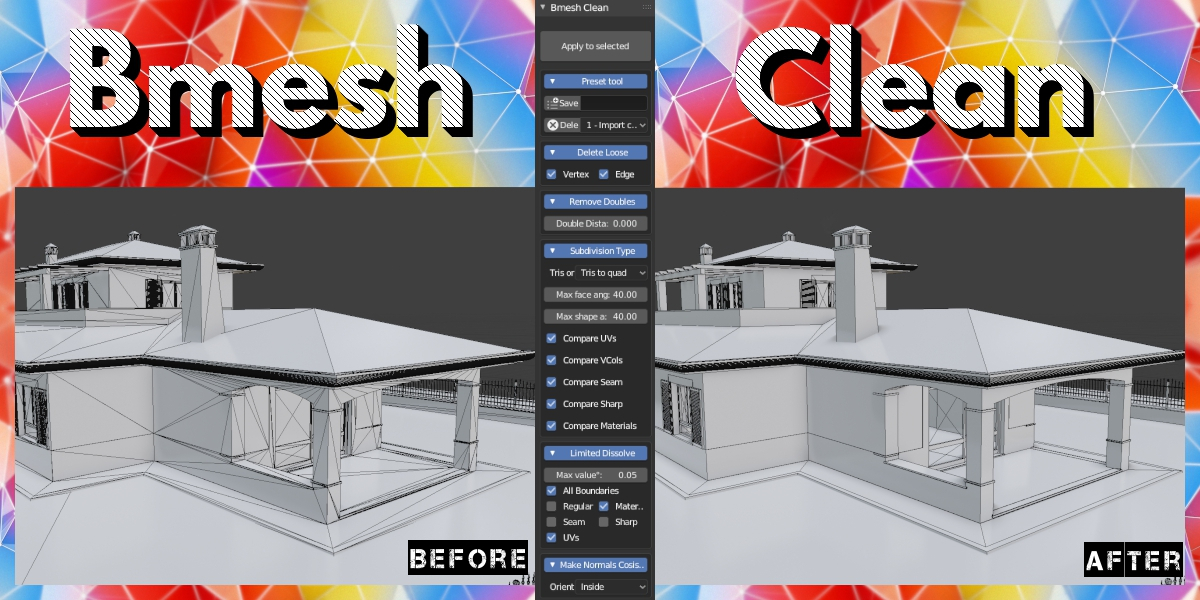
Bmesh Clean Add-On by Andrew_D is a Blender add-on for automating common mesh cleanup, particularly on models imported from tools such as SketchUp. Select one object or a group to run a cleanup sequence, then review the reported changes before continuing to shading or export.
Cleanup actions
The combined sequence can remove loose geometry, merge doubles by distance, recalculate or flip normals, and apply shading fixes. Available operations also include Limited Dissolve, Tris to Quads, Triangulate, Delete Loose, Merge By Distance, and Shade Smooth with an Auto Smooth Angle.
Work across objects and reuse settings
Several cleanup and shading fixes can be applied to multiple selected objects in one pass. Cleanup properties can be saved as presets on your computer and loaded again for another project.
Compatibility and documentation
The Superhive product listing gives a Blender range of 3.0 to 5.3, marks the add-on as Blender Extension compatible, and lists its license as GPL. Its question-mark icons link to relevant documentation; right-click an icon to open the matching page. The official Bmesh Clean documentation also links to installation instructions.
Some meshes, especially models imported from other software, may need more than one cleanup step, according to the developer's FAQ. Review the reported changes and check the product listing for compatibility details before installing.